
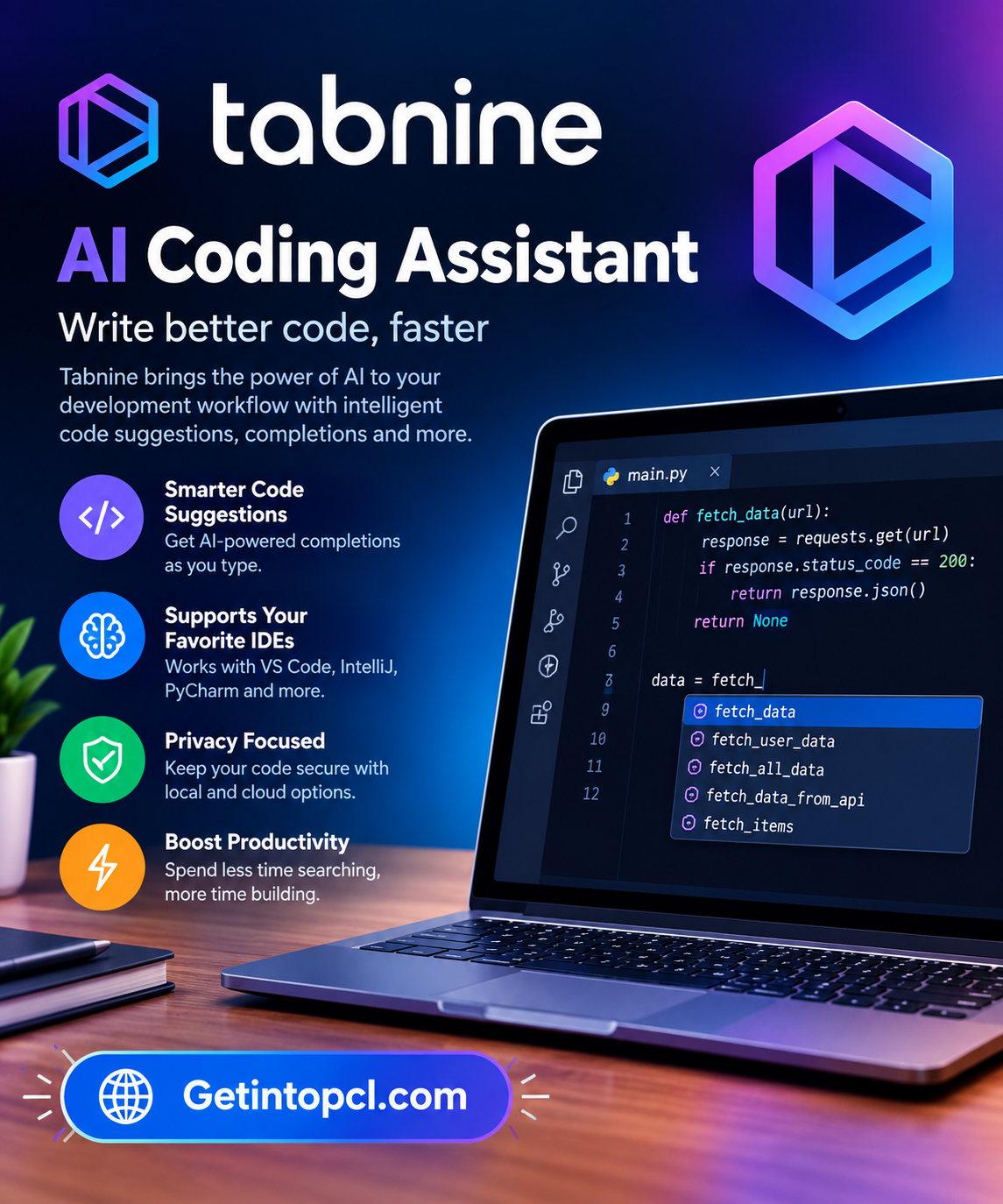
Tabnine AI Coding Assistant is an AI-powered software development platform designed to help programmers write, understand, test, review, document, and maintain code. It combines AI code completion with conversational assistance and, in its newer platform offerings, agentic development capabilities that can handle more complex software engineering tasks.
Tabnine is developed by Tabnine, which was acquired by Tricentis. The current platform is aimed at individual developers, development teams, and organizations that want AI-assisted software development while retaining control over how their source code and AI services are deployed. Tabnine supports major development environments, a broad range of programming languages and frameworks, and deployment options ranging from SaaS to private and air-gapped environments.
For people searching for an AI coding assistant, AI code completion tool, AI programming assistant, code generation software, AI developer tool, or enterprise AI coding platform, Tabnine is particularly relevant because it combines coding assistance with privacy, customization, codebase context, and organizational controls.
What Is Tabnine AI Coding Assistant?
Tabnine is an AI coding platform that integrates directly with software development environments. Instead of requiring developers to copy code into a separate chatbot, Tabnine can provide suggestions and AI assistance within supported IDEs.
Its current Code Assistant platform provides AI code completions and AI chat grounded in the developer’s codebase. The newer Agentic Platform adds autonomous or semi-autonomous agents, a Context Engine, CLI-based development, and connections to external tools through the Model Context Protocol (MCP).
Tabnine can assist throughout the software development lifecycle, including:
- Planning
- Code generation
- Code explanation
- Testing
- Documentation
- Code review
- Debugging and fixing
- Refactoring
- Maintenance
Tabnine is primarily a cloud-connected AI development platform, but its deployment architecture is flexible. Organizations can use SaaS, VPC, on-premises, or fully air-gapped deployments. Tabnine also supports connecting private model endpoints and using models hosted within an organization’s environment.
This makes Tabnine different from a purely local AI coding application, although its deployment options can support environments where source code and AI processing need to remain within controlled infrastructure.
Main Uses of Tabnine AI Coding Assistant
AI Code Completion
One of Tabnine’s core functions is AI-powered code completion. Developers can receive suggestions for individual lines as well as larger sections of code.
The current platform supports completions ranging from current-line suggestions to multiple lines and full-function implementations.
This can be useful for repetitive programming tasks, boilerplate code, common programming patterns, and implementing functions from natural-language descriptions.
Code Generation
Developers can describe what they want in natural language and use Tabnine to generate corresponding code.
For example, a developer can ask for a function that validates input, creates an API endpoint, processes data, or performs another programming task. The generated result can then be reviewed and modified by the developer.
Tabnine’s AI chat and agentic functionality extend this concept to larger development tasks.
Code Explanation
Tabnine can explain existing code in natural language. This can be particularly useful when working with an unfamiliar codebase or programming language.
Developers can use explanations to understand:
- What a function does
- How different components interact
- Why particular logic exists
- What dependencies are being used
- How an unfamiliar section of code works
Tabnine specifically describes code explanation as a use case for understanding legacy code and code written in unfamiliar languages.
Debugging and Code Fixes
Tabnine can help developers identify potential problems and generate suggested fixes.
Its current platform includes a Code Fix Agent that can work with selected code containing an error and provide fixes through a diff-oriented workflow.
This can be useful when troubleshooting programming errors without manually rewriting an entire section of a project.
Testing
AI-assisted testing is another important part of Tabnine’s development workflow.
Tabnine can generate test plans and test cases for functions and methods. Its documentation also describes using existing tests and project conventions to produce tests that fit the codebase.
Documentation
Developers can use Tabnine to create documentation for classes, functions, APIs, comments, and other code components.
This is particularly useful for maintaining documentation in projects where code changes frequently and documentation can otherwise become outdated.
Amazon Q Developer: AI Coding Assistant for Software Development
Code Review
Tabnine’s current platform includes AI-assisted code review for pull requests and code inside supported IDEs.
The review system can evaluate code against organizational standards and provide guidance for addressing identified issues.
Refactoring and Maintenance
Developers can describe changes they want in natural language and use Tabnine to modify existing code, fix bugs, add functionality, or refactor code.
This makes Tabnine useful not only when creating new software but also when maintaining existing applications.
Features
AI Code Completions
Tabnine provides AI-powered completions for programming code, including suggestions for current lines and larger code structures.
AI Chat
The AI chat interface allows developers to ask questions about code and development tasks. Tabnine describes its chat as supporting different stages of the software development lifecycle, including planning, creation, testing, documentation, review, explanation, and maintenance.
AI Coding Agents
The Agentic Platform adds AI agents that can perform more complex development workflows. These agents can generate code, tests, documentation, and fixes while working with available project context.
Tabnine also provides specialized agents for code review, testing, documentation, code explanation and onboarding, and code fixing.
Raycast AI: Productivity Assistant for Mac and Windows Users
Tabnine CLI
The Tabnine Agentic Platform includes a terminal-based CLI that allows developers to use AI coding agents directly from the command line.
According to Tabnine, the CLI can automate tasks such as code changes, refactoring, and pull requests and can operate in local environments, remote sessions, and CI pipelines.
Context Engine
The Tabnine Context Engine provides agents with information about an organization’s codebase, architecture, dependencies, development standards, and related resources.
The current Agentic Platform includes connections to code repositories such as Bitbucket, GitHub, GitLab, and Perforce P4, along with systems such as Jira and Confluence.
Multiple AI Models
Tabnine supports models from Tabnine and leading third-party providers. Its current platform references models from providers including Anthropic, OpenAI, Google, Meta, and Mistral.
Users can also connect supported private model endpoints, providing additional control over where AI processing takes place.
Privacy and Zero Code Retention
Privacy is a major part of Tabnine’s current platform.
Tabnine states that its deployment options include SaaS, VPC, on-premises, and air-gapped environments. It also states that code is not stored or used for model training under its stated privacy architecture.
MCP Integration
The Agentic Platform supports the Model Context Protocol (MCP), allowing agents to interact with additional development and external services.
Tabnine lists tools such as Git, testing frameworks, linters, Jira, Confluence, databases, APIs, Docker, package managers, and CI/CD systems among supported agent-tool scenarios.
License and IP Protection
Tabnine provides mechanisms designed to reduce licensing risks associated with AI-generated code. Its platform can check generated code against publicly viewable repositories, while applicable enterprise offerings include additional IP protections subject to the relevant terms.
Platform and Compatibility
Tabnine is designed to work inside many popular development environments.
| Development Environment | Support |
|---|---|
| Visual Studio Code | Yes |
| Visual Studio | Yes |
| JetBrains IDEs | Yes |
| Eclipse | Yes |
| Neovim | Yes |
| Android Studio | Yes |
| IntelliJ IDEA | Yes |
| PyCharm | Yes |
| CLion | Yes |
| GoLand | Yes |
| PhpStorm | Yes |
| Rider | Yes |
| RubyMine | Yes |
| WebStorm | Yes |
Tabnine’s official installation page currently lists these IDEs and environments among its supported options.
Tabnine also supports a broad selection of programming languages and technologies, including Python, Java, JavaScript, TypeScript, C, C++, C#, Go, Rust, PHP, Ruby, Kotlin, Lua, Perl, R, SQL, HTML, CSS, Dart, YAML, and others.
Because support can vary by individual feature, IDE, model, and plan, developers should check the current Tabnine documentation when a particular language or development environment is important.
System Requirements
Tabnine does not publish one universal minimum CPU, RAM, storage, or GPU specification covering every supported IDE and deployment configuration.
This is partly because Tabnine operates as an extension or plugin within development environments such as VS Code, Visual Studio, JetBrains IDEs, Eclipse, and Neovim.
In general, users need:
- A supported development environment
- An operating system capable of running that IDE
- Internet connectivity for cloud-based Tabnine services
- Appropriate permissions for the selected IDE
- Additional infrastructure for private or self-hosted deployments
For organizations using on-premises, VPC, or air-gapped deployments, infrastructure requirements can vary according to the deployment architecture and AI models selected.
Tabnine does not require a dedicated GPU for ordinary IDE-based cloud AI assistance as a universal requirement. Local or self-hosted model deployments can have additional hardware requirements depending on the chosen model and infrastructure.
Technical Setup Details
For an individual developer, setting up Tabnine normally begins with installing the appropriate plugin or extension for the chosen IDE.
A typical workflow is:
- Choose a supported IDE.
- Install the Tabnine extension or plugin.
- Sign in to the Tabnine account.
- Configure the desired AI features.
- Open an existing project or create a new project.
- Start using code completions or AI chat.
- Review and modify AI-generated code before incorporating it into the project.
For organizations, the setup can be significantly more advanced. Tabnine supports SaaS, VPC, on-premises, and fully air-gapped deployment models. It can also connect to private AI model endpoints.
Enterprise deployments can include administrative controls, SSO, analytics, governance, access controls, and organizational coding standards.
The newer Agentic Platform can also connect AI agents to development and business systems through MCP. This allows workflows to incorporate tools such as Git, Jira, Confluence, Docker, databases, testing frameworks, and CI/CD systems.
Pricing and Licensing
Tabnine’s current pricing structure has changed from earlier versions of the product. Its current pricing page lists the Tabnine Code Assistant Platform at $39 per user per month when billed annually and the Tabnine Agentic Platform at $59 per user per month when billed annually.
| Plan | Current listed annual-billing price | Main capabilities |
|---|---|---|
| Code Assistant | $39/user/month | Code completions, AI chat, security and privacy features, major IDE support |
| Agentic Platform | $59/user/month | Code Assistant features plus agents, CLI, Context Engine and MCP capabilities |
| Enterprise options | Custom | Advanced deployment, organizational controls and enterprise capabilities |
Tabnine’s current pricing page also describes unlimited usage when customers use their own LLM on-premises or their own cloud LLM endpoint, while Tabnine-provided model access involves reserved token consumption and associated provider costs.
Older Tabnine documentation and third-party references may mention a free Basic tier or older Pro pricing. Because Tabnine’s current commercial structure has changed, users should rely on the latest official pricing page rather than older pricing information.
Advantages and Limitations
Advantages
- AI code completion and generation inside popular IDEs.
- AI chat for different stages of software development.
- Code explanation, documentation, testing, review, and refactoring.
- Agentic development capabilities for more complex tasks.
- CLI-based AI coding workflows.
- Support for a broad range of programming languages.
- Multiple deployment options, including on-premises and air-gapped environments.
- Support for private AI model endpoints.
- Organizational context and coding standards through the Context Engine.
- Privacy-focused architecture with stated zero-code-retention options.
Limitations
- The current paid plans can be relatively costly for individual developers compared with some competing AI coding assistants.
- Advanced agentic and organizational capabilities are aimed more heavily at professional teams and enterprises.
- Features can vary according to IDE, language, model, deployment type, and plan.
- Self-hosted and air-gapped deployments require additional technical administration.
- Cloud-based AI workflows depend on network connectivity.
- AI-generated code still needs human review and testing.
- Older articles may describe pricing and product tiers that no longer match the current offering.
Who Should Use Tabnine AI Coding Assistant?
Software developers can use Tabnine for code generation, completion, debugging, testing, documentation, and refactoring.
Students and programming learners can use AI chat and code explanation to understand programming concepts and unfamiliar code, although availability and pricing should be checked for the current plan structure.
Freelance developers can use Tabnine inside their preferred IDE for repetitive coding and development tasks.
Development teams can use shared standards, codebase context, AI review, testing agents, and organizational controls.
Enterprise software organizations may find the deployment flexibility particularly relevant when source code cannot be processed through a standard public cloud workflow.
Developers working with private or regulated codebases can consider VPC, on-premises, or air-gapped deployment options where appropriate.
Tabnine AI Coding Assistant Alternatives
Several AI coding assistants overlap with Tabnine, but their approaches differ.
GitHub Copilot focuses on AI-assisted software development across IDEs and GitHub, including code completion, chat, and agentic development.
Amazon Q Developer combines general AI coding assistance with particularly strong integration into the AWS ecosystem.
Google Gemini Code Assist provides AI coding assistance through Google’s developer and cloud ecosystem.
Cursor combines AI coding capabilities with a dedicated code editor based on the VS Code environment.
Claude Code focuses on agentic coding workflows using Claude, with strong terminal and repository-oriented capabilities.
Tabnine’s distinctive focus is the combination of AI coding assistance, deployment flexibility, privacy controls, organizational context, and enterprise-oriented governance. Its current Agentic Platform extends this approach with a Context Engine and integrations with development and business systems.
Download, Installation, or Access
Tabnine is available through its official website and supported IDE extension or plugin marketplaces.
Official Tabnine website: Tabnine
Official installation page: Tabnine Install
The official installation page currently lists integrations for Visual Studio Code, Visual Studio, JetBrains IDEs, Eclipse, Neovim, Android Studio, and several other development environments.
For normal development use, users can install the appropriate Tabnine extension and authenticate through the supported workflow. Organizations considering private deployments should review Tabnine’s enterprise deployment documentation before selecting SaaS, VPC, on-premises, or air-gapped infrastructure.
Users should obtain Tabnine through official sources rather than modified, cracked, or unauthorized software packages.
Frequently Asked Questions
Is Tabnine AI Coding Assistant free?
Tabnine’s current pricing structure is primarily based on paid Code Assistant and Agentic Platform plans. Its current pricing page lists $39 per user per month for the Code Assistant Platform and $59 per user per month for the Agentic Platform when billed annually. Older Tabnine materials describe free offerings, so users should check the current official pricing page for the latest availability.
Does Tabnine work with VS Code?
Yes. Tabnine provides an official Visual Studio Code extension, along with integrations for Visual Studio, JetBrains IDEs, Eclipse, Neovim, and other environments.
What programming languages does Tabnine support?
Tabnine supports a broad selection of languages, including Python, Java, JavaScript, TypeScript, C, C++, C#, Go, Rust, PHP, Ruby, Kotlin, SQL, R, Dart, Lua, Perl, YAML, HTML, and CSS. The exact capabilities can differ by feature and environment.
Can Tabnine generate code?
Yes. Tabnine can generate code through inline prompts, AI chat, and its newer agentic workflows. It can also assist with tests, documentation, fixes, and refactoring.
Can Tabnine explain existing code?
Yes. Code explanation is one of Tabnine’s documented use cases. It can help developers understand unfamiliar or legacy code and explore project structure and dependencies.
Does Tabnine support local or private AI deployment?
Yes. Tabnine supports several deployment models, including SaaS, VPC, on-premises, and fully air-gapped environments. Organizations can also connect supported private model endpoints.
Is Tabnine suitable for enterprise software development?
Yes. The current platform includes enterprise-oriented features such as private deployment, SSO, governance, organizational coding standards, analytics, auditability, and integrations with development and business systems.
Can Tabnine work in the terminal?
Yes. The Tabnine Agentic Platform includes the Tabnine CLI, which brings AI coding agents into terminal-based development and can support local, remote, and CI/CD workflows.
Conclusion
Tabnine AI Coding Assistant is a comprehensive AI coding and software development platform that goes beyond simple autocomplete. Its capabilities cover code completion, AI chat, code generation, explanation, testing, documentation, code review, debugging, refactoring, and agentic development.
A major part of Tabnine’s current identity is its emphasis on privacy and deployment control. Organizations can choose SaaS, VPC, on-premises, or fully air-gapped deployment models, while the platform can also connect to private AI model endpoints.
Its support for Visual Studio Code, Visual Studio, JetBrains IDEs, Eclipse, Neovim, and a broad range of programming languages makes it applicable to many development workflows. The newer Agentic Platform adds CLI-based development, MCP integrations, autonomous agents, and the Context Engine for organizational codebase understanding.
For developers searching for an AI code completion tool, AI programming assistant, AI developer software, code generation assistant, or enterprise AI coding platform, Tabnine provides a combination of IDE-based assistance and broader agentic software development capabilities. Because its pricing and product structure have evolved, checking the current official pricing and documentation before installation or purchase is important.