
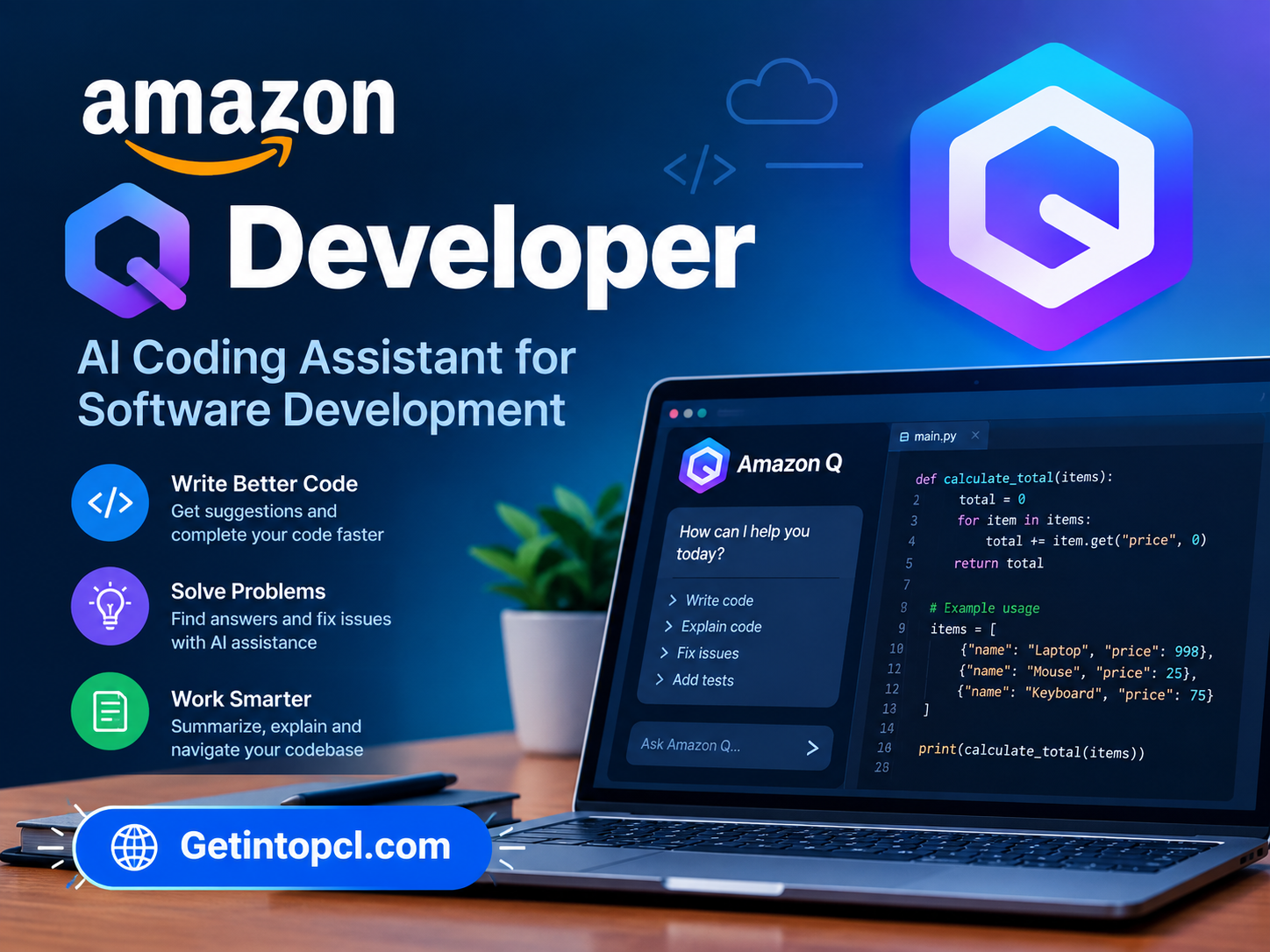
Amazon Q Developer is an AI-powered coding assistant from Amazon Web Services (AWS) designed to support developers throughout the software development lifecycle. It can help with code generation, code explanation, debugging, testing, refactoring, documentation, security-related tasks, application upgrades, and multi-step software development tasks. It is available inside supported IDEs, from the command line, and through several AWS development environments.
Unlike a general-purpose AI chatbot that primarily works through a web conversation, Amazon Q Developer is designed to work alongside a developer’s existing tools. It can understand workspace context, provide inline suggestions, chat about code, and use agentic capabilities to perform multi-step development tasks. AWS also offers a perpetual Free Tier, making it possible to use Amazon Q Developer without a paid subscription within specified monthly limits.
For developers researching AI coding assistants, AI programming tools, code generation software, AWS developer tools, coding copilots, or agentic AI for software development, Amazon Q Developer is particularly relevant because it combines general programming assistance with specialized AWS knowledge.
What Is Amazon Q Developer?
Amazon Q Developer is a generative AI assistant developed by Amazon Web Services for software development and AWS-related workflows. It is built on Amazon Bedrock and uses multiple foundation models, with AWS routing tasks to models suited to the particular request.
The assistant can operate within an IDE, terminal, AWS Management Console, and other supported development environments. In an IDE, developers can ask questions about their code, generate code suggestions, troubleshoot problems, write tests, and work on larger software tasks.
Amazon Q Developer supports both conversational and agentic workflows. A conventional chat request might ask the assistant to explain a function, while an agentic coding request can involve analyzing a project, creating a plan, modifying multiple files, generating tests, and running commands with the developer’s approval and interaction.
It is primarily a cloud-connected AI service, although the application itself is installed through IDE extensions, plugins, or command-line tools. It should not be confused with an entirely local AI coding assistant.
Main Uses of Amazon Q Developer
AI Code Generation
Amazon Q Developer can generate code from natural-language instructions and provide inline suggestions while developers work in an IDE or terminal.
AWS says its inline code suggestions cover multiple programming languages, including Python, Java, JavaScript, TypeScript, C#, Go, Rust, PHP, Ruby, Kotlin, C, C++, Scala, SQL, and others.
Developers can use this capability for functions, snippets, boilerplate, infrastructure code, and other programming tasks.
Understanding Existing Code
Working with an unfamiliar codebase can require significant time. Amazon Q Developer can answer questions about program logic and use workspace context to provide assistance based on a broader project rather than only the currently open file.
This can be useful when:
- Joining an existing software project
- Understanding unfamiliar functions
- Finding relationships between files
- Learning an unfamiliar programming language
- Exploring an application’s architecture
- Locating relevant APIs or libraries
Tabnine AI Coding Assistant: Code Completion and Developer Productivity
Debugging and Troubleshooting
Developers can use Amazon Q to investigate errors and ask for possible solutions. It can explain error messages, analyze code, suggest fixes, and help developers reason through programming problems.
AWS also provides Amazon Q functionality for diagnosing and troubleshooting AWS-related issues, including cloud resources and operational problems.
Testing
Amazon Q Developer can generate functional tests and assist with testing existing code. Its agentic coding functionality can incorporate tests into larger development tasks.
This can help developers create test cases when adding new functionality or modifying existing code.
Refactoring and Code Improvement
Amazon Q can assist with refactoring existing code, improving documentation, and making changes across a project.
For larger requests, its agentic coding experience can analyze a workspace, create an implementation plan, make changes, and generate associated tests.
Application Modernization
One of Amazon Q Developer’s more specialized capabilities is application transformation.
AWS provides functionality for transforming Java applications and .NET applications, with support depending on the development environment and transformation type.
This can be relevant for organizations working with older application technologies that need modernization.
AWS Development
Amazon Q Developer has particular relevance for AWS users. It can provide assistance with AWS services, cloud architecture, infrastructure, troubleshooting, and development workflows.
It can also help generate infrastructure-as-code for technologies such as AWS CloudFormation, AWS CDK, and Terraform.
Features
AI Chat
Amazon Q Developer provides conversational AI inside supported IDEs and other environments. Developers can ask questions about programming concepts, project code, AWS services, debugging, or implementation approaches.
Inline Code Suggestions
The assistant can provide code suggestions while developers type. Supported languages include many mainstream programming languages and infrastructure-as-code formats.
Agentic Coding
Agentic coding allows Amazon Q Developer to perform more complex, multi-step tasks. It can analyze a workspace, create an implementation plan, modify files, generate tests, and run commands as part of an interactive development process.
Workspace Context
Amazon Q can use broader workspace information when responding to development questions, allowing it to provide context-aware suggestions instead of relying exclusively on a single open file.
Code Reviews
Amazon Q Developer can assist with code reviews and provide automated fixes for supported languages and environments. The exact language support varies by feature.
Security Assistance
Security is another part of the Amazon Q Developer feature set. AWS provides vulnerability scanning and security-related development assistance within supported environments.
MCP Support
Amazon Q Developer supports MCP servers in supported IDE environments, allowing developers to connect the assistant with additional tools and context.
AWS Console Assistance
Amazon Q is integrated into the AWS Management Console and can provide guidance for AWS-related development, architecture, operations, and troubleshooting tasks.
Command-Line Assistance
Amazon Q Developer is also available through the command line. Developers can use it for AI chat, coding assistance, and CLI autocompletions from supported terminal environments.
Code Transformation
Amazon Q can transform supported applications, including Java upgrades and .NET transformations. Supported environments and languages depend on the particular transformation.
Superwhisper AI: Voice-to-Text Tool for Writing and Productivity
Platform and Compatibility
Amazon Q Developer is available across several development environments rather than as one traditional standalone desktop application.
| Environment | Availability |
|---|---|
| Visual Studio Code | Yes |
| JetBrains IDEs | Yes |
| Visual Studio | Yes |
| Eclipse | Yes, preview |
| Command line | Yes |
| AWS Management Console | Yes |
| AWS Cloud9 | Yes |
| Lambda console | Yes |
| Windows | Yes |
| macOS | Yes |
| Linux | Yes |
AWS currently lists support for VS Code, JetBrains IDEs, Visual Studio, Eclipse preview, and command-line environments. The command-line version supports environments including macOS, Linux, Ubuntu, and Windows.
The JetBrains family includes IDEs such as IntelliJ IDEA, PyCharm, GoLand, CLion, PhpStorm, RubyMine, Rider, WebStorm, and DataGrip.
One important current consideration is that AWS has announced that support for Amazon Q Developer IDE plugins will end on April 30, 2027, with AWS directing users toward Kiro for similar capabilities and newer agentic coding features.
System Requirements
Amazon Q Developer does not have one universal hardware specification because it is delivered through different IDE plugins, the command line, and AWS environments.
AWS’s current documentation does not specify a universal minimum CPU, RAM, GPU, and storage configuration for all Amazon Q Developer installations. Requirements can instead depend on the host IDE, operating system, and development environment.
For practical use, users generally need:
- A supported operating system
- A compatible IDE or terminal environment
- Sufficient resources to run the selected IDE
- Internet connectivity for Amazon Q’s cloud-based AI functionality
- An AWS Builder ID or appropriate AWS identity for authentication
Because Amazon Q Developer relies on supported IDEs and AWS services, users should check the requirements of their particular IDE as well as the current Amazon Q documentation rather than relying on a generic hardware specification.
A dedicated GPU is not listed as a universal requirement for Amazon Q Developer.
Technical Setup Details
Setting up Amazon Q Developer generally involves installing the appropriate IDE extension, plugin, or command-line application and then authenticating.
A typical IDE setup involves:
- Install Amazon Q Developer for the selected IDE.
- Sign in using an AWS Builder ID or IAM Identity Center.
- Open a supported programming project.
- Launch Amazon Q from the IDE.
- Use chat, inline suggestions, or agentic coding.
- Review generated code and changes before applying them.
AWS specifically states that users can get started with Amazon Q Developer without an AWS account by authenticating with a Builder ID.
For command-line use, Amazon Q can be installed in supported terminal environments and authenticated using the appropriate AWS identity.
Developers should always review AI-generated code before accepting it. AWS explicitly states that developers remain responsible for the code they write, including suggestions generated by Amazon Q Developer.
Supported Programming Languages
Amazon Q Developer supports a broad range of languages. Current AWS documentation lists languages including:
- Python
- Java
- JavaScript
- TypeScript
- C#
- Go
- Rust
- PHP
- Ruby
- Kotlin
- C
- C++
- Shell
- SQL
- Scala
- JSON
- YAML
- HCL
Feature-specific support can differ. For example, transformation and code-review capabilities support a narrower set of languages and versions.
Pricing and Licensing
Amazon Q Developer has a perpetual Free Tier and a Pro Tier. The current Pro price is $19 per user per month.
| Feature | Free Tier | Pro Tier |
|---|---|---|
| Price | $0 | $19/user/month |
| IDE and CLI access | Yes | Yes |
| Agentic requests | 50/month | Higher limits |
| Java transformation | Up to 1,000 lines/month | Up to 4,000 lines/month per user allocation |
| Latest supported AI models | Available within limits | Available |
| Enterprise administration | Limited | Additional capabilities |
| IP indemnity | Not included | Included |
The Free Tier includes 50 agentic requests per month and allows transformation of up to 1,000 lines of Java code per month under the current pricing structure.
The Pro Tier increases usage limits and adds capabilities such as identity-center support, administrative controls, and IP indemnity.
The Free Tier is therefore a genuine ongoing free tier rather than simply a short trial, but it has defined usage limits.
Advantages and Limitations
Advantages
- Provides AI assistance directly inside popular development environments.
- Supports code generation and inline suggestions.
- Provides agentic coding for multi-step development tasks.
- Supports many mainstream programming languages.
- Offers strong integration with AWS services and workflows.
- Includes a perpetual Free Tier.
- Supports command-line development.
- Provides code transformation capabilities for supported applications.
- Offers code-review and security-related functionality.
- Can use broader workspace context for development assistance.
Limitations
- Free usage is subject to monthly limits.
- Advanced features and higher limits require Pro.
- Some functionality is specific to particular IDEs or AWS environments.
- Programming-language support varies depending on the feature.
- AI-generated code still requires developer review.
- AWS has announced the end of support for Amazon Q Developer IDE plugins on April 30, 2027.
- Cloud-based AI functionality requires network connectivity.
Who Should Use Amazon Q Developer?
Software developers can use Amazon Q for code generation, debugging, testing, documentation, and refactoring.
AWS developers are a particularly relevant audience because Amazon Q is integrated with AWS services and can provide cloud-specific guidance.
Students learning programming can use the Free Tier to ask programming questions, understand code, and experiment with AI-assisted development.
DevOps and cloud engineers can use Amazon Q for infrastructure-as-code, AWS troubleshooting, and command-line workflows.
Enterprise development teams can use Pro features for higher limits, centralized controls, and organizational identity management.
Developers working with legacy applications may also find its transformation features relevant for supported Java and .NET modernization tasks.
Amazon Q Developer Alternatives
Amazon Q Developer competes with several AI coding assistants, although each takes a somewhat different approach.
GitHub Copilot provides AI-assisted coding across supported IDEs and development environments, with features for code completion, chat, and agentic development.
Cursor combines an AI coding assistant with a dedicated code editor based on the VS Code ecosystem.
Claude Code focuses on agentic software development through Claude and can work with repositories and terminal-based workflows.
Google Gemini Code Assist provides AI coding assistance with Google’s development and cloud ecosystem.
Amazon Q Developer is particularly differentiated by its deep integration with AWS services, AWS architecture guidance, cloud operations, and AWS-oriented development workflows, alongside general-purpose coding assistance.
Download, Installation, or Access
Amazon Q Developer should be obtained through official AWS channels and supported IDE extension marketplaces.
The official Amazon Q Developer page provides installation options for:
- Visual Studio Code
- JetBrains IDEs
- Visual Studio
- Eclipse
- Command-line environments
AWS also provides setup instructions for authentication with an AWS Builder ID or IAM Identity Center.
Official Amazon Q Developer: Amazon Q Developer
Official pricing: Amazon Q Developer Pricing
Users should obtain the extension, plugin, or CLI from AWS or the relevant official IDE marketplace rather than using modified or unauthorized installers.
Frequently Asked Questions
Is Amazon Q Developer free?
Yes. Amazon Q Developer has a perpetual Free Tier with monthly usage limits. The current Free Tier includes 50 agentic requests per month and limited application-transformation usage.
Does Amazon Q Developer work with VS Code?
Yes. Amazon Q Developer is available as an extension for Visual Studio Code and provides chat, inline suggestions, agentic coding, workspace context, and other supported features.
Does Amazon Q Developer support Python?
Yes. Python is among the programming languages supported by Amazon Q Developer for multiple coding features, including inline suggestions and code-related assistance.
**Can Amazon Q Developer write code?
Yes. It can generate code from natural-language instructions and provide inline suggestions ranging from snippets to larger functions. It can also perform multi-step coding tasks through its agentic capabilities.
Does Amazon Q Developer work without an AWS account?
Users can start Amazon Q Developer for free using an AWS Builder ID without an AWS account. However, some features and authentication methods have different requirements, particularly those involving AWS organizational services.
Is Amazon Q Developer an AWS-only coding assistant?
No. It supports general programming languages and software-development workflows, but it has particularly strong integration with AWS services and cloud development.
Does Amazon Q Developer work offline?
Amazon Q Developer’s AI capabilities depend on AWS services, so it is not designed as a fully offline local AI coding assistant. An internet connection is required for its cloud-based AI functionality.
Is Amazon Q Developer better than GitHub Copilot?
The two products have different integrations and feature sets. Amazon Q Developer has a strong AWS focus, while GitHub Copilot is closely integrated with GitHub’s development ecosystem. The appropriate choice depends on the developer’s tools, workflow, and required features rather than a single universal comparison.
Conclusion
Amazon Q Developer is an AI coding assistant for software development that combines code generation, inline suggestions, conversational programming help, debugging, testing, refactoring, security assistance, application transformation, and agentic development.
Its integration with AWS makes it particularly useful for developers who build, deploy, and manage applications on Amazon’s cloud platform. At the same time, its support for languages such as Python, Java, JavaScript, TypeScript, C#, Go, Rust, PHP, Ruby, Kotlin, C++, SQL, and others makes it applicable to broader software-development workflows.
The perpetual Free Tier gives developers an opportunity to try Amazon Q Developer without a paid subscription, although monthly usage limits apply. The Pro Tier currently costs $19 per user per month and provides higher limits and additional organizational capabilities.
For developers searching for an AI programming assistant, AI code generator, AWS coding assistant, AI developer tool, or agentic coding software, Amazon Q Developer provides a combination of general coding assistance and AWS-specific development capabilities. As AWS has announced the future end of support for Amazon Q Developer IDE plugins on April 30, 2027, developers considering long-term IDE workflows should also monitor AWS’s migration guidance and Kiro offerings.