
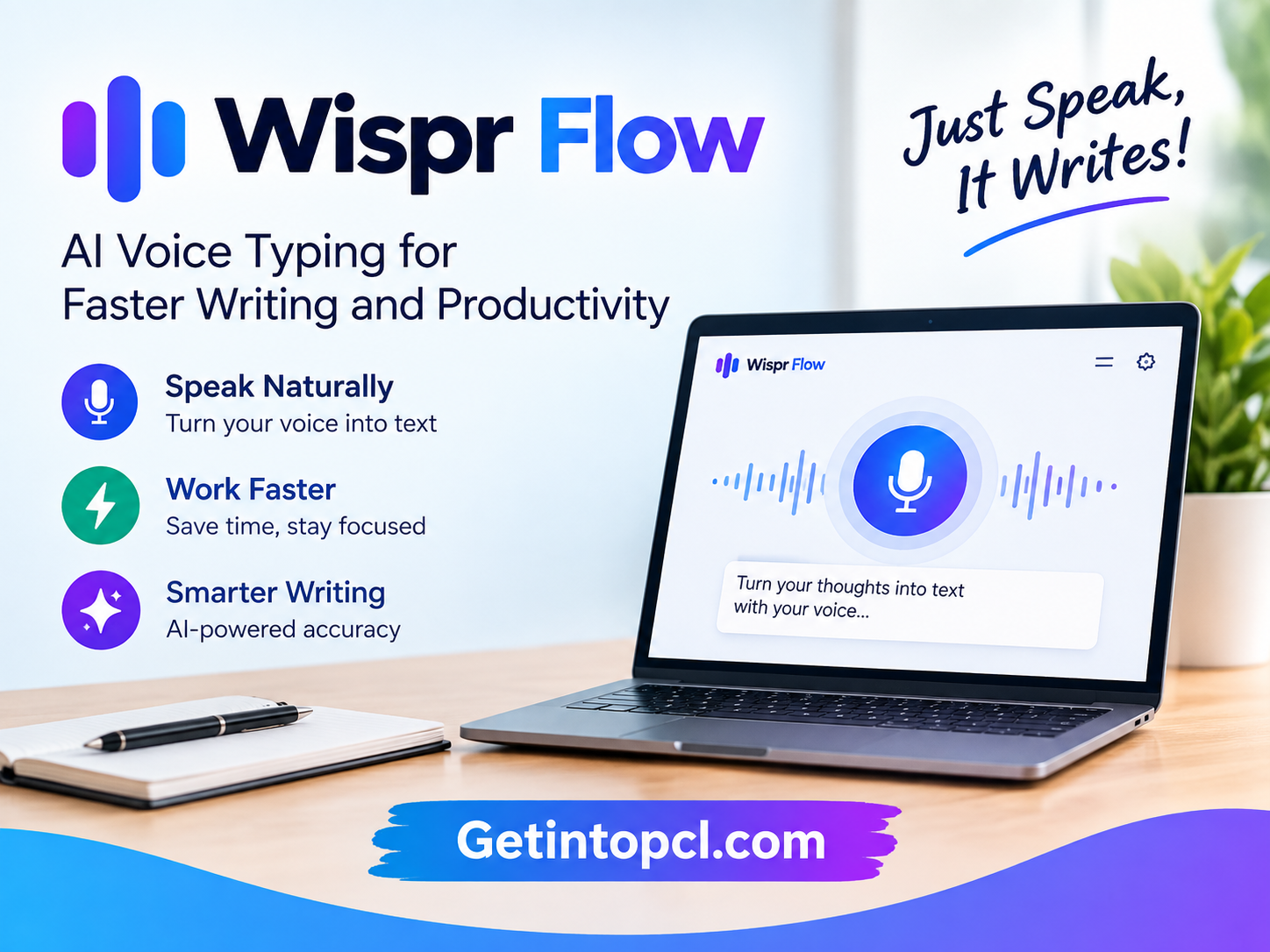
Wispr Flow is an AI-powered voice typing and dictation application designed to turn natural speech into polished written text. Instead of producing only a literal speech transcript, Flow can remove filler words, recognize corrections, format lists and paragraphs, handle technical terminology, and adapt to the context in which a person is writing. It works across applications and websites on Mac, Windows, iPhone, and Android.
For people searching for an AI voice typing tool, voice-to-text software, AI dictation app, speech-to-text assistant, productivity software, or faster writing tool, Wispr Flow offers a workflow centered on speaking rather than typing. It can be used for emails, documents, messages, AI prompts, coding instructions, notes, and other text-based tasks.
Wispr, the company behind Flow, describes itself as a voice-interface company. Flow is its flagship AI voice application, built around making voice input more useful across everyday computing.
What Is Wispr Flow?
Wispr Flow is an AI voice-to-text and dictation application developed by Wispr. Its primary purpose is to let users speak naturally and have that speech converted into usable text inside the application they are already using.
The important difference between Flow and basic voice dictation is its AI-based text processing. According to Wispr’s documentation, Flow can remove filler words, understand corrections made while speaking, automatically format lists, detect punctuation, and learn a user’s vocabulary over time.
For example, a person can dictate a thought containing pauses, repetitions, or a correction. Instead of simply reproducing every spoken word, Flow is designed to produce a cleaner version of the intended message.
Flow is primarily a cloud-based AI service, rather than a local/offline speech-recognition application. Wispr’s current documentation says transcription happens in the cloud, although the service provides privacy and data-sharing controls that allow users to control model-training and cloud-storage behavior.
The application is available on Mac, Windows, iPhone, and Android. The company also provides a browser-based experience for trying the technology.
Main Uses of Wispr Flow
AI Voice Typing and Dictation
The central purpose of Wispr Flow is replacing keyboard input with speech.
Users can place the cursor inside an email, document, browser text field, messaging application, or other supported text area and dictate their content. On desktop, Flow can be activated using a keyboard shortcut, while its mobile versions provide voice-input interfaces.
This can be useful when users have ideas faster than they can type them or simply prefer speaking to writing.
Writing and Content Creation
Writers, bloggers, students, and content creators can use Flow to dictate first drafts, outlines, ideas, emails, and other written material.
Because Flow can remove filler words and organize spoken content, users do not necessarily have to speak in perfectly structured sentences. The software is designed to transform conversational speech into cleaner written text.
Email and Messaging
Flow can work inside applications such as Gmail, Slack, WhatsApp, and other environments containing text fields. Its official feature documentation specifically lists Gmail, Notion, Google Docs, WhatsApp, and Cursor as examples.
This makes it useful for writing workplace messages, emails, replies, and longer communications without typing every sentence manually.
AI Prompt Writing
Voice input can also be useful when interacting with AI assistants such as ChatGPT, Claude, or Perplexity.
Long AI prompts often require detailed context. Speaking can allow users to describe an idea in greater detail before submitting it to an AI tool. Flow is designed to work in applications and websites where users normally type prompts.
Coding and Developer Workflows
Wispr Flow includes features specifically designed for developers. It can recognize technical terminology, programming conventions, acronyms, and code-related language.
Wispr says Flow understands formats such as camelCase and snake_case, recognizes developer terms, and can tag files in Cursor and Windsurf when those workflows are supported.
This makes Flow a voice-input layer for coding workflows rather than a standalone AI coding assistant.
Notes and Meetings
Flow also includes a Notetaker product for meetings and voice memos. The current free plan includes access to Notetaker with a weekly meeting limit, while paid plans provide higher limits and longer retention.
On desktop, Notetaker can capture microphone and system audio and use cloud-based transcription and summarization. Users should obtain any required consent before recording or transcribing other participants.
Superwhisper AI: Voice-to-Text Tool for Writing and Productivity
Features
Wispr Flow combines speech recognition with AI-based text processing and personalization.
AI Voice-to-Text
Flow converts spoken language into written text and is designed to work inside other applications rather than requiring users to write inside a separate editor.
100+ Languages
Wispr currently supports dictation in more than 100 languages and regional variants. Its documentation includes examples such as British English, Canadian English, Swiss German, Simplified Chinese, Traditional Chinese, Hindi, Korean, Arabic, and other languages.
Automatic Punctuation
Flow can identify punctuation from speech patterns and pauses. Users can also explicitly dictate punctuation when greater control is required.
Filler-Word Removal
The software can remove common filler words such as “um” and “uh” from dictated text, helping transform conversational speech into cleaner writing.
Correction Handling
Flow is designed to understand when a speaker changes their mind mid-sentence. A correction can replace the earlier wording rather than leaving both versions in the final text.
Personal Dictionary
The application learns names, terminology, and other vocabulary that may be unusual or difficult for standard speech recognition systems. Users can also add terms to their personal dictionary.
Developer-Aware Dictation
Flow provides syntax awareness for programming-related speech and can recognize developer terminology, command-line language, acronyms, and coding conventions.
Cross-Platform Access
Flow is available across Mac, Windows, iPhone, and Android, allowing users to use voice dictation across desktop and mobile environments.
Meeting Notetaker
The separate Notetaker functionality can transcribe meetings, identify speakers, and allow users to ask questions about meeting notes on supported plans.
Privacy Controls
Wispr provides controls for whether dictation data can be used to improve AI models and whether dictation data is stored in the cloud. These are separate settings.
Platform and Compatibility
Wispr Flow is available on the major desktop and mobile platforms listed below.
| Platform | Availability |
|---|---|
| Windows | Yes |
| macOS | Yes |
| iPhone | Yes |
| Android | Yes |
| Web | Browser-based experience available |
| Linux | No official Linux desktop version listed in current documentation |
The current documentation identifies Mac, Windows, iOS, and Android as supported platforms. Android is currently described as Beta in Wispr’s documentation.
For Windows, Flow supports Windows 10 and Windows 11 on x64 processors. ARM-based Windows devices are currently not supported.
On Mac, both Apple Silicon and Intel processors are supported.
System Requirements
Wispr publishes specific requirements for its desktop applications.
Mac
- Operating system: macOS 12 Monterey or later
- Processor: Apple Silicon or Intel
- Memory: 8 GB or more recommended
- Storage: Approximately 500 MB
- Microphone: Built-in or supported external microphone
- Internet: Required
- Permissions: Microphone and Accessibility access are required; Screen Recording access may be requested for an optional feature.
Windows
- Operating system: Windows 10 or Windows 11
- Processor: x64 64-bit processor
- ARM Windows: Not currently supported
- Memory: 8 GB or more recommended
- Storage: Approximately 200 MB
- Microphone: Built-in or external microphone
- Internet: Required
iPhone
The current requirement is iOS 18.3 or later.
Android
Wispr Flow is available for Android, although its documentation currently identifies the Android application as Beta and notes that some functionality differs from desktop and iOS.
Technical Setup Details
Installing Flow starts with downloading the appropriate application from Wispr’s official website or the relevant app store.
On Mac and Windows, users can click inside a text field and activate Flow using the configured keyboard shortcut. The current default shortcuts are Fn on Mac and Ctrl + Win on Windows, although users can customize shortcuts in the application’s settings.
A typical desktop setup involves:
- Download and install Wispr Flow.
- Sign in using a supported account method.
- Grant microphone access.
- Grant Accessibility permission where required.
- Select or configure the desired languages.
- Set the preferred keyboard shortcut.
- Open an application containing a text field.
- Activate Flow and begin speaking.
- Release the shortcut to insert the processed text.
Flow supports more than 100 languages, and users can configure active languages on supported platforms.
One important technical consideration is that Flow’s transcription is cloud-based. It is therefore different from local AI voice typing software that performs all speech recognition directly on the device.
Pricing and Licensing
Wispr Flow currently has Free, Pro, Growth, and Enterprise plans. The Free plan does not require a credit card, while Pro provides unlimited dictation and additional capabilities.
| Plan | Current pricing | Main features |
|---|---|---|
| Free | $0/month | Dictation across supported apps and 100+ languages, personalization, Notetaker with usage limits |
| Pro | $15/user/month or $12/user/month billed annually | Unlimited dictation, advanced AI models, additional meeting capacity, prioritized support |
| Growth | $23/user/month or $18/user/month billed annually | Pro features plus additional administration, SSO/SCIM, usage reporting and security controls |
| Enterprise | Custom | Advanced enterprise administration, security, analytics, audit logs and dedicated support |
Wispr’s current documentation confirms the Free plan at $0, while Pro is listed at $15 per user per month or $12 per user per month when billed annually. Growth is listed at $23 per user per month, or $18 annually.
The free plan has usage limits. Current documentation describes a weekly word cap for free users, although the exact behavior can vary during trials and promotional eligibility.
Advantages and Limitations
Advantages
- Works across many applications rather than requiring a dedicated writing editor.
- Supports more than 100 languages.
- Can clean up filler words and spoken corrections automatically.
- Provides punctuation and formatting assistance.
- Learns names, terminology, and user-specific vocabulary.
- Includes features specifically designed for developers.
- Available on Mac, Windows, iPhone, and Android.
- Provides a free plan.
- Offers privacy controls for model training and cloud storage.
Limitations
- Core transcription is cloud-based, so it is not a fully offline voice typing application.
- The Free plan has usage limits.
- Some advanced capabilities require Pro or higher plans.
- Windows ARM devices are currently unsupported.
- Android is currently identified as Beta, with some functionality differing from desktop and iOS.
- Cloud-based transcription means users should review privacy settings before dictating confidential material.
- Meeting recording and transcription require consideration of consent and applicable laws.
Microsoft Copilot AI Assistant: Features, Uses and Free Access
Who Should Use Wispr Flow?
Writers and bloggers can use Flow to dictate articles, drafts, ideas, and emails.
Students can use it for notes, assignments, brainstorming, and everyday writing.
Developers can use its syntax-aware voice input for coding prompts, technical documentation, commit-related text, and AI coding workflows.
Professionals can use it for emails, reports, messages, meeting notes, and workplace communication.
Content creators can dictate scripts, captions, outlines, and creative ideas.
People who prefer voice input can use Flow when typing is inconvenient or when they want to capture thoughts more naturally.
Wispr Flow Alternatives
Wispr Flow belongs to the broader category of AI voice typing and speech-to-text software.
Superwhisper is another AI dictation application with desktop and mobile support, local models, cloud models, and transcription features.
MacWhisper focuses heavily on speech transcription and can be useful for users interested in local transcription workflows on Mac.
Otter.ai is oriented more toward meetings, transcripts, and collaborative notes.
Built-in Windows and Apple dictation provide basic voice-input functionality without requiring a separate third-party application.
The major distinction with Wispr Flow is its focus on AI-enhanced dictation across applications, where the software attempts to transform natural speech into polished text rather than simply reproducing a raw transcript.
Download, Installation, or Access
Wispr Flow can be obtained through the official Wispr Flow website and supported app stores.
The official download page provides versions for Mac and Windows and links to the iPhone application. Wispr’s current documentation also confirms Android availability.
Users should download Flow through official sources rather than third-party websites offering modified or unauthorized installers.
Frequently Asked Questions
Is Wispr Flow free?
Yes. Wispr Flow has a Free plan. It provides voice dictation across supported platforms, but free usage is subject to weekly limits. Pro provides unlimited dictation and additional features.
Does Wispr Flow work on Windows?
Yes. Flow supports Windows 10 and Windows 11 on x64 processors. Windows on ARM devices are currently not supported.
Does Wispr Flow work on Mac?
Yes. Flow supports both Apple Silicon and Intel Macs running macOS 12 Monterey or later.
Does Wispr Flow work offline?
Flow’s transcription is cloud-based, so it is not designed as a fully offline voice-to-text application. An internet connection is listed among the desktop system requirements.
How many languages does Wispr Flow support?
Flow currently supports 100+ languages and regional variants. Users can configure multiple active languages on supported platforms.
Can Wispr Flow be used for coding?
Yes. Flow includes developer-oriented features such as syntax awareness, support for camelCase and snake_case, recognition of technical terminology, and integrations with coding workflows such as Cursor and Windsurf.
Is Wispr Flow safe for confidential information?
Wispr provides controls for model-training data use and cloud storage. Users can opt out of model training, and additional storage controls are available depending on the platform and plan. For confidential information, users should review these settings before dictating.
Does Wispr Flow require a powerful PC?
No dedicated GPU requirement is listed in Wispr’s current system requirements. The company recommends 8 GB of RAM for Mac and Windows, with approximately 500 MB of Mac storage and 200 MB of Windows storage.
Conclusion
Wispr Flow is an AI voice typing and productivity application designed to make spoken input more useful for everyday writing. Rather than functioning as a traditional AI chatbot, it operates primarily as a voice interface for applications and websites, converting natural speech into polished text.
Its feature set includes AI-powered dictation, automatic punctuation, filler-word removal, correction handling, personal vocabulary, multilingual support, developer-focused syntax awareness, and meeting transcription. It is available on Mac, Windows, iPhone, and Android, with platform-specific requirements and limitations.
The Free plan makes it possible to try the core service without paying, while Pro removes the standard dictation limit and adds additional AI and productivity capabilities. Users who handle confidential information should pay particular attention to Flow’s model-training and cloud-storage controls because its standard transcription workflow is cloud-based.
For people searching for AI voice typing software, speech-to-text tools, voice dictation for writing, or an AI productivity assistant that works across applications, Wispr Flow provides a workflow built around speaking naturally and letting AI handle much of the formatting and cleanup.