
uTorrent Free Download for Windows 11 is a popular option for users who need a lightweight BitTorrent client for downloading and managing torrent files and magnet links. Commonly written as µTorrent, the software was originally developed by Ludvig Strigeus and was later acquired and developed under BitTorrent, Inc.
The main purpose of uTorrent is to enable peer-to-peer file sharing through the BitTorrent protocol. Instead of downloading a file from one central server, BitTorrent technology allows users to download pieces of a file from multiple connected users, commonly known as peers.
uTorrent can be used for downloading and sharing legally distributed files, including Linux distributions, open-source software, public-domain content, game updates, large datasets, and other authorized material. However, the software itself does not determine whether the content being downloaded is legal. Users are responsible for ensuring that the torrents they download and share are authorized and comply with copyright laws.
For Windows users, uTorrent Classic remains the traditional desktop application, while uTorrent Web provides a more browser-oriented experience. The official uTorrent website currently offers a free version alongside premium subscription options with additional features such as ad removal, malware protection, media playback, file conversion, and VPN services.
This guide explains everything you need to know about uTorrent download for Windows 11, including features, compatibility, pricing, system requirements, advantages, limitations, and safe download options.
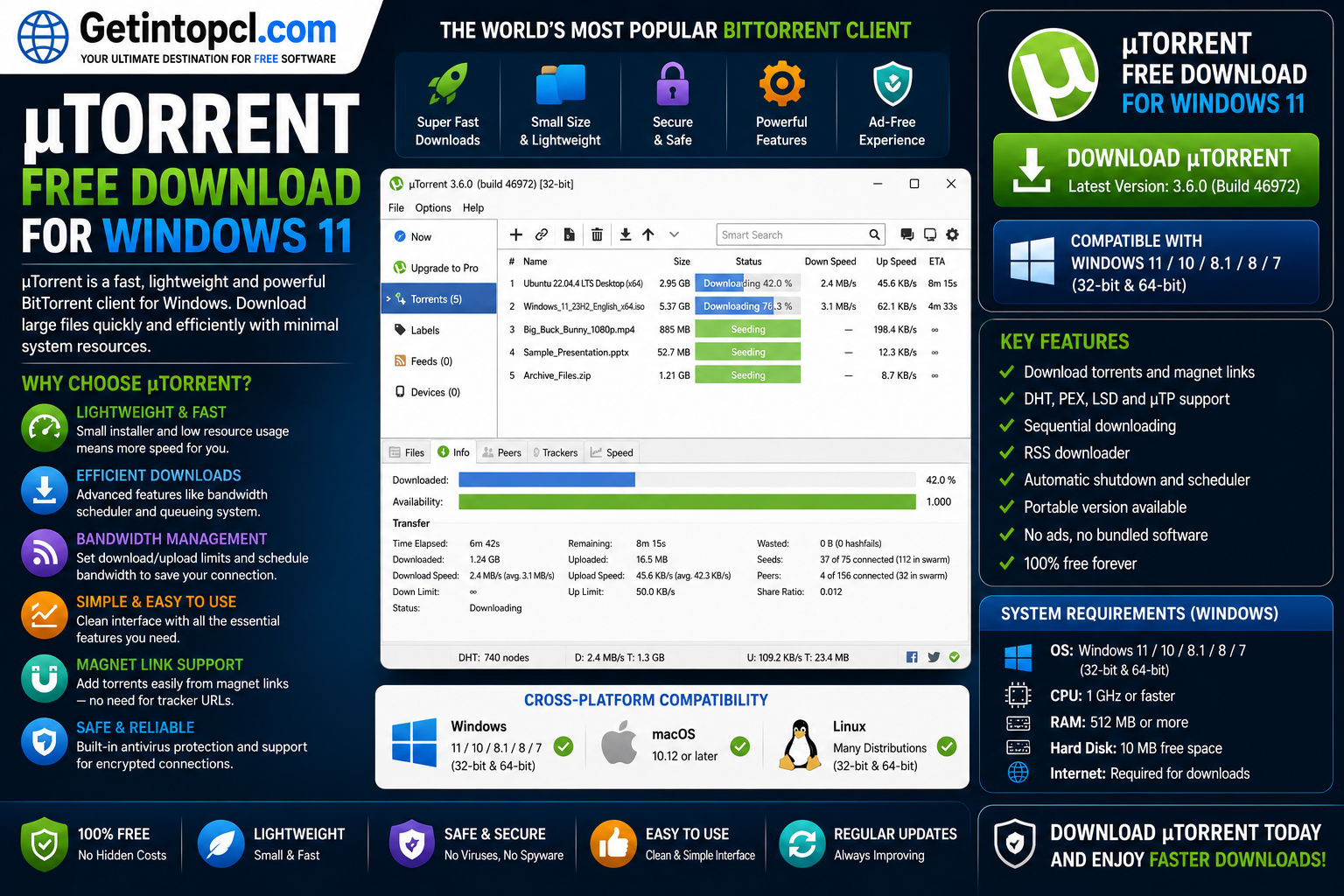
What Is uTorrent and What Is It Used For?
uTorrent is a BitTorrent client designed to download, upload, and manage files distributed through the BitTorrent protocol. It is known for its relatively small application footprint and its ability to manage multiple torrent transfers from a single interface.
When you add a .torrent file or magnet link to uTorrent, the application connects to other users who have parts or all of the requested file. The file is then transferred in pieces from available peers. After downloading, users may also continue sharing the file with other peers through a process known as seeding.
The main uses of uTorrent include:
- Downloading legally available torrent files.
- Opening magnet links.
- Managing multiple downloads simultaneously.
- Uploading and seeding files.
- Limiting download and upload bandwidth.
- Scheduling downloads and seeding activity.
- Downloading files automatically through RSS feeds.
- Managing large downloads through a centralized interface.
- Remotely adding and managing torrents in supported setups.
According to the official product information, uTorrent Classic supports simultaneous torrent downloads, bandwidth management, scheduling, remote access, automatic shutdown, interface customization, and RSS-based downloading.
Because of these features, uTorrent for PC can be useful for users who regularly download large, legally distributed files through BitTorrent.
Windows 7 Ultimate 2026 Edition Free Download ISO 32 Bit 64 Bit Full Version
Key Features of uTorrent for Windows 11
1. Bulk Torrent Downloads
uTorrent Classic allows users to manage multiple torrent downloads from one application. Instead of manually downloading files one at a time, users can add several torrent files or magnet links and monitor their progress from a single window.
2. Bandwidth Management
Internet bandwidth can be limited for both downloading and uploading. This is useful when other applications or devices need access to the same internet connection.
uTorrent can also adjust bandwidth usage according to network conditions, helping users balance torrent activity with other online tasks.
3. Download Scheduling
Users can configure uTorrent to start, stop, or limit torrent activity at specific times. This can be useful for people who prefer to run larger downloads during off-peak hours.
4. RSS Download Support
One of the more advanced features of uTorrent Classic is RSS support. Users can configure RSS feeds and create rules for automatically downloading selected content from supported feeds.
5. Remote Management
uTorrent Classic supports remote connectivity, allowing users to add or manage torrents from another device or through a web browser in supported configurations.
6. Automatic Shutdown
For long downloads, users can configure the application to perform an action after torrents are completed, including closing the application or shutting down or restarting the computer.
7. Customizable Interface
The desktop client provides several options for adjusting how the application behaves and appears. This makes uTorrent Classic free download particularly useful for experienced users who want more control over torrent settings.
8. Magnet Link Support
uTorrent supports magnet links, allowing users to begin a torrent transfer without manually downloading a separate .torrent file first.
Windows 11 Compatibility
For users searching for uTorrent Windows 11 compatibility, uTorrent Classic is available as a Windows desktop torrent client. The official uTorrent desktop page states that uTorrent Classic supports Windows XP and later versions, which includes Windows 11. The Windows download page also provides the current stable version and beta version through the official website.
This means Windows 11 users can use the official uTorrent Classic download designed for Windows.
It is important to download the installer from the official uTorrent website or another legitimate authorized source. Downloading modified installers from unknown websites can increase the risk of malware or unwanted software.
uTorrent Compatibility With macOS
uTorrent availability on macOS depends on the version being used.
The official website offers uTorrent Web for Mac, which provides a browser-based torrent experience and is designed for modern Mac systems.
However, the older uTorrent Classic application for Mac has an important limitation. The official uTorrent download page states that uTorrent Classic for Mac supports macOS Mojave 10.14 and earlier and is not compatible with macOS Catalina 10.15 and later.
Therefore:
- macOS Mojave 10.14 and earlier: uTorrent Classic may be available.
- macOS Catalina 10.15 and newer: uTorrent Classic is not supported according to the official site.
- Modern macOS users: uTorrent Web is the more appropriate official option.
Users specifically looking for uTorrent for Mac should check the current official download page before installation.
uTorrent Linux Compatibility
uTorrent Linux compatibility is limited compared with Windows support.
The current official uTorrent website primarily promotes desktop downloads for Windows and web-based options for modern browsers. The official compatibility and download pages do not present a current native Linux version alongside the current Windows and Mac offerings.
As a result, users should not assume that the current Windows installer will run natively on Linux. Linux users who need a native torrent application may need to consider another BitTorrent client designed specifically for their Linux distribution.
uTorrent Web may be usable on a compatible supported browser, but users should check the current official requirements and browser compatibility before relying on it.
System Requirements
The official uTorrent pages focus primarily on supported platforms and product features and do not publish a complete, detailed list of minimum and recommended hardware specifications for uTorrent Classic.
Therefore, exact processor, RAM, storage, or graphics requirements should not be invented.
Minimum Requirements
Officially detailed minimum hardware specifications for the current uTorrent Classic release are not clearly published.
However, the following platform information is available:
- Operating System: Windows XP and later, according to the official uTorrent Classic page; this includes Windows 11.
- Processor: No specific official minimum processor requirement is clearly listed.
- RAM: No specific official minimum RAM requirement is clearly listed.
- Storage: No specific official minimum storage requirement is clearly listed. Additional storage is required for downloaded files.
- Graphics: No specific dedicated graphics requirement is listed.
- Internet Connection: A working internet connection is required to connect with peers and download or upload torrent data.
- Network Configuration: Firewall or router settings may need to allow uTorrent connections for optimal connectivity.
Recommended Requirements
The developer does not clearly publish separate recommended processor, RAM, graphics, or storage specifications for the current uTorrent Classic version.
For practical use, available disk space should be sufficient for the files you plan to download, and a stable internet connection is important for consistent torrent performance. The required hardware resources may also depend on how many torrents are active and the size of the files being managed.
Is uTorrent Free or Paid?
uTorrent follows a freemium subscription model.
The basic version of uTorrent Classic is available for free. However, the company also offers paid annual plans that provide additional features.
According to the official uTorrent Classic comparison page, the available tiers include:
- Basic: Free.
- Ad-Free: $6.95 per year.
- Pro: $19.95 per year.
- Pro+VPN: $69.95 per year.
Pricing can change, so users should always verify the latest price on the official website before purchasing.
uTorrent Free vs Paid Versions
| Feature | Basic | Ad-Free | Pro | Pro+VPN |
|---|---|---|---|---|
| Price | Free | $6.95/year | $19.95/year | $69.95/year |
| Bulk torrent downloads | Yes | Yes | Yes | Yes |
| Ads removed | No | Yes | Yes | Yes |
| Malware and virus protection | No | No | Yes | Yes |
| File conversion | No | No | Yes | Yes |
| HD media playback | No | No | Yes | Yes |
| Premium support | No | No | Yes | Yes |
| CyberGhost VPN | No | No | No | Yes |
The Pro+VPN plan includes Pro features and a one-year CyberGhost VPN subscription, with the official product page describing VPN support for up to five devices.
The free torrent client for Windows version may be sufficient for users who simply want to download and manage authorized torrents. Users who want fewer distractions or additional security and media features may prefer one of the premium plans.
Advantages of uTorrent
uTorrent offers several advantages, particularly for Windows users.
Lightweight Desktop Client
uTorrent Classic is designed as a relatively compact torrent client rather than a large download-management suite.
Multiple Torrent Management
Users can manage multiple active downloads and uploads from one interface.
Bandwidth Controls
Upload and download limits can help prevent torrent activity from consuming all available internet bandwidth.
Scheduling Features
The ability to schedule downloads and seeding can be useful for users with limited bandwidth or specific internet usage schedules.
Free Version Available
The Basic edition allows users to access the core torrent management functionality without paying a subscription.
Advanced Premium Features
Users who choose uTorrent Pro receive additional features, including malware protection, ad removal, media playback, file conversion, and premium support.
Limitations of uTorrent
Despite its popularity, uTorrent also has some limitations.
- The free version contains advertising.
- Some advanced features require a paid subscription.
- The current official native Linux availability is limited.
- uTorrent Classic for Mac is not compatible with macOS Catalina and later.
- Torrent performance depends heavily on available peers and seeders.
- Downloading torrents from unknown sources can expose users to malicious or unwanted files.
- Internet service providers and local laws may impose restrictions or requirements related to peer-to-peer file sharing.
The uTorrent client is a tool, but the safety and legality of downloaded content depend on the source and the user’s actions. Users should download only authorized material and exercise caution when opening files obtained from peer-to-peer networks.
Who Is uTorrent Best Suited For?
uTorrent is best suited for:
- Windows users who regularly download legally available torrent files.
- Users who need to manage several torrent downloads simultaneously.
- People who want bandwidth limits and scheduling controls.
- Advanced users interested in RSS-based torrent automation.
- Users who prefer a traditional desktop uTorrent for PC experience.
- People who want a free version with the option to upgrade to premium features.
It may be less suitable for users who want a completely ad-free experience without paying, require a current native Linux application, or use modern versions of macOS but specifically want the older Classic desktop client.
Where to Download uTorrent Safely
The safest way to download uTorrent safely is to use the official uTorrent website.
The official site provides download options for uTorrent Classic and uTorrent Web, along with information about free and premium plans. The Windows page provides the stable Windows release, while the Mac page explains the compatibility differences between uTorrent Web and the older uTorrent Classic application.
Avoid downloading cracked, modified, pirated, or unofficial versions of uTorrent. Such downloads may contain malware, unwanted modifications, or outdated software.
When installing any torrent client:
- Download the installer from an official or legitimate source.
- Read installation screens carefully.
- Keep your operating system and security software updated.
- Verify the source of torrent files before downloading them.
- Scan downloaded files when appropriate.
- Respect copyright laws and download only authorized content.
Frequently Asked Questions
Is uTorrent free for Windows 11?
Yes. uTorrent Classic Basic is available as a free torrent client, while paid plans such as Ad-Free, Pro, and Pro+VPN provide additional features.
Does uTorrent work on Windows 11?
Yes. The official uTorrent Classic page states that the desktop client supports Windows XP and later, which includes Windows 11.
How much RAM does uTorrent require?
The developer does not clearly publish an official minimum or recommended RAM requirement for the current version. RAM usage may vary depending on the number of active torrents and other running applications.
How much storage space does uTorrent need?
The official site does not clearly publish a specific minimum storage requirement for the current application. You should have enough free disk space for both the program and the files you intend to download.
Is uTorrent available for Mac?
Yes, uTorrent Web is available for Mac. However, uTorrent Classic for Mac supports Mojave 10.14 and earlier and is not compatible with macOS Catalina 10.15 and later.
Is uTorrent available for Linux?
The current official website does not prominently provide a current native Linux version alongside its Windows and Mac offerings. Linux users should check current official compatibility information or consider a torrent client designed for Linux.
What is the difference between uTorrent Free and uTorrent Pro?
The free Basic version provides core torrent functionality. uTorrent Pro adds features such as malware protection, no ads, file conversion, HD playback, and premium support.
Where can I download uTorrent safely?
The best option is the official uTorrent website. Avoid cracked or modified installers and only download authorized software from legitimate sources.
Conclusion
uTorrent Free Download for Windows 11 is a practical choice for users who need a lightweight BitTorrent client with support for bulk downloads, bandwidth management, scheduling, RSS automation, and remote management. The free version covers essential torrent functionality, while premium plans add features such as ad removal, malware protection, media playback, file conversion, premium support, and VPN access.
Before downloading, make sure you select the version that matches your operating system and needs. Windows 11 users can use uTorrent Classic, while Mac users should pay attention to the limitations of the older Classic client and consider uTorrent Web for newer macOS versions.
For software downloads and related Windows applications, visitors can also explore the required products available on Getintopcl.com. Always choose trusted, authorized sources and use torrent software responsibly.