
Students increasingly depend on computers for writing assignments, conducting research, organizing notes, preparing presentations, studying for exams and managing digital files. Fortunately, many powerful programs are available without expensive software licenses.
The best free software for students is not necessarily one single application. Different programs solve different academic problems. Office suites help with assignments, reference managers organize research, note-taking applications manage information, flashcard tools support memorization, and media utilities handle video, audio and compressed files.
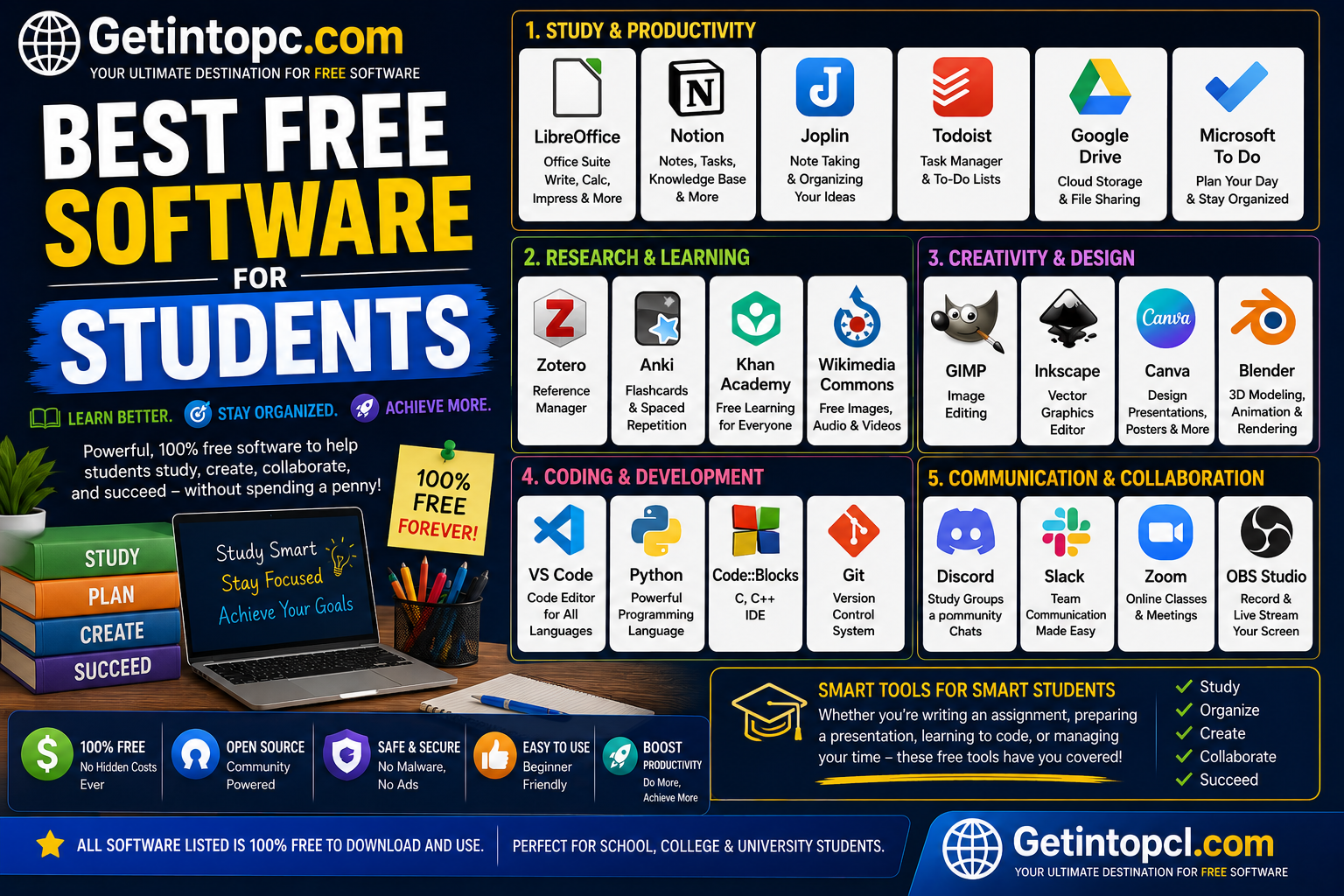
This guide covers ten useful free or free-to-use programs: LibreOffice, Zotero, Obsidian, Notion, GIMP, VLC Media Player, Audacity, 7-Zip, Anki and Joplin. Their licensing models, platform support and limitations vary, so students should choose according to their particular needs.
Information note: Compatibility, pricing and system requirements below are based primarily on official developer documentation and download pages checked in August 2026. Where a developer does not publish a specific CPU, RAM, storage or graphics requirement, no specification has been invented.
1. LibreOffice — Best Free Office Suite
LibreOffice is a free, open-source office suite developed by the community under The Document Foundation, a nonprofit organization. It originated from the OpenOffice.org project and includes Writer, Calc, Impress, Draw, Base and Math.
For students, Writer can replace many word-processing applications, Calc handles spreadsheets and data analysis, while Impress is useful for classroom presentations. It also supports Microsoft Office formats such as DOCX, XLSX and PPTX and can export documents to PDF.
Compatibility: Windows 10/11 and Windows Server 2012–2022 are supported. macOS 11 or newer is supported, with Intel and Apple Silicon versions. Linux builds require, among other things, Linux kernel 4.18+ and glibc 2.27+.
System requirements:
- Operating system: Windows 10/11; macOS 11+; compatible modern Linux distributions.
- Processor: Pentium-compatible PC on Windows; Intel or Apple Silicon on macOS.
- RAM: 256 MB minimum; 512 MB recommended on Windows/Linux. macOS requires 512 MB.
- Storage: Up to 1.5 GB Windows/Linux; up to 800 MB macOS.
- Graphics: 1280×800 display with at least 256 colors.
- Internet: Not required for normal offline document editing.
- Other: Java is required for certain features, notably Base.
Price: Completely free and open source.
Best for: Assignments, reports, presentations, spreadsheets and offline academic work.
2. Zotero — Best Free Research and Citation Manager
Zotero is a research-management application developed by Digital Scholar, a nonprofit organization, with contributions from a global community. It helps students collect, organize, annotate and cite academic sources.
Students can use the browser Connector to save research sources, organize PDFs and automatically generate bibliographies. Zotero also integrates with Microsoft Word and LibreOffice.
Compatibility: Windows 10+, macOS 10.15+, and Linux systems compatible with its supported Firefox environment. Zotero 9 is currently offered for Windows, macOS and multiple Linux architectures.
System requirements:
- Operating system: Windows 10+, macOS 10.15+, supported Linux.
- Processor/RAM/storage: Zotero does not publish a universal minimum CPU/RAM/storage specification on its current requirements page.
- Graphics: No dedicated GPU requirement is published.
- Internet: Internet is useful for syncing, browser capture and online services but basic library management can be performed locally.
- Other: Word processor plugins have their own compatibility requirements.
Price: The desktop software is free. Zotero Storage provides 300 MB free, with paid options of 2 GB, 6 GB and unlimited storage.
Best for: University students, thesis writers, researchers and anyone working with academic references.
3. Obsidian — Best for Connected Notes
Obsidian is a knowledge-management and note-taking application designed around local Markdown files. Its developers emphasize privacy, ownership of data and flexible organization.
Students can create lecture notes, link related concepts, build study databases and organize research into interconnected pages. Its graph view and extensive plugin ecosystem can be especially useful for students managing large amounts of information.
Compatibility: Obsidian provides desktop applications for Windows, macOS and Linux. The developer does not publish a detailed universal minimum CPU/RAM specification, so hardware requirements should not be guessed.
System requirements:
- Operating system: Current supported Windows, macOS and Linux desktop environments.
- Processor/RAM/storage: No fixed official universal minimum figures are published.
- Graphics: No dedicated GPU requirement is officially specified.
- Internet: Not required for basic local note-taking.
- Other: Notes are stored locally; optional Sync and Publish services require an account.
Price: Obsidian itself is free without limits and does not require an account. Optional Sync costs $4/user/month annually or $5 monthly; Publish costs $8/site/month annually or $10 monthly. Students and faculty are eligible for a 40% discount on Sync and Publish.
Best for: Note-taking, knowledge management, research organization and long-term study notes.
4. Notion — Best All-in-One Student Workspace
Notion is a productivity and workspace platform developed by Notion. It combines pages, databases, task management, calendars and collaborative documents.
Students can create class schedules, assignment trackers, reading lists, project dashboards and personal knowledge bases.
Compatibility: Notion officially supports Windows 10 version 21H2 or newer and macOS 12 or newer for desktop. There is currently no official Linux desktop application, although Notion can be accessed through supported web browsers.
System requirements:
- Operating system: Windows 10 21H2+; macOS 12+; Linux through web browser.
- Processor/RAM/storage: Notion does not publish fixed universal minimum specifications.
- Graphics: No dedicated GPU requirement is published.
- Internet: Recommended because Notion is primarily a connected workspace.
- Browser: Chrome, Firefox, Safari and Edge versions within the supported ranges.
Price: Notion has a free plan. Paid Plus and Business plans add features such as larger file uploads, collaboration and advanced workspace capabilities. The current listed prices are $0 for Free, $10/member/month for Plus and $20/member/month for Business, with annual billing offering savings.
| Plan | Price | Main student-relevant features |
|---|---|---|
| Free | $0 | Notes, databases, basic forms, pages and basic sites |
| Plus | $10/member/month | Unlimited file uploads, enhanced collaboration and customization |
| Business | $20/member/month | Advanced collaboration, team features and additional workspace tools |
Best for: Students who want assignments, schedules, notes and projects in one workspace.
5. GIMP — Best Free Image Editor
GIMP, or GNU Image Manipulation Program, is free software for photo retouching, image composition and image creation. It is developed as a community project under the GNU GPL.
It is useful for students creating presentations, posters, thumbnails, diagrams, illustrations and academic graphics.
The current stable release is GIMP 3.2.4. Official builds support Windows and macOS, while Linux packages include AppImage, Flatpak and Snap options.
Compatibility: GIMP 3.2.4 supports macOS 11 Big Sur or newer and Windows builds for supported modern Windows systems. Linux support depends on the distribution and package format.
System requirements:
- Operating system: Windows 10 build 20348+ for the listed MSIX package; macOS 11+; supported Linux distributions.
- Processor/RAM/storage: No universal current minimum figures should be assumed unless published for the specific build.
- Graphics: No dedicated GPU requirement is stated as a general minimum.
- Internet: Only needed for downloading, updates and online resources.
Price: Free and open source.
Best for: Graphic design, image editing, academic posters and visual projects.
6. VLC Media Player — Best Free Media Player
VLC Media Player is a free, open-source multimedia player developed by the VideoLAN project. It supports a wide range of video and audio formats, DVDs, CDs, webcams and streaming protocols.
For students, VLC is useful for watching lectures, educational videos and recorded classes without installing multiple codec packs.
Compatibility: VLC supports Windows, macOS and Linux. The current Windows release provides x64, x86 and ARM64 options. Its macOS version supports 64-bit Intel and Apple Silicon Macs.
System requirements:
- Operating system: Windows through Windows 11; macOS 10.7.5+ for the current VLC 3.0.23 Mac page; Linux distributions with supported packages.
- Processor: 64-bit Intel or Apple Silicon on current Mac builds.
- RAM/storage/graphics: No universal current minimum figures are published by VideoLAN.
- Internet: Not required for local media playback; required for streaming and downloading.
- Other: Older operating systems may require older VLC releases.
Price: Completely free and open source.
Best for: Watching lectures, tutorials and virtually any common media format.
7. Audacity — Best Free Audio Editor
Audacity is a free, open-source, multi-track audio editor and recorder for Windows, macOS and GNU/Linux. It has been developed as an open-source project since its launch in 2000 and is now part of Muse Group.
Students can record presentations, edit podcasts, clean up interviews and create audio assignments.
Compatibility: Audacity is tested on Windows 10/11, macOS 12/13 and Ubuntu 22.04, with many other Linux distributions believed to work.
System requirements:
- Operating system: Windows 10/11; macOS 12/13 tested; Ubuntu 22.04 and other major Linux distributions.
- Processor/GPU/RAM: No specific CPU or GPU requirement is published for Windows.
- Storage: Requires fast, uninterrupted access to a hard drive or SSD; network storage and some external drives may be unreliable.
- Internet: Not required for basic editing.
- Other: Windows ARM64 support is currently beta and has plugin limitations.
Price: Free and open source.
Best for: Audio recording, podcasting, voice editing and multimedia assignments.
8. 7-Zip — Best Free File Compression Tool
7-Zip is a free file archiver commonly used to compress and extract ZIP, 7z and other archive formats. Official downloads currently provide Windows x64, x86 and ARM64 versions, plus console versions for Linux and macOS.
It is particularly useful when students need to submit large project folders or extract downloaded academic resources.
System requirements:
- Operating system: Windows versions corresponding to the supported builds; official downloads also provide Linux and macOS console versions.
- Processor: Architecture-specific packages are available for x64, x86 and ARM64.
- RAM/storage/graphics: No universal minimum figures are published on the current download page.
- Internet: Only required for downloading updates/files.
Price: Free and open source.
Best for: Compressing, extracting and sharing large academic files.
9. Anki — Best Free Flashcard Software
Anki is a digital flashcard application built around spaced-repetition scheduling. It automatically schedules reviews based on how well the learner remembers each card.
It is excellent for vocabulary, medical terminology, formulas, definitions, historical facts and exam preparation.
The current desktop version is free and available for Windows, macOS and Linux. Official downloads list Windows 10+, macOS 13+ and recent Linux builds.
Price: The computer version is free. AnkiDroid for Android is free, while AnkiMobile is the official iOS app and is paid; iOS purchases help fund development.
Best for: Memorization-heavy subjects and exam preparation.
10. Joplin — Best Open-Source Alternative for Notes
Joplin is a free, open-source note-taking and to-do application using Markdown. It is designed as an offline-first application, while optional synchronization can connect notes between devices.
It supports Windows, macOS and Linux desktop applications, along with Android and iOS.
Price: The core application is free and open source. Optional Joplin Cloud plans provide synchronization, sharing, publishing and other online features; current plans begin at €2.99/month for Basic when billed monthly.
Best for: Students who want offline notes, Markdown support and flexible synchronization options.
Free vs Premium: Which Student Software Should You Pay For?
Most programs in this list are completely free, while some use a freemium model.
| Software | Free Version | Paid Version/Service |
| LibreOffice | Full office suite | No premium edition |
| Zotero | Full research manager + 300 MB storage | Additional cloud storage |
| Obsidian | Full core app | Optional Sync and Publish |
| Notion | Free workspace | Plus/Business plans |
| GIMP | Full image editor | No premium edition |
| VLC | Full media player | No premium edition |
| Audacity | Full audio editor | No premium edition |
| 7-Zip | Full archiver | No premium edition |
| Anki | Free desktop | Paid official iOS app |
| Joplin | Full core note app | Optional Joplin Cloud |
For most students, paying for a premium plan is unnecessary unless cloud storage, advanced collaboration or cross-device synchronization is particularly important.
Where to Safely Download Student Software
Always download educational software from the official developer website or a legitimate app store. Avoid cracked installers, pirated copies and unknown download sites because modified installers can contain malware, unwanted programs or outdated versions.
Official sources include:
- LibreOffice official download
- Zotero official download
- Obsidian official website
- Notion official desktop download
- GIMP official downloads
- VLC official downloads
- Audacity official downloads
- 7-Zip official download
- Anki official download
- Joplin official installation page
Advantages of Free Student Software
- Saves money: Students can avoid expensive software subscriptions.
- Works across platforms: Several options support Windows, macOS and Linux.
- Strong academic features: Research management, office tools, notes and flashcards cover common study needs.
- Open-source choices: LibreOffice, GIMP, VLC, Audacity, 7-Zip and Joplin provide open-source alternatives.
- Offline capability: Several applications work without a continuous internet connection.
- Long-term flexibility: Open formats such as Markdown and OpenDocument can reduce dependence on one vendor.
Limitations to Consider
Free software is not always identical to commercial alternatives. Compatibility with complex Microsoft Office documents can occasionally vary, especially with highly formatted files. Cloud services may also impose storage limits, while some applications lack official Linux desktop versions.
Students should also check university requirements. If an instructor specifically requires Microsoft Word, Excel, PowerPoint or another proprietary application, a free alternative may not always be sufficient.
Who Should Use These Programs?
These tools are suitable for a wide range of learners:
- School students: LibreOffice, VLC and Anki are particularly useful.
- College students: Notion, Obsidian, LibreOffice and Joplin can improve organization.
- University researchers: Zotero is one of the strongest choices for citations and academic sources.
- Design students: GIMP provides powerful image-editing capabilities.
- Media students: Audacity and VLC are useful for audio and video work.
- Students with older or modest computers: Lightweight tools such as 7-Zip and many open-source applications can be useful, although actual performance depends on the workload.
Frequently Asked Questions
1. What is the best free software for students?
There is no single best option. LibreOffice is excellent for assignments, Zotero for research, Anki for memorization, Obsidian or Joplin for notes, and GIMP for image editing.
2. Is LibreOffice really free?
Yes. LibreOffice is free and open source, with no subscription required for its core desktop applications.
3. Is this software safe to download?
Generally yes when downloaded from the official developer website or a trusted distribution repository. Avoid pirated and modified installers.
4. Can these programs run on Windows?
Yes. LibreOffice, Zotero, Obsidian, Notion, GIMP, VLC, Audacity, 7-Zip, Anki and Joplin all provide Windows support, although specific Windows versions differ.
5. Can students use them on Mac?
Yes. Most of the listed applications support macOS. Notion currently supports macOS 12+, while exact requirements vary by application.
6. Which of these programs support Linux?
LibreOffice, Zotero, Obsidian, GIMP, VLC, Audacity, 7-Zip, Anki and Joplin support Linux in various forms. Notion does not currently provide an official Linux desktop application, although its web version can be used.
7. How much RAM do students need?
There is no single RAM requirement because each program is different. LibreOffice officially lists 256 MB minimum and 512 MB recommended on Windows/Linux, while several other developers do not publish fixed RAM requirements.
8. How much storage is required?
Storage varies considerably. LibreOffice lists up to 1.5 GB on Windows/Linux and up to 800 MB on macOS. Other applications may not publish a fixed installation requirement, and user data such as videos, PDFs and audio projects can require considerably more space.
9. Is there a premium version of Notion?
Yes. Notion has Free, Plus, Business and Enterprise offerings. The Free plan is sufficient for many individual students, while paid plans add advanced collaboration, file-upload and workspace features.
10. Does Zotero cost money?
The Zotero desktop application is free. Optional cloud storage costs extra after the included 300 MB allowance.
11. Where should students download these programs?
Use the official developer website or a trusted operating-system app store/repository. Official links are listed above, making it easier to avoid unauthorized download sources.
Conclusion
The best free software for students is really a combination of tools rather than one application. LibreOffice is the strongest all-purpose office suite, Zotero is ideal for academic research, Anki is excellent for memorization, Obsidian and Joplin are strong note-taking options, while GIMP, VLC, Audacity and 7-Zip cover creative, media and file-management needs.
For a typical student computer, installing LibreOffice + Zotero + Anki + one note-taking application such as Obsidian or Joplin + VLC provides an excellent foundation without requiring expensive software subscriptions.