
Running a small business often means managing customers, invoices, finances, employees, projects, marketing and communication with limited resources. Professional software can make these tasks significantly easier, but monthly subscriptions can quickly become expensive.
Fortunately, there are many free software tools for small businesses that can handle essential business operations without requiring a large technology budget. Some are completely free and open source, while others use a freemium model that provides useful features at no cost and reserves advanced capabilities for paid plans.
This guide covers some of the most useful free software for small businesses in 2026, including HubSpot CRM, Zoho Invoice, Wave, Trello, Slack, Canva, LibreOffice, Bitwarden, Joplin and Cal.com. The best choice depends on whether you need customer management, accounting, invoicing, project management, communication, design or scheduling.
Importantly, “free” does not always mean unlimited. Many commercial products limit users, storage, automation, integrations or advanced features on their free plans. Therefore, business owners should understand the limitations before building their entire workflow around a free service.
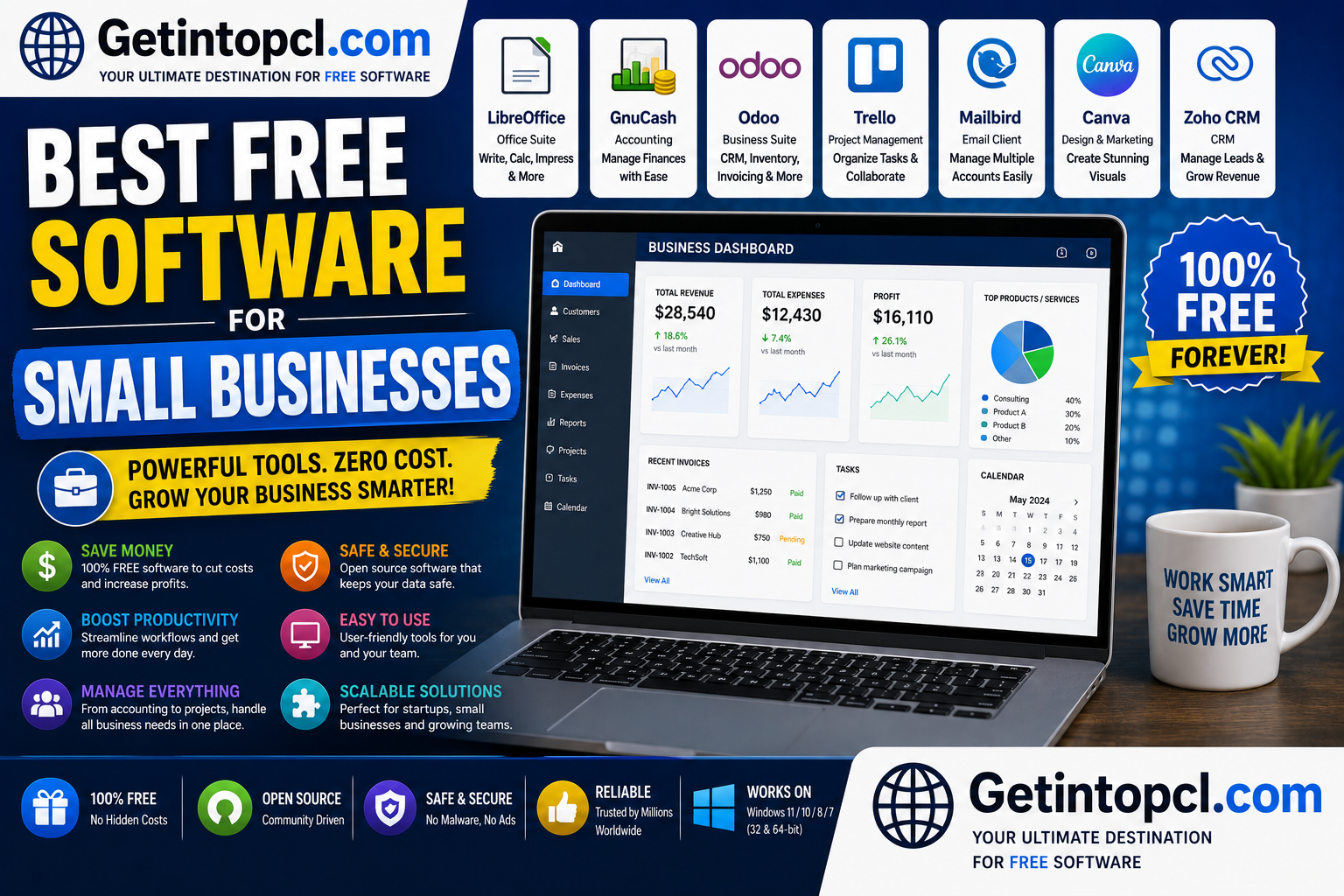
1. HubSpot CRM — Best Free CRM for Small Businesses
HubSpot CRM is a customer relationship management platform developed by HubSpot. Its purpose is to help businesses organize contacts, manage sales opportunities, track customer interactions and coordinate sales and service activities.
For a small business, a CRM can replace scattered spreadsheets and notebooks with a centralized customer database. HubSpot’s free CRM includes contact and deal management, task management, email tracking, templates, meeting scheduling, reporting and other tools. HubSpot also includes AI features in its free CRM.
The free CRM is available without an expiration date. HubSpot’s current free-tools pricing page states that the free account supports up to two users and 1,000 contacts, while more advanced functionality is available through paid products.
Major Features
- Contact management
- Deal pipelines
- Task management
- Email tracking
- Email templates
- Meeting scheduling
- Reporting dashboards
- Shared inbox
- Basic AI features
- Mobile applications
- Integrations with other business tools
Pricing
| Version | Price | Best For |
|---|---|---|
| Free | $0 | Individuals and very small teams |
| Starter | Paid | Businesses requiring additional features |
| Professional | Paid | Growing sales and marketing teams |
| Enterprise | Paid | Larger organizations |
Compatibility
HubSpot CRM is primarily browser-based, so there is no traditional Windows/macOS/Linux installation requirement. It works through supported browsers such as Chrome, Firefox, Safari and Edge.
Best for: Customer management, lead tracking and sales pipelines.
2. Zoho Invoice — Best Free Invoicing Software
Zoho Invoice is an invoicing and billing application from Zoho designed for freelancers and small businesses.
The service allows businesses to create professional invoices, estimates and recurring invoices, send them to customers, track expenses and automate payment reminders. It also supports customer portals and integrations with other Zoho products.
One of its biggest advantages is that Zoho explicitly describes Invoice as a forever-free invoicing solution, rather than simply a temporary trial.
Major Features
- Professional invoices
- Quotes and estimates
- Recurring invoices
- Expense tracking
- Automated reminders
- Multiple payment options
- Customer portal
- Sales and receivables reports
- Mobile applications
- Zoho integrations
Pricing
Zoho Invoice’s core service is free. It is particularly attractive for service businesses that need professional invoicing without subscribing to a complete accounting platform.
Best for: Freelancers, consultants, agencies and service-based small businesses.
3. Wave — Best for Basic Accounting and Bookkeeping
Wave is financial software designed primarily for small businesses and entrepreneurs. It provides tools for invoicing, accounting and financial management.
Wave is particularly suitable for freelancers and service businesses that need straightforward bookkeeping and invoicing. Current comparisons of free small-business software identify Wave as a strong choice for freelancers and service businesses, although some services and payment features can involve additional costs.
Major Features
- Invoicing
- Expense tracking
- Accounting
- Financial reports
- Bank connections
- Receipt management
- Payment processing options
Important Limitation
The exact availability of payroll and certain banking or payment features depends on the business’s country. For example, free payroll availability is not universal outside supported markets.
Best for: Freelancers and small service businesses needing basic financial management.
4. Trello — Best Free Project Management Software
Trello is a visual project-management application based around boards, lists and cards. It is particularly easy to understand for small teams that want a simple way to organize tasks.
A business can create boards for marketing campaigns, client projects, product development, content calendars and daily operations.
Major Features
- Boards and cards
- Checklists
- Due dates
- Task assignments
- Labels
- Templates
- Basic automation
- Collaboration
The free plan is useful for small teams, although businesses that require advanced views, larger limits, more automation or sophisticated administration may need a paid plan.
Pricing Model
Trello uses a freemium subscription model. The free plan is designed for basic task management, while paid plans add more advanced capabilities.
Best for: Small teams, agencies, freelancers and project-based businesses.
5. Slack — Best Free Business Communication Tool
Slack is a workplace communication platform designed around channels, direct messages and team collaboration.
Instead of relying entirely on email, businesses can create channels for departments, projects or clients. Slack also integrates with many third-party applications.
Major Features
- Team channels
- Direct messaging
- File sharing
- Search
- App integrations
- Notifications
- Audio/video collaboration features
- Workflow capabilities
The free version is useful for small teams, but businesses with extensive message history, advanced administration or additional collaboration requirements may need a paid plan.
Best for: Internal communication and distributed teams.
6. Canva — Best Free Design Software
Canva is an online graphic-design platform that allows users to create social media graphics, presentations, posters, flyers, advertisements, documents and other visual content.
For a small business without a dedicated graphic designer, Canva can be extremely useful for creating marketing materials.
Major Uses
- Social media posts
- Business presentations
- Flyers
- Posters
- Advertisements
- Logos
- Business documents
- Marketing graphics
- Video content
Canva uses a freemium model. The free version provides many templates and design tools, while Canva Pro adds additional assets, brand-management tools, AI capabilities and other premium features.
Best for: Marketing, social media and visual branding.
7. LibreOffice — Best Free Office Suite
LibreOffice is a free, open-source office suite developed by The Document Foundation and its worldwide community.
It includes:
- Writer for documents
- Calc for spreadsheets
- Impress for presentations
- Draw for diagrams
- Base for databases
- Math for mathematical formulas
It can be an excellent alternative to paid office software for businesses that mainly need documents, spreadsheets and presentations.
Compatibility
LibreOffice supports Windows, macOS and Linux. Official system requirements list Windows 10/11 and supported macOS and Linux environments.
Pricing
LibreOffice is completely free and open source. There is no premium edition required for its core office applications.
Best for: Documents, spreadsheets, presentations and offline office work.
8. Bitwarden — Best Free Password Manager
Password security becomes increasingly important as businesses use more online services. Bitwarden is an open-source password-management platform that can store passwords and other sensitive credentials in an encrypted vault.
For small businesses, a password manager can reduce the temptation to reuse passwords or store credentials in insecure spreadsheets and documents.
Major Features
- Password storage
- Password generation
- Browser extensions
- Mobile applications
- Desktop applications
- Secure credential sharing
- Autofill
- Encryption
- Passkey support
Bitwarden has both free personal functionality and paid plans with additional features. Businesses that require centralized organization, advanced administration and business-oriented credential management should evaluate the paid plans.
Best for: Password security and credential management.
9. Joplin — Best Free Open-Source Notes Software
Joplin is an open-source note-taking and to-do application. It uses Markdown and is designed to keep notes accessible across supported devices.
A small business can use Joplin for meeting notes, procedures, internal documentation, research and project information.
Major Features
- Markdown notes
- To-do lists
- Notebooks
- Attachments
- Search
- Encryption
- Cross-device synchronization
- Web Clipper
The core application is free and open source. Optional Joplin Cloud plans provide synchronization, sharing and publishing capabilities.
Best for: Internal notes, documentation and knowledge management.
10. Cal.com — Best Free Scheduling Software
Cal.com is an open scheduling platform designed to make it easier for customers and colleagues to book appointments.
Instead of repeatedly exchanging emails to find a suitable time, a business can publish availability and allow clients to select an appointment slot.
Major Features
- Booking pages
- Calendar availability
- Appointment scheduling
- Event types
- Calendar integrations
- Team scheduling
- Automated booking workflows
The platform has free options as well as paid plans and self-hosting possibilities.
Best for: Consultants, agencies, coaches, freelancers and businesses that schedule customer meetings.
Comparison of the Best Free Software for Small Businesses
| Software | Category | Free Model | Windows | macOS | Linux | Best For |
| HubSpot CRM | CRM | Freemium | Web | Web | Web | Customers & sales |
| Zoho Invoice | Invoicing | Free | Web | Web | Web | Invoices |
| Wave | Accounting | Freemium | Web | Web | Web | Bookkeeping |
| Trello | Project management | Freemium | Web/App | Web/App | Web | Tasks & projects |
| Slack | Communication | Freemium | Web/App | Web/App | Web/App | Team communication |
| Canva | Design | Freemium | Web/App | Web/App | Web | Marketing design |
| LibreOffice | Office | Completely free | ✓ | ✓ | ✓ | Documents & spreadsheets |
| Bitwarden | Security | Freemium | ✓ | ✓ | ✓ | Passwords |
| Joplin | Notes | Free + paid cloud | ✓ | ✓ | ✓ | Documentation |
| Cal.com | Scheduling | Free + paid | Web | Web | Web | Appointments |
System Requirements
Because this list contains both desktop applications and cloud-based services, system requirements vary considerably.
General requirements for web-based tools
For HubSpot, Zoho Invoice, Wave, Canva and Cal.com:
- Operating system: Windows, macOS or Linux with a supported modern browser.
- Processor: No universal official minimum specified.
- RAM: No universal official minimum specified.
- Storage: Minimal local storage because the primary software runs online.
- Graphics: No dedicated graphics card generally required.
- Internet: Required for the core cloud service.
- Browser: Use an up-to-date supported browser.
Desktop applications
For LibreOffice, Bitwarden and Joplin:
- Operating system: Requirements vary by application and release.
- Processor: Modern x64 or supported ARM hardware is generally appropriate.
- RAM: Developers do not publish one universal requirement covering all three applications.
- Storage: Installation and user-data requirements vary.
- Graphics: Dedicated graphics hardware is generally unnecessary for ordinary office and note-taking tasks.
- Internet: Usually required for downloads, updates and synchronization, but many core functions can work offline.
Businesses should check the developer’s current requirements before deploying software across a large number of computers.
Free vs Premium Business Software
One of the most important distinctions is whether a product is genuinely free or simply has a free tier.
| Software | Free Version | Paid Version |
| HubSpot CRM | Core CRM functionality | Advanced CRM, sales, marketing and service features |
| Zoho Invoice | Full core invoicing service | Primarily integrates with paid Zoho services |
| Wave | Core financial tools | Paid payment/payroll-related services where available |
| Trello | Basic project management | Advanced project-management capabilities |
| Slack | Basic communication | Larger history, administration and advanced features |
| Canva | Basic design tools/assets | Premium assets, brand tools and advanced features |
| LibreOffice | Full office suite | No premium edition |
| Bitwarden | Core password management | Advanced individual/business features |
| Joplin | Core notes application | Cloud synchronization and publishing |
| Cal.com | Free scheduling options | Additional scheduling/team features |
A small business should not automatically choose the product with the largest free feature list. Consider data ownership, integrations, security, scalability and the eventual cost of upgrading.
Advantages of Free Software for Small Businesses
1. Lower operating costs
Free software can substantially reduce the technology budget during the early stages of a business.
2. Easier experimentation
A business can test different workflows without committing immediately to expensive annual subscriptions.
3. Flexible technology stack
Businesses can combine specialized tools—for example, CRM software with separate invoicing and design applications.
4. Open-source options
Applications such as LibreOffice and Joplin provide businesses with alternatives that are not completely dependent on proprietary ecosystems.
5. Good enough for many small businesses
A company with only a few employees may not need sophisticated enterprise software.
Limitations of Free Business Software
Free plans also have important disadvantages.
- User limits can become restrictive as a team grows.
- Storage may be limited.
- Advanced reporting may require payment.
- Some integrations are available only on paid plans.
- Customer support can be limited.
- Cloud services depend on internet access.
- Migrating away from a service later can be difficult.
- Pricing and free-plan terms can change.
For critical business functions such as accounting, payroll, backups and customer data, businesses should carefully review the provider’s terms, security practices and data-export capabilities.
Which Free Software Is Best for Your Business?
For freelancers
A combination of Zoho Invoice + HubSpot CRM + Canva + Bitwarden can cover many basic needs.
For agencies
Consider HubSpot CRM + Trello + Slack + Canva + Zoho Invoice for customer management, projects, communication, marketing and billing.
For retailers
Retail businesses may need dedicated POS and inventory software rather than general-purpose office applications. The right choice depends heavily on location, tax requirements, payment processing and inventory complexity.
For consultants
HubSpot CRM + Zoho Invoice + Cal.com + Canva is a useful combination for managing prospects, billing customers, scheduling meetings and creating marketing material.
For very small teams
A lightweight stack such as LibreOffice + HubSpot CRM + Trello + Bitwarden can provide many essential functions without a large software budget.
Where to Safely Download or Access the Software
Always use the official developer website, official app store or trusted operating-system repository. Avoid cracked versions, pirated software and unknown download sites.
Recommended official sources include:
- HubSpot: Official HubSpot website
- Zoho Invoice: Official Zoho Invoice website
- Wave: Official Wave website
- Trello: Official Trello website
- Slack: Official Slack website
- Canva: Official Canva website
- LibreOffice: Official LibreOffice website
- Bitwarden: Official Bitwarden website
- Joplin: Official Joplin website
- Cal.com: Official Cal.com website
Downloading from official sources reduces the risk of installing modified, outdated or malicious software.
Frequently Asked Questions
1. What is the best free software for small businesses?
There is no single best program. HubSpot CRM is a strong choice for customer management, Zoho Invoice for invoicing, LibreOffice for office work and Trello for project management.
2. Is free business software really free?
Some programs are completely free, while others are freemium. Always check user, storage, integration and feature limitations before choosing a platform.
3. What is the best free CRM for a small business?
HubSpot’s free CRM is one of the strongest general-purpose choices. Its current free offering has no expiration date and provides core contact and deal management.
4. What is the best free invoicing software?
Zoho Invoice is an excellent option for small businesses and freelancers because Zoho describes its core invoicing product as a forever-free service.
5. Can small businesses use free accounting software?
Yes. Tools such as Wave can provide useful accounting and invoicing functions, although availability of particular financial services varies by country.
6. Can free business software run on Windows?
Yes. Many of the applications in this guide work on Windows either through desktop applications or web browsers. Cloud services generally require only a supported browser.
7. Can these tools work on Mac?
Yes. Most can be used through a browser, while desktop applications such as LibreOffice, Bitwarden and Joplin provide macOS support.
8. What about Linux?
Linux users can access most browser-based business services. LibreOffice, Bitwarden and Joplin also provide Linux desktop support, while compatibility varies for individual applications.
9. How much RAM does a small business computer need?
There is no single official RAM requirement for this software collection. For ordinary office, browser and business-management tasks, the computer’s overall workload matters more than a single application’s requirement. Businesses should use the specific developer requirements when available.
10. Is free software safe for business use?
It can be, provided it comes from a reputable developer and is properly configured. Businesses should pay particular attention to passwords, backups, access permissions, encryption and software updates.
11. Should a business use free software permanently?
A small business can use free software permanently if its capabilities meet the company’s needs. However, growing businesses should regularly review limitations, support, integrations, security and upgrade costs.
12. Where should I download free business software?
Use the official developer website or a trusted app store/repository. Avoid pirated copies and unofficial modified installers.
Conclusion
The best free software for small businesses in 2026 is a collection of specialized tools rather than one universal application.
For a typical small company, HubSpot CRM can handle customer relationships, Zoho Invoice can handle invoicing, LibreOffice covers office documents, Trello can organize projects, Slack supports communication, Canva handles basic marketing design and Bitwarden improves password management.
The most important rule is to look beyond the word “free.” Check user limits, storage, integrations, security, data ownership and upgrade pricing before making software a critical part of your business. A free tool that fits your current needs can be extremely valuable—but choosing software that can grow with your company is even more important.