
Best Free Photo editing software allows users to improve, manipulate and transform digital images. Depending on the application, you can crop photographs, adjust brightness and colors, remove unwanted objects, work with layers, retouch portraits, process RAW camera files, create graphics and prepare images for websites and social media.
Professional applications such as Adobe Photoshop and Lightroom are powerful, but their subscription costs are not suitable for everyone. Fortunately, there are several capable free photo editing software options in 2026.
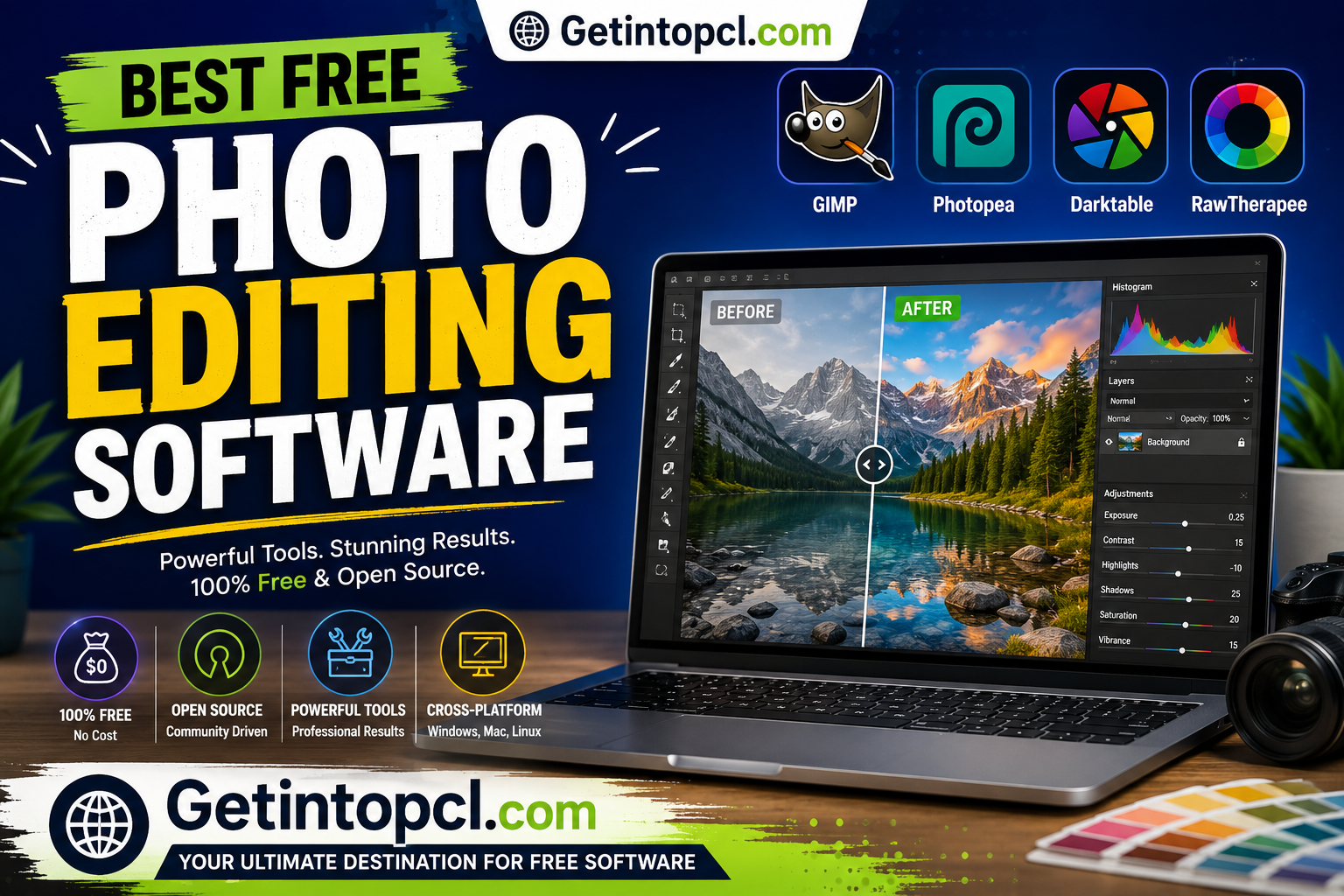
The best choice depends on what you want to accomplish. GIMP is one of the strongest general-purpose free Photoshop alternatives, Krita is particularly good for digital painting and creative work, darktable is designed around photography and RAW processing, Photopea provides a Photoshop-like experience directly in a browser, and Paint.NET is a lightweight choice for Windows.
Other useful options include RawTherapee, Pixlr and PhotoScape X.
1. GIMP — Best Overall Free Photo Editing Software
GIMP (GNU Image Manipulation Program) is a free, open-source image editor developed by the GIMP community.
It has been one of the most established free alternatives to Photoshop for many years. The current stable release is GIMP 3.2.4, released in April 2026. Official builds are available for GNU/Linux, macOS and Microsoft Windows.
GIMP is designed for tasks ranging from photo retouching and image composition to graphic design and digital artwork.
Major Features
- Layers and layer groups
- Masks and selections
- Curves and levels
- Color correction
- Crop and resize
- Clone and healing tools
- Filters and effects
- Paths
- Text tools
- Brushes
- Advanced selection tools
- Customizable interface
- Plug-in support
- RAW workflow through compatible extensions and applications
- Scriptable workflows
GIMP is particularly attractive because there is no subscription and no commercial premium edition required to access its core functionality.
Compatibility
GIMP supports:
- Windows 10 and later
- macOS
- Linux
- 64-bit systems
GIMP’s developers announced in 2026 that Windows 10 remains supported when using the official .exe installer, while the Microsoft Store version requires Windows 11 or Windows Server 2022. Older Windows versions and 32-bit systems are no longer supported.
Price
Completely free and open source.
Best For
Photographers, graphic designers, students, YouTubers, bloggers and anyone looking for a powerful Photoshop alternative without a subscription.
2. Krita — Best for Digital Art and Creative Editing
Krita is a free and open-source painting and image-editing application developed primarily for digital artists.
Although it can perform many conventional image-editing tasks, Krita’s strongest area is digital painting, illustration, concept art, comics and creative artwork.
The current official release is Krita 5.3.3, released July 29, 2026.
Major Features
- Professional brush engine
- Layers and masks
- Selection tools
- Color management
- Animation tools
- Vector tools
- Stabilizers
- Custom brushes
- HDR support
- Textures
- Filters
- PSD compatibility
- Drawing-tablet support
Compatibility
Krita supports:
- Windows 8.1 or newer
- macOS 10.15 or newer
- Linux
The official system requirements list 4 GB RAM as the minimum and 16 GB as recommended. Krita also requires OpenGL 3.0 or higher or Direct3D 11 for supported graphics functionality.
Free vs Paid
The website version is free. Krita is also distributed through stores such as the Microsoft Store, Steam and Epic Games Store for a fee; these paid versions are functionally identical to the free website version and help support development.
| Version | Price | Features |
|---|---|---|
| Website version | Free | Full application |
| Store/Steam version | Paid | Functionally identical + automatic updates |
Best For
Digital artists, illustrators, comic creators, concept artists and users with drawing tablets.
3. darktable — Best Free RAW Photo Editor
darktable is a free and open-source photography workflow application designed particularly for photographers working with RAW files.
Rather than functioning exactly like Photoshop, darktable focuses on non-destructive photo development, cataloging and professional image processing.
The current stable release is darktable 5.6.0.
Major Features
- RAW processing
- Non-destructive editing
- Exposure adjustment
- White balance
- Color correction
- Tone curves
- Noise reduction
- Lens correction
- Sharpening
- Masking
- Tethered shooting
- Photo catalog management
- Batch processing
- Metadata management
- Export to multiple formats
darktable is particularly useful when you photograph in RAW and want to process hundreds or thousands of images efficiently.
Compatibility
Official packages are available for:
- Windows
- macOS
- Linux
The current macOS packages support Apple Silicon and Intel Macs. darktable’s installation page currently lists macOS support starting at macOS 13.5 for its current bundles.
An important limitation is that darktable can be memory-intensive. Official documentation explains that processing a 20-megapixel image can require hundreds of megabytes merely for image data, with complex operations potentially requiring considerably more memory.
Price
Completely free and open source.
Best For
Photographers, RAW shooters and users who want a free alternative to Lightroom-style photo workflows.
4. Photopea — Best Browser-Based Photo Editor
Photopea is an online image editor that runs directly in a web browser.
One of its biggest advantages is that you do not need to install a traditional desktop application. It can be particularly useful if you work across multiple computers or use Windows, macOS, Linux or ChromeOS.
Major Features
- Layers
- Masks
- Selections
- Adjustment layers
- Filters
- Text
- Smart objects
- PSD support
- RAW files
- Vector graphics
- Image resizing
- Background removal
- Export to common formats
Its interface is intentionally familiar to users of professional layer-based image editors.
Compatibility
Because Photopea runs in a web browser, it can work across operating systems without requiring a separate Windows, macOS or Linux application.
Free vs Paid
Photopea operates on a freemium model.
The free version provides the core editing environment, while Premium removes advertising and adds additional benefits.
Advantages
- No installation
- Works across operating systems
- Supports PSD files
- Excellent for quick edits
- Useful on computers where software installation isn’t possible
Limitations
- Browser-based
- Internet access is generally important for convenient use
- Large projects can depend heavily on browser and computer performance
Best for: Students, bloggers, designers and users who need a Photoshop-like editor without installing software.
5. Paint.NET — Best Lightweight Windows Photo Editor
Paint.NET is a Windows image-editing application designed to be easier to use than professional tools while offering more functionality than basic paint programs.
It is especially useful for users who want to perform everyday edits without learning a complicated professional interface.
Major Features
- Layers
- Unlimited undo
- Special effects
- Adjustments
- Curves
- Levels
- Text
- Shapes
- Selection tools
- Plugins
- Image resizing
- Cropping
- Red-eye removal
Compatibility
Paint.NET is designed specifically for Windows.
It is therefore not a suitable choice if you need native macOS or Linux support.
Price
The traditional desktop download from the official website is free, while a paid Microsoft Store version is also available. The paid Store version helps support development.
Best For
Windows users, students, beginners and anyone who wants a relatively lightweight photo editor.
6. RawTherapee — Best Free RAW Processing Alternative
RawTherapee is a free, open-source RAW image-processing application.
Like darktable, it is designed primarily for photographers who want detailed control over their camera’s RAW files.
Major Features
- RAW development
- Exposure control
- White balance
- Color management
- Noise reduction
- Sharpening
- Lens correction
- Highlight recovery
- Local adjustments
- Batch processing
- Advanced color controls
- Non-destructive editing
RawTherapee is particularly attractive to photographers who want precise technical control over their images.
Compatibility
It supports major desktop platforms, including:
- Windows
- macOS
- Linux
Price
Free and open source.
Best For
Photographers who want detailed RAW processing rather than a general-purpose Photoshop replacement.
7. Pixlr — Best Simple Online Photo Editor
Pixlr provides browser-based image editing tools designed for quick edits and creative content.
It is particularly convenient for social-media graphics, thumbnails, basic retouching and online image creation.
Major Features
- Crop and resize
- Filters
- Effects
- Layers
- Text
- Background removal
- Templates
- Collage tools
- AI-assisted features
- Basic retouching
Free vs Premium
Pixlr uses a freemium model. The free version provides basic editing capabilities, while paid plans provide additional tools and remove some restrictions.
Compatibility
Because Pixlr works in a browser, it can be used across Windows, macOS and Linux without traditional desktop installation.
Best For
Social-media users, bloggers, students and beginners who want fast browser-based editing.
8. PhotoScape X — Best for Quick Photo Editing and Batch Work
PhotoScape X is an image-editing application that combines traditional editing with additional tools for organizing and processing photos.
It is particularly useful for users who frequently need to resize, crop, convert or process multiple images.
Major Features
- Photo viewer
- Editor
- Batch editing
- Collages
- GIF creation
- Screenshots
- Color adjustment
- Filters
- Frames
- Text
- Shapes
- RAW support
- Image resizing
Free vs Paid
PhotoScape X uses a free and Pro model. The free version provides many useful tools, while Pro adds additional effects and features.
Compatibility
PhotoScape X is available for Windows and macOS.
Best for: Casual photographers, bloggers and users who want batch editing and simple creative tools.
Best Free Photo Editing Software Compared
| Software | Best For | Free Version | Premium | Windows | macOS | Linux |
|---|---|---|---|---|---|---|
| GIMP | Overall editing | ✓ | No | ✓ | ✓ | ✓ |
| Krita | Digital art | ✓ | Store versions | ✓ | ✓ | ✓ |
| darktable | RAW photography | ✓ | No | ✓ | ✓ | ✓ |
| Photopea | Browser editing | ✓ | ✓ | Web | Web | Web |
| Paint.NET | Simple Windows editing | ✓ | Store version | ✓ | — | — |
| RawTherapee | RAW processing | ✓ | No | ✓ | ✓ | ✓ |
| Pixlr | Online editing | ✓ | ✓ | Web | Web | Web |
| PhotoScape X | Batch editing | ✓ | ✓ | ✓ | ✓ | — |
System Requirements
Photo editors generally require more resources than simple office applications, particularly when working with high-resolution photographs, RAW files, layers or AI features.
GIMP
GIMP’s requirements vary by operating system and release, so users should check the current official download information rather than relying on outdated specifications. The current GIMP 3.2.4 release provides official Windows, macOS and Linux builds.
Krita
Official requirements currently specify:
- Operating system: Windows 8.1+, macOS 10.15+, Linux
- RAM: 4 GB minimum
- Recommended RAM: 16 GB
- Graphics: OpenGL 3.0+ or Direct3D 11
- Graphics tablet: Any tablet compatible with the operating system
- Storage: Users should allow sufficient free space for the application, brushes and projects.
darktable
darktable does not provide a simple one-size-fits-all hardware specification because requirements vary considerably according to RAW resolution, modules and GPU acceleration.
Official documentation states that at least 4 GB physical RAM plus 4–8 GB swap may be required for processing images, while more memory improves performance.
For demanding workflows, more RAM and GPU memory are beneficial.
General Practical Recommendation
For comfortable photo editing:
- OS: A currently supported version of Windows, macOS or Linux
- Processor: Modern multi-core CPU
- RAM: 8 GB minimum for basic editing; 16 GB recommended for larger projects
- Storage: SSD strongly recommended
- Graphics: Integrated graphics can handle basic editing; a stronger GPU helps with advanced effects and AI processing
- Storage capacity: Keep substantial free space for RAW files, caches and backups
- Internet: Required for browser-based editors, downloads, cloud features and some AI tools; generally not required for conventional offline editors
These are practical recommendations, not official minimum specifications. Exact requirements should be checked against the developer’s documentation for the specific version.
Free vs Premium Photo Editing Software
| Software | Licensing Model | Main Free Features | Paid Features |
|---|---|---|---|
| GIMP | Completely free | Full core editor | None |
| Krita | Free/open source | Full application | Paid store copies support development |
| darktable | Completely free | Full RAW workflow | None |
| Photopea | Freemium | Full basic editing | Premium benefits/ad removal |
| Paint.NET | Free + Store version | Core editor | Store purchase supports development |
| RawTherapee | Completely free | Full RAW editor | None |
| Pixlr | Freemium | Basic online editing | Additional tools/features |
| PhotoScape X | Freemium | Basic editing | Pro features |
A major advantage of open-source programs such as GIMP, Krita, darktable and RawTherapee is that their core functionality is not dependent on a recurring subscription.
Advantages of Free Photo Editing Software
1. No expensive subscriptions
Many users can perform professional-quality editing without paying monthly fees.
2. Professional capabilities
GIMP and darktable, in particular, provide sophisticated workflows that go far beyond simple filters.
3. Open-source choices
GIMP, Krita, darktable and RawTherapee provide open-source alternatives.
4. Excellent for beginners
Paint.NET, Photopea and Pixlr can be easier to learn than complex professional applications.
5. Cross-platform options
Windows, macOS and Linux users have several strong choices.
Limitations of Free Photo Editors
Free software is not automatically perfect.
Potential disadvantages include:
- Some programs have steep learning curves.
- Browser editors depend on web technologies and connectivity.
- Free versions of commercial tools may restrict advanced features.
- RAW processing can require substantial RAM.
- AI features may require more powerful hardware or online services.
- Some applications have fewer tutorials or third-party resources than Photoshop.
- Certain professional color-management and workflow features may be unavailable.
- Mobile and desktop versions can have different capabilities.
Which Free Photo Editor Should You Choose?
Best overall
GIMP is the strongest general recommendation for users who want a full-featured, free Photoshop alternative.
Best for photographers
Choose darktable if you primarily shoot RAW and want a Lightroom-style workflow.
Best for digital artists
Krita is the better choice for illustration, painting, comics and drawing-tablet workflows.
Best for beginners
Paint.NET is an excellent Windows option, while Photopea is a convenient browser-based alternative.
Best for low-end PCs
Paint.NET is worth considering for Windows users who want a relatively lightweight editor. For very basic tasks, browser-based tools may also be sufficient, although browser performance depends on the system.
Best for Linux
GIMP, Krita, darktable and RawTherapee all provide strong Linux options.
Best for Photoshop-like browser editing
Photopea is one of the most convenient choices because it requires no conventional installation.
Best for RAW photography
darktable and RawTherapee are the strongest choices in this list.
Where to Safely Download Photo Editing Software
Always download software from the official developer website or an official app store. Avoid cracked Photoshop alternatives, modified installers and unauthorized download websites.
Official sources include:
- GIMP official downloads
- Krita official downloads
- darktable official downloads
- RawTherapee official website
- Paint.NET official website
- Photopea official editor
- Pixlr official website
- PhotoScape X official website
For GIMP specifically, the official site currently lists GIMP 3.2.4 and provides builds for Linux, macOS and Windows.
Frequently Asked Questions
1. What is the best free photo editing software?
GIMP is the best overall choice for most users because it offers extensive photo-editing capabilities, runs on Windows, macOS and Linux, and is completely free and open source.
2. Is GIMP really free?
Yes. GIMP is free and open-source software. There is no required subscription for its core desktop application.
3. Is GIMP available for Windows?
Yes. GIMP supports Windows 10 and later. The official installer supports Windows 10, while the current Microsoft Store version requires Windows 11 or Windows Server 2022.
4. Is GIMP available for Mac?
Yes. Official GIMP builds are available for macOS, including packages for Intel and Apple Silicon Macs.
5. Which free photo editor is best for Linux?
GIMP, Krita, darktable and RawTherapee are all strong choices. For conventional image manipulation, GIMP is particularly versatile; for RAW photography, darktable is an excellent option.
6. Is Krita completely free?
Yes. The version downloaded from Krita’s website is free. Krita also has paid versions through stores such as Steam and the Microsoft Store; those versions are functionally identical and help support development.
7. How much RAM do I need for photo editing?
For basic editing, 8 GB RAM is a practical starting point. 16 GB is preferable for high-resolution photographs, RAW processing, multiple layers and more demanding workflows. Krita officially lists 4 GB as its minimum and 16 GB as recommended.
8. Can free software edit RAW photos?
Yes. darktable and RawTherapee are specifically designed for RAW processing. GIMP can also be incorporated into RAW workflows.
9. Is Photopea completely free?
Photopea has a free tier but follows a freemium model. Premium access provides additional benefits.
10. Which free photo editor is best for a low-end PC?
For Windows users, Paint.NET is a good lightweight option. For more advanced editing, GIMP can also work on modest hardware, although large images and complex projects require more memory.
11. Can free photo editors replace Photoshop?
For many users, yes. GIMP can handle a large range of Photoshop-style tasks, while Photopea offers a familiar browser-based workflow. However, professional users may still require specific Photoshop features, plugins or workflows.
12. Where should I download free photo editing software?
Download applications directly from their official developer websites or legitimate app stores. This is safer than downloading modified or pirated installers from third-party websites.
Conclusion
The best free photo editing software in 2026 depends on your specific workflow.
GIMP is the best overall choice for general photo editing and a powerful free Photoshop alternative. Krita is better for digital painting and illustration, while darktable and RawTherapee are excellent for photographers who work with RAW files.
For quick browser-based editing, Photopea is exceptionally convenient. Windows users who want a simpler and lighter application should consider Paint.NET, while Pixlr and PhotoScape X are useful for quick edits and creative content.
Overall recommendation: Start with GIMP if you want one free editor that can grow with your skills. Choose darktable for photography and RAW processing, Krita for digital art, and Photopea when you want Photoshop-style editing without installing software.