
Free and open-source software (FOSS) gives users an alternative to many expensive proprietary applications. Unlike conventional commercial software, open-source programs make their source code available under licenses that allow users to inspect, modify and redistribute the software under the applicable license terms.
That does not necessarily mean every open-source program is completely unrestricted or identical in licensing. Different projects use different licenses, and some include third-party components with their own licensing conditions.
The biggest advantage is that many excellent open-source applications are available at zero software cost. They cover almost every major computing category, including office productivity, photo editing, video production, audio recording, web browsing, password management, file compression, 3D creation and media playback.
This guide highlights some of the best free open source software in 2026, with options for Windows, macOS and Linux.
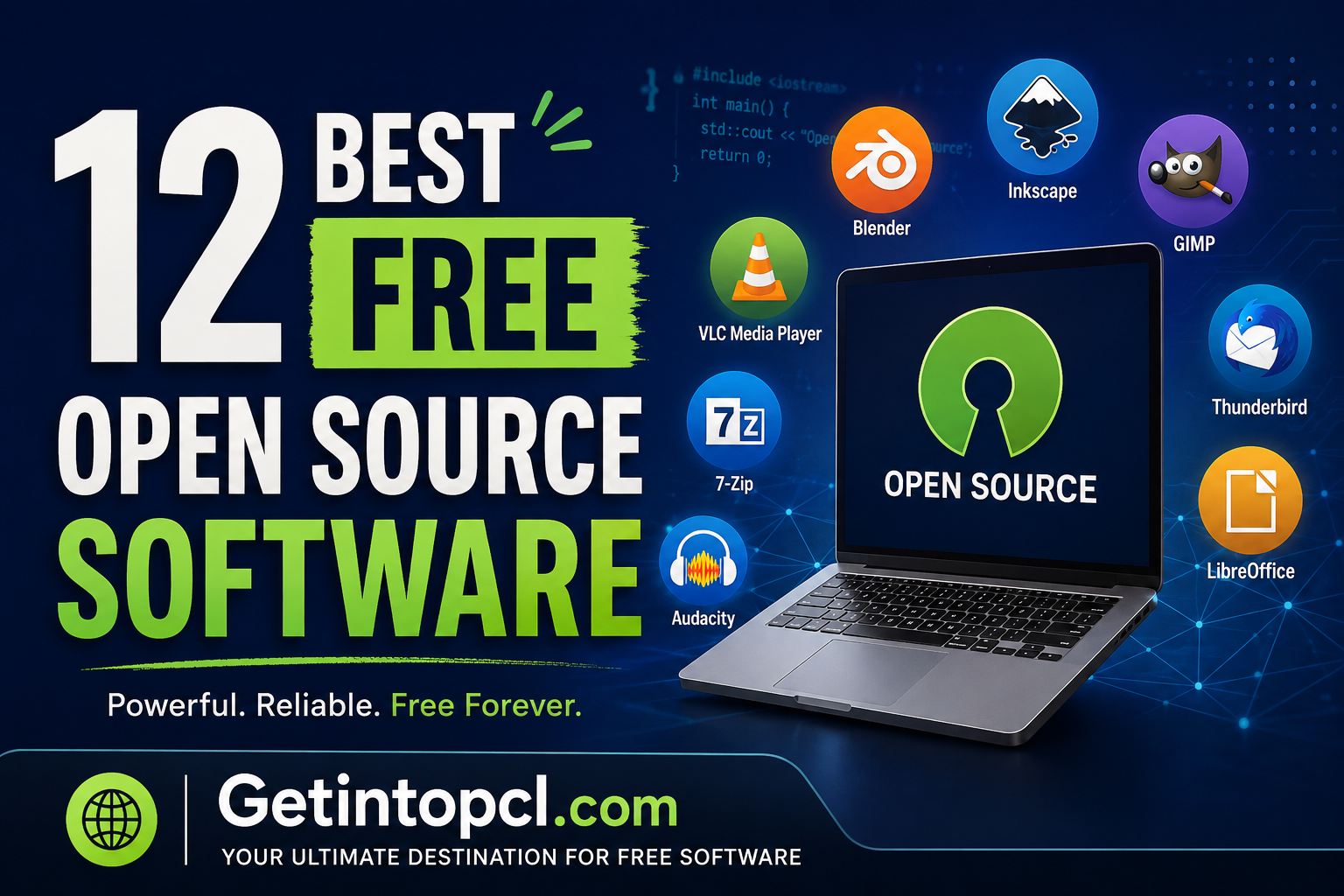
What Is Open Source Software?
Open-source software is software whose source code is made available under an open-source license.
Depending on the license, users may be able to:
- Use the software without paying a license fee
- Study how the program works
- Modify the source code
- Redistribute copies
- Develop their own versions
- Contribute improvements to the project
However, open source does not simply mean “freeware.” Freeware can be free to download while its source code remains closed. Open-source software combines access to source code with permissions defined by its license.
Open-source projects can be maintained by nonprofit organizations, foundations, companies, volunteers or combinations of these groups.
1. LibreOffice — Best Free Open Source Office Suite
LibreOffice is one of the best open-source alternatives to Microsoft Office. It is developed by the LibreOffice community under The Document Foundation.
The suite includes:
- Writer — word processing
- Calc — spreadsheets
- Impress — presentations
- Draw — diagrams and graphics
- Base — databases
- Math — formula editing
LibreOffice is distributed under the Mozilla Public License 2.0 along with various other open-source licenses for components.
Major Uses
You can use LibreOffice for:
- Writing documents
- Creating reports
- Making presentations
- Managing spreadsheets
- Creating PDFs
- Opening and saving Microsoft Office formats
- Creating forms
- Basic database work
Compatibility
LibreOffice supports Windows, macOS and Linux.
Price
Completely free and open source.
Best For
Students, teachers, small businesses, offices and anyone who wants an alternative to Microsoft 365 without a mandatory subscription.
2. GIMP — Best Free Open Source Photo Editor
GIMP, short for GNU Image Manipulation Program, is one of the most established open-source image editors.
It is often recommended as a free alternative to Adobe Photoshop.
Major Features
- Layers
- Masks
- Selections
- Color correction
- Curves and levels
- Retouching
- Brushes
- Filters
- Text tools
- Paths
- Plug-ins
- Advanced image composition
GIMP is suitable for both basic photo editing and considerably more advanced image manipulation.
Compatibility
GIMP is available for:
- Windows
- macOS
- Linux
The project provides official downloads through its website.
Price
Free and open source.
Best For
Photographers, bloggers, designers, students, YouTubers and users who need a powerful Photoshop alternative.
3. VLC Media Player — Best Open Source Media Player
VLC Media Player is a free, open-source multimedia player developed by the VideoLAN project.
Its biggest advantage is its ability to play a huge range of video and audio formats without requiring users to install numerous separate codecs.
Major Features
- Video playback
- Audio playback
- Subtitle support
- Streaming
- DVD playback
- Network playback
- Playlist management
- Format conversion
- Screen capture
- Playback-speed controls
- Extensive codec support
Compatibility
VLC is available on major desktop platforms, including:
- Windows
- macOS
- Linux
It also has versions for mobile platforms.
Price
Completely free and open source.
Best For
Anyone who wants a reliable media player capable of opening many different file formats.
4. Blender — Best Free Open Source 3D Software
Blender is a professional-grade 3D creation suite.
It is developed as a public project and is licensed under the GNU GPL. Blender describes itself as free and open-source software.
Unlike many free applications, Blender provides a remarkably broad set of professional capabilities.
Major Features
- 3D modeling
- Sculpting
- Animation
- Rigging
- Rendering
- Compositing
- Motion tracking
- Simulation
- Video editing
- Grease Pencil/2D workflows
- Python scripting
- Geometry Nodes
- Cycles rendering
Blender supports the entire 3D production pipeline, from modeling through rendering and animation.
Compatibility
Official downloads are available for:
- Windows
- macOS
- Linux
The official download page provides Windows, Windows ARM, macOS Intel, macOS Apple Silicon and Linux builds.
Price
Free and open source.
Best For
3D artists, animators, game developers, architects, filmmakers and students.
5. Audacity — Best Free Open Source Audio Editor
Audacity is a popular open-source audio recording and editing application.
It is particularly useful for podcasts, voice recordings, music editing and audio cleanup.
Audacity confirms that it is open source and licensed under the GNU General Public License. It is also free for everyone.
Major Features
- Multi-track recording
- Audio editing
- Noise reduction
- Effects
- Equalization
- Volume adjustment
- Audio conversion
- Microphone recording
- Plugin support
- Spectrograms
- Export to common audio formats
Compatibility
Audacity supports major desktop platforms including:
- Windows
- macOS
- Linux
Price
Free and open source.
Best For
Podcasters, YouTubers, musicians, students and anyone who needs a capable audio editor.
6. OBS Studio — Best Free Open Source Screen Recorder
OBS Studio is a free and open-source application designed for video recording and live streaming.
The project is distributed under the GPL-2.0 license and is specifically designed for live streaming and screen recording.
Major Features
- Screen recording
- Webcam recording
- Live streaming
- Multiple scenes
- Multiple audio sources
- Video capture
- Browser sources
- Studio Mode
- Audio mixer
- Filters
- Hotkeys
- Plugins
You can combine a webcam, microphone, desktop capture, images and other sources into a single production.
Compatibility
OBS Studio supports:
- Windows
- macOS
- Linux
Price
Completely free and open source.
Best For
YouTubers, streamers, online teachers, gamers and businesses that need screen-recording or live-streaming software.
7. 7-Zip — Best Free File Compression Software
7-Zip is a free and open-source file archiving utility that is particularly popular on Windows.
It is useful when you need to compress large files or extract archives downloaded from the internet.
Major Features
- Create 7z archives
- Extract ZIP files
- Extract many other archive formats
- High compression
- AES-256 encryption for supported archive formats
- File manager
- Command-line interface
- Windows Explorer integration
- Self-extracting archives
Compatibility
7-Zip is primarily associated with Windows, with command-line/source options and ports available elsewhere.
Price
Free and open source.
Best For
Windows users who need a lightweight alternative to commercial compression utilities.
8. Firefox — Best Open Source Web Browser
Mozilla Firefox is an open-source web browser developed by Mozilla.
It is one of the most important alternatives to Chromium-based browsers.
Major Features
- Tabbed browsing
- Private browsing
- Tracking protection
- Extensions
- Password management
- Sync
- Developer tools
- Picture-in-picture
- Customizable interface
Firefox is particularly attractive to users who want a major browser that is not built around Google’s Chromium engine.
Compatibility
Firefox is available for:
- Windows
- macOS
- Linux
- Android
- iOS
The exact capabilities vary by platform.
Price
Free and open source.
Best For
Privacy-conscious users, developers, students and anyone looking for an alternative to Chrome-based browsers.
9. Thunderbird — Best Free Open Source Email Client
Mozilla Thunderbird is an open-source desktop email application.
Instead of managing email exclusively through a browser, Thunderbird provides a dedicated application for managing email accounts.
Major Features
- Multiple email accounts
- Email organization
- Address books
- Calendar
- Tasks
- Extensions
- Search
- Message filtering
- RSS support
- Encryption/security features
Compatibility
Thunderbird supports Windows, macOS and Linux.
Price
Free and open source.
Best For
Businesses, professionals and users who manage multiple email accounts.
10. KeePass — Best Free Open Source Password Manager
KeePass is an open-source password manager designed to store passwords securely in an encrypted database.
Instead of remembering dozens of passwords, users can maintain a single password database protected by a master password.
Major Features
- Encrypted password database
- Password generator
- Auto-type
- Password organization
- Search
- Portable operation
- Plugins
- Local storage
One important distinction is that the original KeePass desktop application is particularly focused on local password storage rather than requiring a cloud account.
Compatibility
The original KeePass application is designed primarily for Windows, while the open-source KeePass ecosystem includes compatible implementations for other platforms.
Price
Free and open source.
Best For
Users who want local control over their password database.
11. Shotcut — Best Free Open Source Video Editor
Shotcut is a free, open-source video editor designed for both beginners and more experienced users.
It provides a useful combination of editing tools without requiring a subscription.
Major Features
- Timeline editing
- Multiple video tracks
- Filters
- Transitions
- Audio editing
- 4K support
- Wide format support
- Hardware acceleration on supported systems
- Webcam capture
- Screen capture
- Export presets
Compatibility
Shotcut supports:
- Windows
- macOS
- Linux
Price
Free and open source.
Best For
YouTubers, students, social-media creators and users who need a capable free video editor.
12. FileZilla — Best Free Open Source FTP Client
FileZilla is an open-source FTP, FTPS and SFTP client commonly used for managing website files.
It allows users to transfer files between their local computer and a web server.
Major Features
- FTP
- FTPS
- SFTP
- Drag-and-drop file transfer
- Site Manager
- Directory comparison
- Transfer queues
- Resume support
- Remote file management
Compatibility
FileZilla Client supports:
- Windows
- macOS
- Linux
Price
The FileZilla Client is free and open source. Users should distinguish it from other products/services carrying the FileZilla name.
Best For
Web developers, website owners, bloggers and administrators who need FTP/SFTP access.
Best Free Open Source Software Compared
| Software | Category | Best For | Windows | macOS | Linux | License/Model |
|---|---|---|---|---|---|---|
| LibreOffice | Office | Documents & spreadsheets | ✓ | ✓ | ✓ | Open source |
| GIMP | Photo editing | Image editing | ✓ | ✓ | ✓ | Open source |
| VLC | Media | Video & audio playback | ✓ | ✓ | ✓ | Open source |
| Blender | 3D | Animation & 3D | ✓ | ✓ | ✓ | GPL |
| Audacity | Audio | Recording & editing | ✓ | ✓ | ✓ | GPL |
| OBS Studio | Streaming | Recording & streaming | ✓ | ✓ | ✓ | GPL |
| 7-Zip | Compression | Archives | ✓ | — | —* | Open source |
| Firefox | Browser | Web browsing | ✓ | ✓ | ✓ | Open source |
| Thunderbird | Email management | ✓ | ✓ | ✓ | Open source | |
| KeePass | Security | Password management | ✓ | —* | —* | Open source |
| Shotcut | Video | Video editing | ✓ | ✓ | ✓ | Open source |
| FileZilla | FTP | Website files | ✓ | ✓ | ✓ | Open source |
*Availability can vary by project, port or distribution.
System Requirements
One major advantage of open-source software is the enormous range of hardware requirements. Lightweight applications such as 7-Zip or basic media players can run comfortably on modest computers, while Blender and professional video-editing workloads benefit significantly from modern CPUs, GPUs and large amounts of RAM.
Because requirements change between releases and distributions, users should check the official requirements page before installing.
General Minimum Requirements
For many everyday open-source applications:
- Operating system: A currently supported Windows, macOS or Linux version
- Processor: Modern 64-bit processor recommended
- RAM: 4 GB can be sufficient for basic applications
- Storage: A few hundred MB to several GB depending on the application
- Graphics: Integrated graphics are sufficient for many office, audio and basic editing applications
- Internet: Required for downloading, updating and online features
Recommended for More Demanding Software
For Blender, OBS Studio, Shotcut, GIMP and other demanding applications:
- RAM: 8–16 GB or more
- Storage: SSD strongly recommended
- Graphics: Modern GPU where hardware acceleration is supported
- Processor: Modern multi-core CPU
- Internet: Broadband connection for downloads, streaming and cloud-related features
Do not treat these general figures as official minimum requirements for every application. Hardware requirements should be checked against the specific program and version.
Free vs Open Source: What’s the Difference?
These terms are often confused.
Freeware
Freeware means software can generally be used without paying, but its source code may remain closed.
Open Source
Open-source software makes its source code available under an open-source license and grants permissions defined by that license.
Free and Open Source
Many programs on this list are both:
- Free to use
- Open source
- Community-developed
- Available without mandatory subscriptions
However, “free” does not mean that every associated service is free. A project can have optional paid support, cloud services, donations, merchandise or commercial services.
Advantages of Open Source Software
1. No mandatory subscription
Many open-source applications can be used indefinitely without monthly payments.
2. Source-code transparency
The source code is available for inspection under the applicable license.
3. Community development
Many projects benefit from contributions from developers around the world.
4. Cross-platform support
Major open-source projects frequently support Windows, macOS and Linux.
5. Long-term accessibility
Open formats and publicly available source code can help reduce dependence on one proprietary vendor.
6. Excellent alternatives to expensive software
LibreOffice, GIMP, Blender, OBS Studio and Audacity can replace many expensive applications for everyday and professional workflows.
Limitations of Open Source Software
Open source isn’t automatically better for every user.
Learning curve
Some powerful projects have interfaces that are less beginner-friendly than commercial alternatives.
Support
Commercial applications may offer dedicated customer support, while open-source projects often rely on documentation, forums and community assistance.
Compatibility
Some proprietary file formats may not be reproduced perfectly.
Hardware support
Certain specialized hardware or commercial plugins may work better with proprietary applications.
Different licensing
Open-source licenses differ. Businesses should understand the relevant license before redistributing or modifying software.
Feature differences
A free alternative may not reproduce every feature of an expensive commercial product.
Who Should Use Open Source Software?
Open-source software is particularly useful for:
- Students who need free productivity and creative tools
- Small businesses trying to reduce software expenses
- YouTubers creating videos, thumbnails and podcasts
- Photographers processing images
- Developers who need customizable tools
- Linux users looking for native applications
- Privacy-conscious users
- Schools and educational institutions
- Nonprofit organizations
- Anyone trying to reduce subscription costs
Where to Safely Download Open Source Software
The safest approach is to download software from the official project website or a trusted official repository.
Avoid downloading modified installers, cracked versions or software from suspicious download sites.
Recommended official sources include:
- LibreOffice official website
- GIMP official website
- VLC official website
- Blender official website
- Audacity official website
- OBS Studio official website
- 7-Zip official website
- Firefox official website
- Thunderbird official website
- KeePass official website
- Shotcut official website
- FileZilla official website
For example, Blender’s official download page provides dedicated installers for Windows, Windows ARM, Intel and Apple Silicon Macs, and Linux.
Frequently Asked Questions
1. Is open-source software really free?
Often, yes. Many open-source applications are available at no software cost, although optional paid services, support or commercial editions may exist.
2. What is the best free open-source software overall?
There is no single best program for every task. LibreOffice is an excellent general productivity suite, while GIMP, VLC, Blender, Audacity and OBS Studio are leaders in their respective categories.
3. Is open-source software safe?
Well-established open-source projects can be very safe, but open source itself is not a guarantee of security. Download from official project sources, keep software updated and review security advisories when appropriate.
4. Is LibreOffice a good Microsoft Office alternative?
Yes. LibreOffice provides word processing, spreadsheets, presentations and other productivity tools without requiring a Microsoft 365 subscription. It is also free software under open-source licenses.
5. What is the best open-source Photoshop alternative?
GIMP is the strongest general-purpose choice. Krita is better if your primary focus is digital painting and illustration.
6. What is the best open-source video editor?
Shotcut is an excellent general-purpose choice. Blender can also edit video, although its primary strength is 3D creation.
7. What is the best open-source software for YouTubers?
A combination of OBS Studio for recording/streaming, Shotcut for video editing, GIMP for thumbnails and Audacity for audio can provide a complete free content-creation workflow.
8. Does open-source software work on Windows?
Yes. Many major projects provide Windows versions, including LibreOffice, GIMP, VLC, Blender, OBS Studio, Audacity and Firefox.
9. Does open-source software work on Mac?
Many major projects also support macOS. Blender, GIMP, LibreOffice, VLC, OBS Studio, Audacity and Firefox are examples.
10. Is open-source software available for Linux?
Yes. Linux has particularly strong support for open-source software. Many of the applications listed above provide native Linux versions.
11. Can businesses use open-source software?
Generally, yes, but businesses should review the license for each application and its components. Open source does not mean “no licensing obligations.”
12. Can open-source software replace expensive professional software?
In many cases, yes. Blender, GIMP, LibreOffice, OBS Studio and Audacity can provide surprisingly advanced capabilities. However, professionals should compare specific features, compatibility requirements, support and workflow before replacing an established commercial application.
Best Free Open Source Software
The best free open-source software in 2026 isn’t one application but an entire ecosystem of capable alternatives.
For productivity, LibreOffice is an excellent Microsoft Office alternative. For photo editing, GIMP remains one of the strongest free choices. Blender is exceptional for 3D creation, OBS Studio for recording and streaming, Audacity for audio, Shotcut for video editing and VLC for media playback.
For everyday users, these programs can significantly reduce software costs without sacrificing essential functionality.
Overall recommendation: If you’re building a completely free software toolkit, start with LibreOffice + GIMP + VLC + OBS Studio + Audacity + 7-Zip + Firefox. Add Blender and Shotcut if you create visual or video content. This combination covers a large portion of everyday computing, creative work and content creation without requiring expensive subscriptions.