
WinSCP Free Download for Windows 11 provides users with a powerful way to transfer and manage files between a Windows computer and remote servers. WinSCP is an open-source file transfer client and file manager developed by Martin Přikryl. Its primary purpose is to securely copy, upload, download, synchronize, and manage files between a local computer and remote systems.
WinSCP supports several widely used protocols, including SFTP, SCP, FTP, FTPS, WebDAV, and S3. It also includes an integrated text editor, graphical file-management interfaces, scripting capabilities, command-line support, and directory synchronization.
The application is particularly useful for web developers, system administrators, IT professionals, server managers, students, businesses, and anyone who regularly works with remote servers. Unlike many commercial file-transfer applications, the core WinSCP application is completely free and released under the GNU General Public License (GPL).
The current stable release listed by the official project is WinSCP 6.5.6, while newer release candidates may also be available for users who want to test upcoming features.
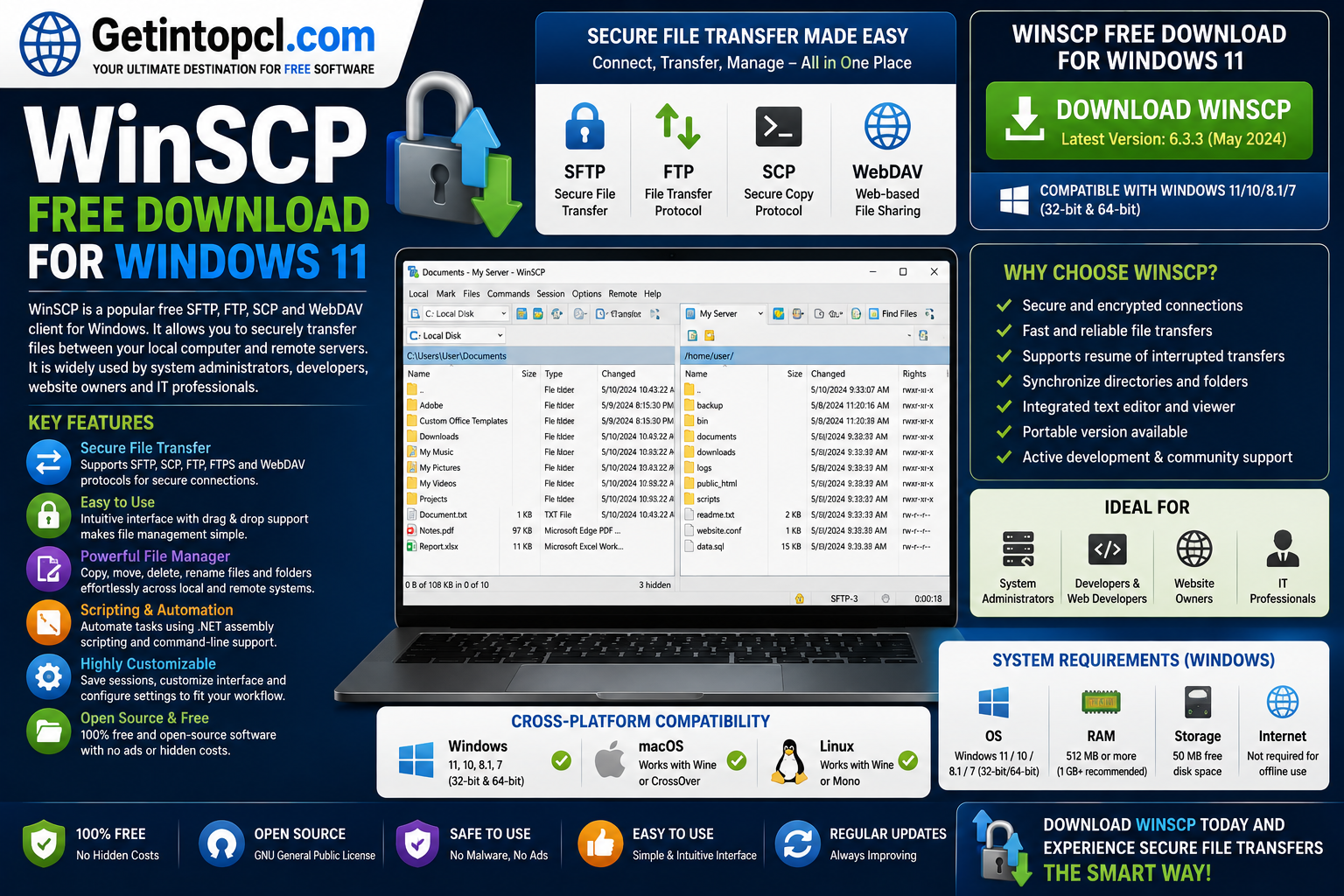
What Is WinSCP Used For?
WinSCP is mainly designed for transferring and managing files between local and remote computers. For example, a website owner can use it to upload website files to a hosting server through SFTP, while an administrator can download server logs or synchronize directories.
Common uses include:
- Uploading website files to a hosting server.
- Downloading files from remote servers.
- Managing files on SFTP and FTP servers.
- Connecting to SSH-enabled servers.
- Synchronizing local and remote folders.
- Managing Amazon S3-compatible storage.
- Editing remote text files.
- Automating repetitive file transfers.
- Moving files securely between computers.
- Creating scheduled file-transfer tasks.
- Managing server files through a graphical interface.
The software supports both the Commander interface, which displays local and remote files side by side, and an Explorer-style interface that can feel familiar to Windows users.
Key Features of WinSCP
SFTP and SCP Support
WinSCP is widely known as a reliable WinSCP SFTP client. SFTP operates over SSH and is commonly used when secure file transfers are required. SCP is also supported for compatible Unix-like environments.
FTP and FTPS
For traditional hosting environments, WinSCP works as a capable WinSCP FTP client. It supports both standard FTP and FTPS, allowing users to choose an appropriate connection method based on their server configuration.
WebDAV and S3
WinSCP also supports WebDAV and S3. This makes the application useful beyond conventional FTP hosting, particularly for users working with compatible cloud or storage services.
File Synchronization
The synchronization feature can compare local and remote directories and help keep their contents aligned. This is useful for maintaining website backups, transferring project files, or keeping working directories synchronized.
Scripting and Automation
Advanced users can automate transfers and synchronization through WinSCP’s scripting interface. The software also provides a .NET assembly for users who want to integrate file-transfer functionality into .NET applications or PowerShell workflows.
Integrated Text Editor
WinSCP includes an integrated text editor that can be useful when working with remote configuration files, HTML documents, scripts, or other text-based files.
Portable Version
A WinSCP portable package is available from the official download page. Portable executables can be useful when you do not want to perform a conventional installation or need to run the application from removable storage.
Security Features
WinSCP supports SSH-based secure transfers and offers features for protecting stored credentials. Users can configure a master password to protect saved passwords using strong AES encryption.
However, users should still follow good security practices. The WinSCP documentation warns that passwords stored without appropriate protection can potentially be recovered by someone who gains access to the computer.
WinSCP Compatibility: Windows, macOS and Linux
Windows 11
WinSCP is primarily a Windows application, and Windows 11 is officially supported. The official requirements page states that WinSCP runs on Microsoft Windows 7/2008 and newer, through Windows 11 and Windows Server 2025.
It can run on both 32-bit and 64-bit editions of supported Windows systems. The primary release is 32-bit, although it runs on 64-bit Windows. An experimental 64-bit version is also available for certain releases.
For most Windows 11 users, the standard installer is the simplest option.
Windows 10 and Older Windows Versions
WinSCP also supports Windows 10 and older supported Windows releases. Windows 7/2008 R2 systems have an additional limitation: the installer requires Service Pack 1. The official documentation states that the last WinSCP version supporting Windows XP SP2/Windows Server 2003 SP1 was WinSCP 5.17.8-era software, so those legacy systems should not be considered suitable for the current release.
macOS
There is no native macOS version of WinSCP. WinSCP is designed primarily for Microsoft Windows.
Mac users looking specifically for a native file-transfer client should consider software developed for macOS rather than expecting the Windows WinSCP installer to run directly on macOS.
Linux
WinSCP does not provide a native Linux desktop version. However, the official requirements documentation notes that WinSCP can run using Wine, a compatibility layer for running some Windows applications on Linux.
Because Wine configurations vary between distributions and desktop environments, Linux users should not expect the same installation experience as Windows users.
System Requirements
The official WinSCP documentation does not publish conventional minimum CPU, RAM, or graphics specifications. Therefore, these figures should not be invented or presented as official requirements.
Minimum / Officially Documented Requirements
- Operating system: Microsoft Windows 7/2008 or newer, up to Windows 11 and Windows Server 2025. Windows 7/2008 R2 requires Service Pack 1 for the installer.
- Processor: No specific minimum processor model or clock speed is officially specified.
- RAM: No specific minimum or recommended RAM amount is officially specified.
- Storage: Approximately 40–100 MB of free disk space is required.
- Graphics: No dedicated graphics card requirement is specified.
- Internet/network: An internet or network connection is required when transferring files to or from remote servers. The actual connection requirements depend on the server and protocol being used.
- Server: The remote server must provide a compatible protocol such as SFTP, SCP, FTP/FTPS, WebDAV/WebDAVS, or S3.
- Other: WinSCP can be used with screen readers and is designed with accessibility in mind.
Recommended Requirements
WinSCP does not publish a separate official “recommended CPU/RAM” specification. For that reason, users should simply use a supported Windows installation with sufficient free storage and a reliable network connection appropriate for their file-transfer workload.
Is WinSCP Free or Paid?
WinSCP is free software, not freemium or subscription-based software. It is distributed under the GPL, which permits users to run, copy, redistribute, and modify the software under the license terms.
There is no paid “Pro” edition that unlocks the core functionality. The official project continues to make the classic WinSCP installer available free of charge. Users can also make voluntary donations to support development.
There is, however, a Microsoft Store version priced at $19.99. This is not a premium feature edition. The official documentation says that the Microsoft Store binaries are identical to those provided by the classic installer. The Store purchase primarily serves as a way to support development while providing convenient Store-based installation and updates.
| Version / Option | Price | Main Features | Best For |
|---|---|---|---|
| Classic WinSCP Installer | Free | Full WinSCP functionality | Most Windows users |
| Portable WinSCP | Free | Portable application package | USB/removable use |
| MSI Package | Free | WinSCP installation for administrators | Business/IT deployment |
| Microsoft Store | $19.99 | Same WinSCP binaries, Store installation/updates | Users who prefer Store installation |
| Voluntary Donation | Optional | Supports development; qualifying donations can provide donor benefits | Supporting the project |
The Microsoft Store purchase should therefore not be confused with a conventional premium version. The core application remains free.
Where to Safely Download WinSCP
The safest option is the official WinSCP website. The official download area provides the standard installer, portable executables, MSI package, .NET/COM components, source code, release information, and checksums.
The official installer is particularly suitable for ordinary Windows 11 users. The project also publishes checksums for released installers, allowing technically experienced users to verify the integrity of a downloaded file.
For users who prefer automatic Store-based updates, WinSCP is also officially available through the Microsoft Store.
Avoid modified installers, cracked versions, unofficial repacks, and suspicious download portals. File-transfer software can handle sensitive server credentials, so obtaining it from a trustworthy source is especially important.
Advantages of WinSCP
- Completely free for normal use.
- Open-source and GPL licensed.
- Supports SFTP, SCP, FTP, FTPS, WebDAV and S3.
- Excellent choice for website administrators.
- Includes both graphical and command-line interfaces.
- Supports scripting and automation.
- Provides directory synchronization.
- Offers a portable version.
- Includes an integrated text editor.
- Supports multiple authentication methods.
- Can protect stored credentials with a master password.
- Works well with both beginners and advanced administrators.
Limitations of WinSCP
WinSCP is powerful, but it is not suitable for every platform or situation.
- It is primarily a Windows application.
- There is no native macOS version.
- There is no native Linux version; Linux users may need Wine.
- Some advanced functionality requires knowledge of SSH, SFTP, server permissions, or scripting.
- Connection problems can sometimes originate from the remote server, firewall, authentication configuration, or network rather than WinSCP itself.
- SCP has limitations because it relies on Unix-like shell commands for some operations.
- Users must manage saved credentials carefully because insecurely stored passwords can create security risks.
Who Should Use WinSCP?
WinSCP is especially well suited to web developers, bloggers, hosting users, system administrators, IT professionals, software developers, and businesses that need to transfer files to remote servers.
It is also useful for beginners who simply need an easy graphical interface for SFTP or FTP. The Commander interface makes it possible to drag files between local and remote locations without requiring extensive command-line knowledge.
Advanced users can take advantage of scripting, automation, synchronization, command-line tools, and the .NET assembly. This makes WinSCP suitable for both simple file transfers and more sophisticated server-management workflows.
Frequently Asked Questions
Is WinSCP free?
Yes. WinSCP is free software distributed under the GPL. You do not need a subscription or license fee to use the classic version.
Is WinSCP safe to use on Windows 11?
Yes, when downloaded from the official WinSCP website or Microsoft Store. The project publishes official releases and checksums, and WinSCP includes security features for protected connections and stored credentials.
Does WinSCP work with Windows 11?
Yes. Windows 11 is officially supported, and the current stable release is maintained for modern Windows systems.
Can I install WinSCP on Mac?
WinSCP does not have a native macOS application. The official project is focused on Windows, so Mac users should consider a native macOS alternative.
Does WinSCP work on Linux?
There is no native Linux release. The official documentation states that WinSCP can run through Wine, although compatibility and setup can vary.
How much RAM does WinSCP require?
The official WinSCP requirements page does not specify a minimum or recommended RAM amount. It therefore would be inaccurate to claim a particular RAM figure as an official requirement.
How much storage does WinSCP need?
The official documentation states that WinSCP requires approximately 40–100 MB of free disk space.
Is there a premium version of WinSCP?
There is no conventional premium edition. The core application is free. WinSCP is also available through the Microsoft Store for $19.99, but the official project states that the Store binaries are identical to the classic installer; the payment primarily supports the project and provides Store installation/update convenience.
Conclusion
WinSCP remains an excellent choice for anyone looking for dependable file transfer software for Windows 11. Its support for SFTP, FTP, SCP, WebDAV and S3, combined with synchronization, scripting, automation, a portable edition and security features, makes it useful for everyone from casual hosting users to professional system administrators.
The biggest advantage is that the full classic version is free and open source, with no subscription required. Windows 11 users can install the standard release directly and begin transferring files to compatible remote servers.
If you are looking for trusted software downloads, guides, and useful Windows applications, visit Getintopcl.com to discover the software you need and find convenient download resources.