
TeamViewer Free Download for Windows 11 is a popular choice for users who need to remotely access another computer, provide technical support, transfer files, or manage devices from a different location. Developed by TeamViewer, the software is designed to establish remote connections between compatible devices over the internet.
With TeamViewer, a user can connect to a computer located in another room, office, city, or country, provided the necessary permissions, connectivity, and software configuration are in place. This makes it useful for helping friends and family with computer problems, accessing personal devices remotely, supporting customers, and managing IT systems.
The current TeamViewer Remote platform supports Windows, macOS, Linux, mobile operating systems, and other supported platforms. TeamViewer also offers different clients, including the Full Client, QuickSupport, and Host, depending on whether you want to provide support, receive support, or configure unattended access.
For personal, non-commercial use, TeamViewer offers a free version. Commercial users can choose from paid subscription plans designed for remote access, professional support, teams, and enterprise environments.
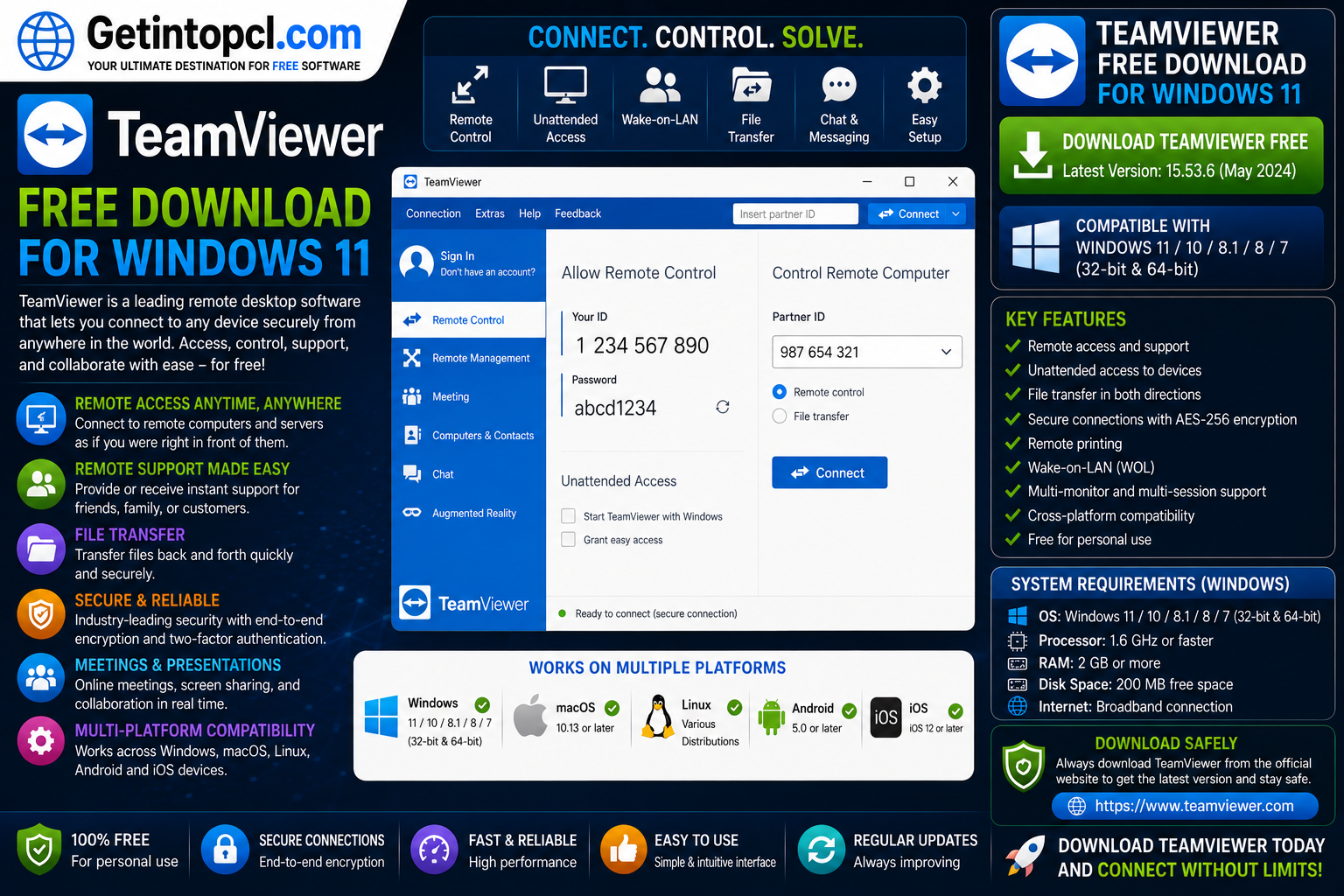
What Is TeamViewer?
TeamViewer is remote support software that allows compatible devices to connect remotely. Once a secure connection is established and the appropriate permissions are granted, the remote user can view or control another device according to the capabilities and settings available for that session.
The software is commonly used for:
- Remote technical support
- Accessing personal computers while away
- Troubleshooting software problems
- Providing IT assistance
- Managing unattended devices
- Transferring files between connected devices
- Supporting remote and hybrid work
TeamViewer provides multiple client types for different purposes. The Full Client is designed for incoming and outgoing connections, QuickSupport is intended for receiving assistance, and TeamViewer Host is designed for unattended access to a device.
Major Uses of TeamViewer
Remote Computer Access
One of the primary uses of TeamViewer remote desktop technology is accessing a computer from another location.
For example, you can remotely connect to a personal or authorized work computer to access files, applications, or other resources, depending on the available permissions and license.
Remote Technical Support
IT professionals and knowledgeable users can use TeamViewer to troubleshoot another person’s computer without being physically present.
The person receiving support can install TeamViewer QuickSupport, share the required connection details or accept an invitation, and receive assistance remotely.
Helping Friends and Family
The free personal version is particularly useful for helping friends and family solve common computer problems.
Instead of explaining every step over the phone, an authorized user can remotely view or control the device and provide assistance.
Unattended Access
TeamViewer Host is designed for devices that need to be accessed remotely without someone physically present to accept each connection.
This can be useful for accessing authorized personal computers, remote office devices, or systems that require monitoring and maintenance.
Remote Work
TeamViewer can support remote and hybrid work by allowing authorized users to connect to devices and applications from different locations.
Commercial plans provide additional features and management capabilities for professional environments.
Cross-Platform Connections
A major benefit of TeamViewer is its cross-platform support. Compatible connections can be established between supported Windows, macOS, Linux, Android, iOS, and other platforms, depending on the product and license being used.
Key Features of TeamViewer
TeamViewer includes a range of remote connectivity features for personal and professional users.
Remote Access and Control
Users can establish remote sessions to access and control compatible authorized devices.
TeamViewer QuickSupport
TeamViewer QuickSupport is a lightweight client designed for receiving remote support. According to TeamViewer, it does not require a traditional installation or administrator rights in the standard use case; users can download and run the module to join a support session.
This makes it convenient for users who need one-time or occasional assistance.
TeamViewer Host
TeamViewer Host is designed for unattended access. It can be installed on a device that needs to remain available for authorized remote connections.
Cross-Platform Support
TeamViewer supports a wide range of operating systems and device types, allowing users to work across different platforms.
File and Resource Access
Depending on the client, connection type, permissions, and license, TeamViewer can be used to access files and other resources on connected devices.
Security Features
TeamViewer describes its remote connectivity platform as using security features including 256-bit AES end-to-end encryption, trusted devices, two-factor authentication, and access-management controls in supported products and plans.
Web Client
TeamViewer also provides a web-based client option, allowing users to access certain TeamViewer functionality through a supported web browser without installing the desktop application on the connecting device.
TeamViewer Compatibility with Windows, macOS, and Linux
TeamViewer for Windows 11
TeamViewer provides dedicated Windows downloads, including 64-bit, 32-bit, and Arm64 options for relevant clients. The current Windows download portal also offers separate Full Client, QuickSupport, and Host downloads.
TeamViewer’s supported operating systems documentation lists support for multiple Windows 11 releases. The specific minimum TeamViewer version can vary by Windows 11 version, including support for recent Windows 11 releases and Windows on ARM.
Therefore, users looking for TeamViewer for Windows 11 should normally download the latest compatible version rather than relying on an outdated installer.
TeamViewer for Mac
TeamViewer for Mac is available for supported macOS versions. TeamViewer’s current installation documentation notes that macOS clients are 64-bit, consistent with modern macOS requirements.
The exact macOS versions supported can change as TeamViewer updates its product lifecycle and compatibility policies. Users should check the official supported operating systems page before installation.
TeamViewer for Linux
TeamViewer for Linux is available for supported Linux distributions. TeamViewer provides 32-bit and 64-bit Linux clients for supported distributions, although availability and compatibility depend on the particular release and Linux environment.
Linux users should select the package appropriate for their distribution and architecture.
Important Compatibility Limitations
TeamViewer compatibility depends on several factors, including:
- Operating system version
- Processor architecture
- Whether the latest TeamViewer version is supported
- Network availability
- Device permissions
- Product license
- Required features
- Security and operating system settings
TeamViewer advises free users to use the latest version. Older versions may require a license, and unsupported hardware may not be eligible for continued free use with newer versions.
TeamViewer System Requirements
TeamViewer’s official documentation primarily publishes compatibility requirements by supported operating system rather than one universal set of minimum and recommended hardware specifications for every device. Because usage varies significantly, fixed CPU, RAM, and storage numbers should not be presented as official universal requirements when TeamViewer does not specify them.
Operating System
- Minimum: A Windows, macOS, Linux, or other operating system version supported by the TeamViewer release being installed.
- Recommended: A currently supported and fully updated operating system.
Windows 11 compatibility includes several recent Windows 11 releases, with the minimum required TeamViewer version depending on the particular Windows version and architecture.
Processor
- Minimum: A processor architecture supported by the selected TeamViewer client.
- Recommended: A modern processor suitable for the host operating system and expected workload.
TeamViewer currently provides Windows client options including 64-bit, 32-bit, and Arm64 downloads where applicable.
RAM
- Minimum: TeamViewer does not publish one universal RAM figure that applies to every supported platform and client configuration.
- Recommended: Enough memory to run the operating system, TeamViewer, and other applications used during a remote session without excessive system slowdown.
Storage
- Minimum: Enough available disk space to install the selected TeamViewer client and maintain the operating system.
- Recommended: Additional free storage for operating system updates, applications, files, and any organizational tools used alongside TeamViewer.
Graphics
- Minimum: A graphics configuration supported by the operating system and capable of displaying the TeamViewer interface.
- Recommended: Modern display hardware and drivers for smoother high-resolution remote sessions.
Internet Connection
- Minimum: An active and sufficiently stable internet connection is generally required for remote connections over the internet.
- Recommended: A reliable broadband connection with adequate upload and download capacity for the type of remote work being performed.
Other Requirements
- A TeamViewer account may be useful or required for certain features and device management functions.
- Remote connections require the appropriate authorization and permissions.
- Firewalls, security software, and network policies can affect connectivity.
- Some advanced functions depend on the selected TeamViewer product or subscription.
Is TeamViewer Free or Premium?
TeamViewer uses a combination of free personal use and paid subscription plans.
The free version is intended for personal, non-commercial use. TeamViewer specifically identifies its Free plan as being for personal use and non-commercial purposes.
Commercial users can choose paid plans such as Remote Access, Business, Premium, and Corporate, while TeamViewer Tensor is designed for enterprise remote connectivity.
TeamViewer’s current commercial licensing documentation describes these plans as subscriptions, with subscription packages billed and automatically renewed annually rather than offered as monthly payment plans.
| Feature | Free | Remote Access | Business | Premium / Corporate |
|---|---|---|---|---|
| Intended use | Personal, non-commercial | Commercial remote access | Professional use | Teams and larger organizations |
| Remote connectivity | Yes, subject to free-use terms | Yes | Yes | Yes |
| Cross-platform access | Supported | Supported | Supported | Supported |
| Commercial use | No | Yes | Yes | Yes |
| Advanced business features | Limited | More business-oriented features | Professional features | Additional team and organizational capabilities |
| Licensing model | Free for eligible personal use | Paid subscription | Paid subscription | Paid subscription |
The exact features and limits can change by plan and region, so businesses should check TeamViewer’s current license and pricing information before purchasing.
Where to Safely Download TeamViewer
The safest way to complete a TeamViewer download is through TeamViewer’s official website.
The official Windows download portal provides the latest TeamViewer version and separate downloads for:
- TeamViewer Full Client
- TeamViewer QuickSupport
- TeamViewer Host
- Supported Windows architectures
TeamViewer Official Windows Download
Users should avoid downloading TeamViewer from:
- Pirated software websites
- Cracked software portals
- Modified installers
- Unverified file-sharing websites
- Suspicious advertisements and pop-ups
TeamViewer’s installation guidance also recommends verifying the publisher when installing the Windows application.
For users downloading software through Getintopcl.com, it is important to ensure that any download source is legitimate, unmodified, and consistent with the developer’s licensing terms.
Advantages of TeamViewer
TeamViewer offers several advantages:
- Free option for eligible personal use
- Easy remote access and support
- Support for Windows, macOS, and Linux
- Mobile and cross-platform connectivity
- QuickSupport for receiving assistance
- Host application for unattended access
- Web client availability
- Security features such as encryption and two-factor authentication
- Commercial plans for businesses and IT teams
- Different client options for different use cases
These features make TeamViewer useful for both occasional remote support and professional remote connectivity.
Limitations of TeamViewer
Despite its strengths, TeamViewer also has limitations:
- The free version is limited to personal, non-commercial use.
- Commercial use requires an appropriate paid license.
- Remote performance depends heavily on internet quality.
- Some advanced capabilities depend on the selected plan.
- Compatibility can vary with operating system versions and hardware.
- Older TeamViewer versions may have licensing or compatibility restrictions.
- Free users are encouraged to use the latest supported version.
Users should also remember that remote access software should only be used on devices they own or have explicit authorization to access.
Who Is TeamViewer Best Suited For?
Home Users
The free version is suitable for eligible personal users who need to access their own devices or help friends and family with technical issues.
Remote Workers
Users who need secure access to authorized devices from another location may benefit from TeamViewer’s remote connectivity tools.
IT Support Professionals
IT professionals can use commercial TeamViewer plans to provide remote support and manage customer or organizational devices.
Small Businesses
Small businesses may benefit from paid plans designed for remote access and professional support.
Large Organizations
Larger organizations with advanced management, deployment, and security requirements may consider enterprise products such as TeamViewer Tensor.
Frequently Asked Questions
Is TeamViewer free?
Yes. TeamViewer offers a free version for personal, non-commercial use. Commercial use requires an appropriate paid license.
Is TeamViewer safe to download?
TeamViewer is safest when downloaded from the official TeamViewer website. Avoid cracked, modified, or unauthorized installers.
Does TeamViewer work on Windows 11?
Yes. TeamViewer supports current Windows 11 releases, with the required TeamViewer version depending on the specific Windows 11 version and architecture.
Does TeamViewer work on Mac?
Yes. TeamViewer provides macOS support for compatible versions. Users should check TeamViewer’s current supported operating systems information before installation because supported versions can change.
Does TeamViewer work on Linux?
Yes. TeamViewer provides clients for supported Linux distributions and architectures.
How much RAM does TeamViewer require?
TeamViewer does not publish one universal minimum or recommended RAM specification for every supported platform. The amount of memory needed depends on the operating system, TeamViewer client, and other applications running during the remote session.
Is there a premium version of TeamViewer?
Yes. TeamViewer offers commercial plans including Remote Access, Business, Premium, and Corporate, as well as enterprise-oriented TeamViewer Tensor solutions.
Where can I download TeamViewer for Windows 11?
The recommended option is the official TeamViewer Windows download page, which provides the latest compatible client and options for different Windows architectures.
Conclusion
TeamViewer is a flexible remote access and support solution for Windows 11 users who need to connect to authorized devices from another location. Its free personal-use option, cross-platform support, QuickSupport module, Host application, and commercial plans make it suitable for home users, remote workers, IT professionals, and businesses.
Before installing, check that your Windows version and hardware are supported, choose the correct TeamViewer client, and review the licensing terms for your intended use. For more software and download resources, visitors can explore Getintopcl.com and choose the products that best match their requirements.