
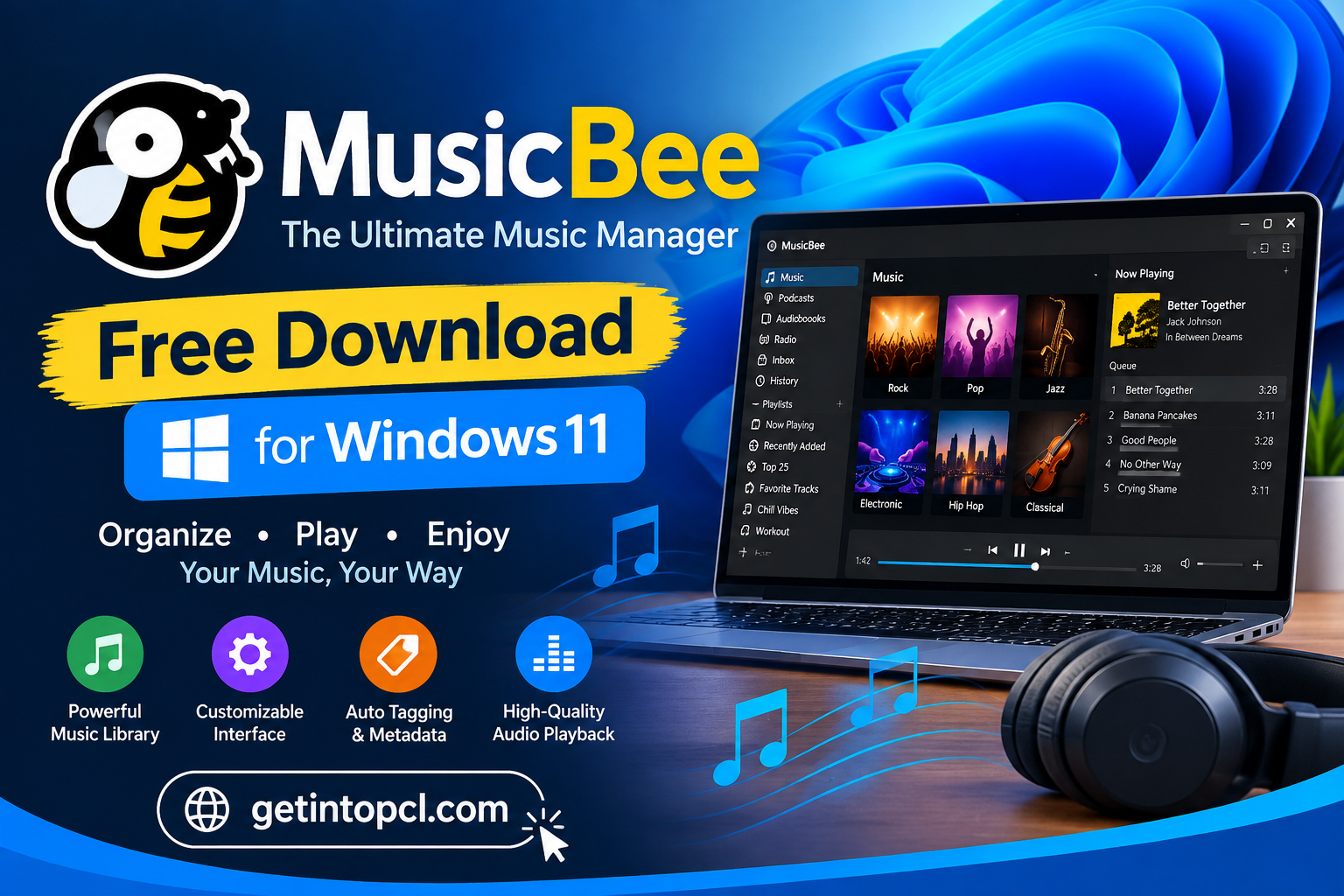
MusicBee Free Download for Windows 11 gives users access to a powerful music player and music-management application designed for Windows PCs. Developed by Steven Mayall, MusicBee is built to help users organize, find, manage, and play their digital music collections from one convenient desktop application.
Unlike a basic audio player that simply opens individual files, MusicBee works as both a music player and music manager. It can organize large music libraries, edit tags, retrieve artwork and metadata, manage playlists, rip CDs, use equalizers and DSP effects, and connect with services such as Last.fm. The official website also highlights support for podcasts, web radio stations, and SoundCloud integration.
MusicBee is completely free to use. The official download page currently lists MusicBee 3.6.9668, released on June 20, 2026, for Windows 7, Windows 8, Windows 10, and Windows 11. Users can choose between the standard Installer Edition and Portable Edition.
For Windows 11 users who want more control over their music library than the standard Windows music apps provide, MusicBee is an excellent option.
What Is MusicBee?
MusicBee is a free Windows application designed to organize and play digital music. It combines the functions of a traditional music player with tools for managing a large music collection.
The software can scan folders containing music and create an organized library. Users can then browse music by artist, album, genre, composer, year, and other available metadata.
MusicBee also provides tools for cleaning up music libraries. Its auto-tagging features can help users correct incomplete or messy track information, while artwork and metadata tools can make a collection easier to browse.
The official website describes MusicBee as a music manager and player that can turn a Windows PC into a music jukebox while remaining relatively lightweight.
Major Uses of MusicBee
MusicBee is useful for more than simply playing MP3 files. Its collection-management tools make it suitable for users with hundreds or thousands of songs.
Manage Large Music Libraries
MusicBee can organize music collections and make it easier to locate specific albums, artists, songs, and genres.
Users can browse their collection through customizable views rather than manually searching through folders in Windows File Explorer.
Play Music
At its core, MusicBee is a full-featured audio player. It provides standard playback controls while also offering advanced options for users who care about sound quality and playback customization.
Edit Music Tags
Music metadata is important for keeping a music library organized. MusicBee provides tagging tools that allow users to edit information such as:
- Artist
- Album
- Track title
- Genre
- Year
- Album artist
- Composer
- Track number
- Artwork
Its auto-tagging capabilities can also help clean up incorrectly labeled collections.
Rip CDs
MusicBee includes CD-ripping functionality, allowing users to transfer music from supported audio CDs into digital files.
This can be particularly useful for users who are converting older physical music collections into a digital library.
Listen to Web Radio
MusicBee can also be used for listening to web radio stations. This expands the software beyond locally stored music.
Manage Podcasts
The official MusicBee website also lists podcast support among its features.
MusicBee Features
MusicBee offers a large selection of features for music enthusiasts.
Important MusicBee features include:
- Music library management
- Audio playback
- Automatic music tagging
- Album artwork management
- CD ripping
- Playlists
- Podcasts
- Web radio
- SoundCloud integration
- Last.fm integration
- 10-band and 15-band equalizers
- DSP effects
- Gapless playback
- WASAPI support
- ASIO support
- Audio resampling
- Stereo-to-5.1 upmixing
- Skins and customization
- Plugins and add-ons
- Visualizers
- Theater Mode
- Portable edition
The official site specifically highlights the 10-band and 15-band equalizers, DSP effects, WASAPI and ASIO support, gapless playback, stereo-to-5.1 upmixing, and resampling features.
MusicBee Windows 11 Compatibility
MusicBee works with Windows 11. The official download page lists the current release for:
- Windows 7
- Windows 8
- Windows 10
- Windows 11
The current stable release listed by the developer is MusicBee 3.6.9668, released June 20, 2026.
Therefore, users searching for MusicBee Windows 11 can install the current stable release on a compatible Windows 11 computer.
Does MusicBee Work on Windows 10?
Yes. Windows 10 is officially listed as a supported operating system for the current MusicBee release.
Does MusicBee Work on Older Windows Versions?
The current download page also lists Windows 7 and Windows 8 support. However, users should remember that Microsoft’s older Windows versions have reached or are approaching the end of their normal security-support lifecycles.
Does MusicBee Work on macOS or Linux?
MusicBee is a Windows application.
The official MusicBee download page lists Windows 7, Windows 8, Windows 10, and Windows 11 but does not list native macOS or Linux versions.
| Operating System | MusicBee Support |
|---|---|
| Windows 11 | Yes |
| Windows 10 | Yes |
| Windows 8 | Yes |
| Windows 7 | Yes |
| macOS | No official native version |
| Linux | No official native version |
If you specifically need a native Mac or Linux music player, MusicBee is therefore not the appropriate choice.
MusicBee System Requirements
The official MusicBee website does not publish a conventional detailed table containing separate minimum and recommended CPU, RAM, storage, and graphics requirements.
Because of this, unsupported specifications should not be presented as official requirements.
Officially Confirmed Requirements and Information
- Operating system: Windows 7, Windows 8, Windows 10, or Windows 11
- Processor: No specific minimum processor model or speed is officially published on the current download page
- RAM: No official minimum or recommended RAM figure is published
- Storage: No official minimum storage figure is published
- Graphics: No specific minimum GPU requirement is published
- Internet connection: Not required for basic playback of locally stored music
- Additional storage: Users need sufficient storage for their music collection, downloaded artwork, podcasts, and other media
The MusicBee website does, however, provide an indication of its relatively low memory usage. It states that MusicBee uses approximately 25–70 MB of RAM with skins and add-ons in a test involving a library of 200 albums and approximately 3 GB of music. This is an example measurement rather than a formal minimum system requirement.
For this reason, users should not confuse the site’s example RAM usage with an official minimum RAM requirement.
PotPlayer Free Download for Windows 11 64-Bit – Latest Version
Is MusicBee Free or Premium?
MusicBee is free software. The official website describes it as free and provides the application without requiring a subscription or Premium license.
There is no standard Free-versus-Premium feature structure where users must pay to unlock the main music player.
The official website does provide an option for users who want to support the project through a voluntary donation.
MusicBee Version Comparison
| Feature | Installer Edition | Portable Edition | Windows Store Edition |
|---|---|---|---|
| Price | Free | Free | Free |
| Music playback | Yes | Yes | Yes |
| Music library | Yes | Yes | Yes |
| Tags and organization | Yes | Yes | Yes |
| Plugins | Yes | Yes | Yes |
| Skins | Yes | Yes | Yes |
| Installation required | Yes | No traditional system installation | Yes |
| Can run from another location | No | Yes | No |
| USB use | Not intended | Yes | No |
| Automatic Store updates | No | No | Yes |
The official download page currently provides Installer, Portable, and Windows Store options. The Installer Edition installs MusicBee on the Windows system drive, while the Portable Edition can be placed on another partition or a USB drive.
For many users, the Installer Edition is the simplest option. The Portable Edition is useful if you want to keep the MusicBee installation in a specific folder or move it between computers.
MusicBee Installer vs Portable Edition
The standard Installer Edition is designed for a normal Windows installation. It places MusicBee on the system drive and provides the traditional desktop installation experience.
The Portable Edition is more flexible. According to the official download page, it can be installed in another location, such as another partition or a USB drive.
Portable MusicBee can therefore be useful for users who want to maintain their music-player installation independently from the standard Windows program directories.
The choice does not necessarily mean that one version has dramatically fewer music features than the other. The main difference is how and where the application is installed and managed.
MusicBee Latest Version
The current stable MusicBee latest version listed on the official website is:
MusicBee 3.6.9668
Release date: June 20, 2026
Supported Windows versions: Windows 7, 8, 10, and 11.
MusicBee’s official release notes also list earlier versions, including 3.6.9403 from October 2025 and 3.6.9202 from March 2025.
Users should check the official website for newer releases before installing because software versions can change after an article is published.
Where to Safely Download MusicBee
The safest place to download MusicBee is the official MusicBee website.
The official download page provides the current installer and portable editions and identifies the supported Windows versions.
Users should avoid downloading modified, cracked, repacked, or unauthorized copies. MusicBee is already free, so there is no legitimate reason to use a pirated version.
For security, always verify that the download is from the official MusicBee project or another legitimate distribution channel.
Windows Movie Maker 2025 Free Download for Windows 11,10,8.1,7 Full Version
MusicBee Portable Download
The official website provides a dedicated MusicBee Portable edition. It is designed for users who want to place MusicBee somewhere other than the standard Windows system drive, including another partition or USB drive.
This can make the portable edition particularly useful when moving a MusicBee setup between computers.
However, portable software should still be downloaded from a trusted source. Avoid websites that modify the original application or bundle it with unnecessary software.
Advantages of MusicBee
MusicBee offers several benefits for Windows users.
- Free to use: No subscription is required.
- Powerful library management: Suitable for large personal music collections.
- Excellent audio controls: Includes equalizers, DSP effects, WASAPI, and ASIO support.
- Tagging tools: Helps organize music metadata.
- Portable edition: Can be used from another location or USB drive.
- Customizable: Supports skins, plugins, visualizers, and other add-ons.
- Gapless playback: Useful for albums where tracks should transition without unwanted silence.
- Windows 11 support: Works with Microsoft’s current desktop operating system.
Limitations of MusicBee
MusicBee is powerful, but it is not suitable for everyone.
The biggest limitation is its platform support. It is designed for Windows, so users looking for a native macOS or Linux application will need another solution.
Its extensive customization options can also make the application feel complicated to beginners. Someone who simply wants to double-click a song and play it may find MusicBee’s large number of library and audio settings unnecessary.
Another consideration is that MusicBee is primarily focused on music rather than being a general-purpose video player.
Who Is MusicBee Best For?
MusicBee is particularly well suited to users who maintain a large digital music collection.
It is a good choice for:
- Windows 11 users
- Music collectors
- Audiophiles
- Users with large MP3 or digital audio libraries
- People who want advanced tagging tools
- Users who want a customizable music player
- People who want a free alternative to commercial music managers
- Users who need a portable music-management application
It may not be ideal for people who primarily use streaming services or require a native application for macOS or Linux.
Frequently Asked Questions
Is MusicBee free?
Yes. MusicBee is available as free software, and the official website provides its Windows installer and portable edition without requiring a subscription.
Is MusicBee safe for Windows 11?
MusicBee is an established Windows music-management application. For the safest installation, download it from the official MusicBee website rather than using unknown third-party download sites.
Does MusicBee work on Windows 11?
Yes. The current MusicBee release officially supports Windows 11. The official download page lists Windows 7, 8, 10, and 11.
Does MusicBee work on Mac?
MusicBee does not have an official native macOS version listed on its download page. It is designed for Windows.
Does MusicBee work on Linux?
The official MusicBee download page does not list Linux as a supported operating system. MusicBee is intended for Windows.
How much RAM does MusicBee require?
MusicBee does not publish a formal minimum RAM requirement on its current download page. The official website reports approximately 25–70 MB RAM usage in one test configuration involving 200 albums and 3 GB of music, but this should not be interpreted as a minimum requirement.
How much storage does MusicBee need?
The developer does not publish a specific official minimum storage requirement. You will additionally need enough disk space for your music library, artwork, podcasts, and other content.
What is the latest MusicBee version?
The current stable release listed on the official website is MusicBee 3.6.9668, released June 20, 2026.
Can I download MusicBee Portable?
Yes. The official website provides a Portable Edition that can be placed on another partition or USB drive.
Conclusion
MusicBee Free Download for Windows 11 is an excellent option for users who want a free, powerful, and customizable music player and music manager. With support for Windows 11, advanced library organization, tagging, CD ripping, playlists, equalizers, DSP effects, plugins, and a portable edition, MusicBee offers considerably more control than a basic audio player.
If you are looking for reliable Windows software and useful PC applications, GetIntoPC can help you discover the tools you need. For the safest installation, always download MusicBee from its official developer source.
Download Now — MusicBee Official Download Page