
ExifToolGUI Portable Free Download provides Windows users with a graphical interface for working with image and other file metadata through the powerful ExifTool backend. ExifToolGUI is an updated graphical interface based on the original ExifToolGUI project created by Bogdan Hrastnik and is currently developed by Frank Bijnen. The project is designed to make ExifTool’s extensive metadata capabilities easier to access through a graphical Windows application.
The latest release listed by the project is ExifToolGUI V6.3.12, updated on May 8, 2026. The release includes improvements such as enhanced HEIC support, additional metadata fields, map updates, and bug fixes.
ExifToolGUI can be useful for photographers, digital-media professionals, archivists, researchers, web designers, and ordinary users who need to view, edit, organize, or analyze metadata associated with photographs and other supported files.
One of its most useful characteristics is its portable mode. According to the project’s documentation, the portable version does not require the GUI itself to be installed. Users can download the appropriate executable, place it in a directory, and launch the program.
However, there is an important distinction between ExifToolGUI and ExifTool. ExifToolGUI is the graphical interface, while ExifTool is the underlying metadata-processing tool and is required for the GUI to operate.
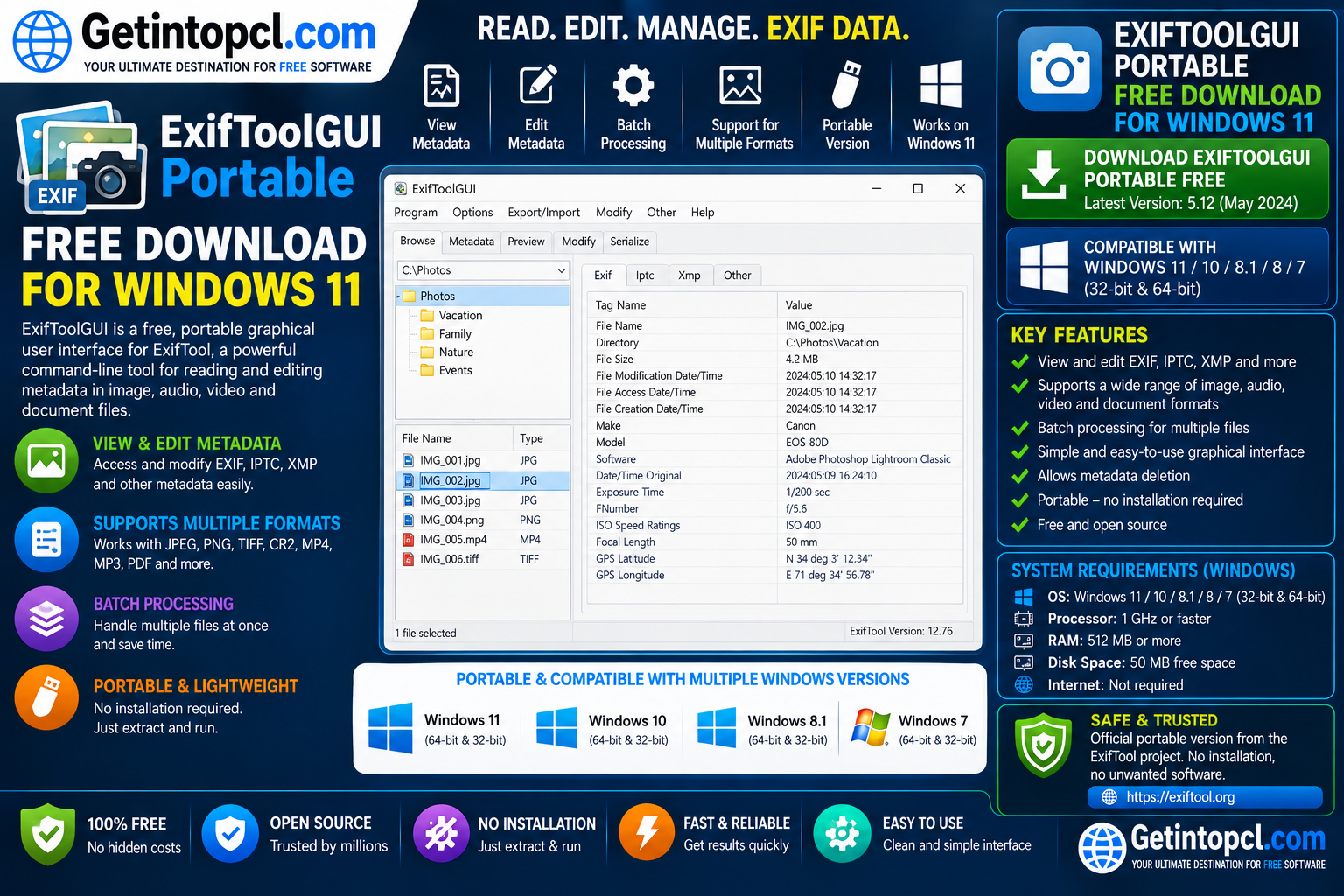
What Is ExifToolGUI?
ExifToolGUI is a graphical user interface for ExifTool, the widely used metadata-reading and editing utility created by Phil Harvey.
ExifTool can work with a very large range of metadata formats, including EXIF, IPTC, XMP, and other information embedded in digital files. ExifToolGUI provides a more accessible graphical environment for users who do not want to work exclusively from a command-line interface.
The current ExifToolGUI project is released under the GNU General Public License version 3.0 (GPL-3.0).
The GUI can be used to inspect metadata, modify supported tags, organize information, work with file lists, view images, and access additional metadata-related functionality.
It is particularly useful when dealing with large collections of photographs where manually checking or modifying metadata one file at a time would be inefficient.
What Is EXIF Metadata?
EXIF stands for Exchangeable Image File Format. It is a type of metadata commonly stored inside digital photographs.
Depending on the camera or device, EXIF information can include details such as:
- Camera manufacturer
- Camera model
- Lens information
- Date and time
- Exposure information
- Focal length
- Aperture
- ISO
- GPS coordinates
- Image orientation
- Software used to process the image
Other metadata standards such as IPTC and XMP can contain additional information, including descriptions, copyright details, keywords, ratings, and other organizational data.
ExifToolGUI makes this information easier to inspect and manage through a graphical interface.
Major Uses of ExifToolGUI
ExifToolGUI can be used for a variety of metadata-management tasks.
Viewing metadata: Users can inspect EXIF, IPTC, XMP, and other available metadata associated with supported files.
Editing metadata: Supported metadata fields can be modified directly through the graphical interface.
Photo organization: Metadata can help photographers organize large collections of images.
Copyright management: Users can work with supported copyright and author-related metadata.
GPS information: Geolocation-related metadata can be viewed and managed using the appropriate features and databases.
Batch processing: The application can work with file lists and multiple files, making it useful for larger collections.
Metadata cleanup: Users can inspect files and remove or modify unwanted metadata where supported.
Image analysis: Camera and photographic information can be examined without relying on the software supplied with the original camera.
HEIC metadata: Recent releases have improved support for HEIC images. The V6.3.12 release specifically mentions improvements related to EXIF and XMP tags and HEIC previews.
### Features
ExifToolGUI provides a broad set of metadata-management capabilities.
- Graphical interface for ExifTool
- EXIF metadata viewing
- EXIF metadata editing
- IPTC metadata support
- XMP metadata support
- File metadata management
- Batch-oriented workflows
- File-list functionality
- Workspace functionality
- HEIC support improvements
- Image preview
- GPS and geolocation features
- OpenStreetMap functionality
- Geocoding support
- Multiple language support
- Command-line path support
- Drag-and-drop file opening
- Windows 32-bit executable
- Windows 64-bit executable
- Portable operation
- No traditional GUI installation required
- GPL-3.0 licensing
The project documentation also explains that the portable GUI does not write its normal configuration directly into the Windows registry. However, it can save settings under the user’s %APPDATA%\ExifToolGUI directory and can create temporary files in %TEMP%.
This means that “portable” should not be interpreted as meaning that absolutely no files are ever created outside the executable’s directory.
ExifToolGUI Portable Version
One of the most important features for users searching for ExifToolGUI Portable is that the project officially provides a portable version.
The documentation states that users can download either:
ExifToolGui.exefor Win32ExifToolGui_X64.exefor Win64
The executable can be placed in a directory of the user’s choice and launched directly. The documentation specifically says that the portable version does not need to be installed.
This can be useful when users want to keep a utility on removable storage or simply avoid running a conventional installation process.
However, the portable version still has dependencies. Most importantly, ExifTool is required.
ExifTool Dependency
ExifToolGUI does not replace ExifTool. Instead, it provides a graphical interface for the underlying ExifTool utility.
The current documentation recommends using a recent ExifTool release and explains that some ExifToolGUI functionality may only be available when a recent ExifTool version is being used.
Users therefore need to obtain ExifTool separately when using the portable GUI unless they have already configured it.
The ExifToolGUI project provides a link to the original ExifTool project by Phil Harvey as one of the recommended sources.
This dependency is important when preparing a portable setup because simply copying the ExifToolGUI executable to a USB drive does not provide the complete functionality by itself.
ExifToolGUI for Windows
ExifToolGUI is primarily a Windows graphical application.
The project documentation indicates support for Windows 7 and Windows 8 in both 32-bit and 64-bit environments, while recommending Windows 10 or Windows 11, particularly when using features such as the OpenStreetMap map or geocoding.
The current V6.3.12 release also specifically mentions Windows 11 in connection with HEIC support, noting that Windows 11 includes the required codec.
For modern Windows 11 computers, the 64-bit ExifToolGui_X64.exe build is generally the appropriate choice.
Users with older 32-bit Windows systems can use the Win32 executable where supported.
ExifToolGUI Windows 11 Compatibility
ExifToolGUI is suitable for Windows 11 users, and the current project documentation recommends Windows 10 or 11 for certain functionality.
Windows 11 users can benefit from the newer HEIC support improvements included in V6.3.12. The project notes that Windows 11 comes with the codec needed for its improved HEIC handling.
Users interested in geolocation and map features should be aware that the application has additional requirements.
The documentation states that Microsoft Edge is required for the OSM map functionality. Users who do not need the map can skip that component.
ExifToolGUI for macOS and Linux
ExifTool itself is a cross-platform command-line utility, but ExifToolGUI is a Windows graphical application.
The current ExifToolGUI project documentation describes Win32 and Win64 executables and does not provide official macOS or Linux GUI builds.
Mac and Linux users who need ExifTool functionality can use the original ExifTool command-line application rather than treating ExifToolGUI as a cross-platform GUI.
Therefore, this software should primarily be considered a Windows metadata-management application.
### System Requirements
ExifToolGUI does not publish a conventional hardware specification table with minimum CPU, RAM, GPU, and storage requirements.
The official documentation provides operating-system and software-dependency information rather than invented hardware specifications.
Officially Documented Requirements
- Operating System: Windows 7 or later is documented as supported; Windows 10 and Windows 11 are recommended for certain features.
- Processor: No specific minimum processor is published.
- RAM: No specific minimum RAM requirement is published.
- Storage: No specific minimum storage requirement is published.
- Graphics: No dedicated GPU requirement is published.
- Architecture: Win32 and Win64 executables are available.
- ExifTool: Required for ExifToolGUI operation.
- Microsoft Edge: Required for the OSM map functionality.
- WebView2Loader.dll: Required for certain map functionality.
- Internet Connection: Not required for basic local metadata operations after the necessary components have been obtained.
- Geolocation Database: Additional database options are available for geolocation functionality.
The project specifically states that WebView2Loader.dll is optional when the OSM map is not needed.
Recommended Requirements
The project does not publish a separate CPU, RAM, GPU, or storage recommendation. It is therefore better not to invent specifications for these categories.
For modern Windows 11 users, using a supported 64-bit system with sufficient free storage for photographs and metadata-processing operations is a practical approach.
### Technical Setup Details
ExifToolGUI Portable is different from a traditional Windows application because the GUI executable does not need to be installed through a conventional setup wizard.
According to the official documentation, users can download ExifToolGui.exe or ExifToolGui_X64.exe, place it in a suitable directory, create a desktop shortcut if desired, and launch it.
However, ExifTool must also be available and correctly configured.
The application can be configured to use the location of ExifTool.exe through its preferences. The documentation recommends using a current ExifTool release because some GUI functionality depends on newer ExifTool capabilities.
The portable GUI does not normally write its settings into the Windows registry. It can, however, save its configuration under %APPDATA%\ExifToolGUI and create temporary files under %TEMP%.
Users who require a genuinely self-contained portable workflow should therefore understand these details before moving the program between computers.
Is ExifToolGUI Free?
ExifToolGUI is free and open-source software distributed under the GNU General Public License version 3.0. The current project repository identifies GPL-3.0 as its license.
There is no standard Premium subscription or paid edition of the ExifToolGUI project.
| Feature | ExifToolGUI |
|---|---|
| Price | Free |
| License | GPL-3.0 |
| Subscription | Not required |
| Portable version | Yes |
| Windows support | Yes |
| Windows 11 | Yes |
| Win32 build | Yes |
| Win64 build | Yes |
| EXIF management | Yes |
| IPTC/XMP support | Yes |
| Batch workflows | Yes |
| HEIC improvements | Yes |
| ExifTool required | Yes |
| macOS GUI | No official GUI release |
| Linux GUI | No official GUI release |
Because ExifToolGUI relies on ExifTool, users should also obtain the ExifTool component from a legitimate source.
ExifToolGUI and Metadata Privacy
Metadata can contain information that users may not realize is embedded in their files.
For example, photographs can contain camera information, dates, software information, and potentially GPS coordinates. Before uploading photographs to websites or sharing them publicly, users may want to inspect their metadata.
ExifToolGUI provides a convenient way to review and manage supported metadata fields.
This can be especially useful for photographers and organizations that need to maintain consistent copyright, author, keyword, or location information across large collections.
At the same time, metadata editing should be performed carefully. Removing information permanently can make it difficult to recover the original metadata later, so maintaining backups of important files is recommended.
ExifToolGUI Geolocation Features
ExifToolGUI includes functionality related to geolocation and mapping.
The documentation explains that newer ExifTool versions include a geolocation database and that an alternative larger database is also available.
Map-related functionality requires additional components. The project documentation states that Edge is needed for the OSM map, while WebView2Loader.dll is another component associated with this functionality.
Users who do not need mapping or geocoding can skip these additional components and use the core metadata features.
Advantages of ExifToolGUI
- Free and open-source
- Portable version available
- No traditional GUI installation required
- Powerful ExifTool backend
- EXIF metadata support
- IPTC and XMP support
- Useful for photographers
- Suitable for large image collections
- Win32 and Win64 executables
- Windows 11 compatible
- HEIC support improvements
- Batch-oriented workflows
- Geolocation functionality
- Map support
- Multiple language options
- Can be launched directly from a folder
- Useful alternative to command-line-only ExifTool workflows
Limitations of ExifToolGUI
- Designed primarily for Windows
- ExifTool is required separately
- Some advanced features require additional components
- OSM map functionality requires Edge-related components
- The portable version can still write settings to
%APPDATA% - Temporary files can be created in
%TEMP% - No specific modern CPU/RAM requirements are officially published
- The interface may take time for beginners to learn
- Some advanced ExifTool concepts require knowledge of metadata tags
- macOS and Linux users do not have an official ExifToolGUI graphical release
Who Should Use ExifToolGUI?
ExifToolGUI is particularly useful for people who frequently work with digital photographs and metadata.
It can be a good choice for:
- Photographers
- Photo editors
- Digital archivists
- Researchers
- Journalists
- Web designers
- Content creators
- Media managers
- Professional photographers
- Users managing large image collections
- Users who need a portable metadata utility
It is also useful for users who want the power of ExifTool without having to perform every operation from a command prompt.
Where to Safely Download ExifToolGUI Portable
The safest source for the current ExifToolGUI project is its official GitHub repository maintained by Frank Bijnen. The repository currently identifies V6.3.12, released May 8, 2026, as the latest release.
The official project documentation provides the portable executables and explains the required ExifTool setup.
Official ExifToolGUI Download: Download Now – Official ExifToolGUI Releases
You should also obtain the required ExifTool component from its official project website:
Official ExifTool Download: Download ExifTool
For users who prefer a pre-packaged portable application, PortableApps.com also lists ExifToolGUI Portable 6.3.12.
PortableApps Download: ExifToolGUI Portable on PortableApps.com
Avoid modified executables, suspicious download mirrors, and unofficial repacks. Using the project’s official GitHub repository or a recognized distribution such as PortableApps.com is a safer approach.
How to Set Up ExifToolGUI Portable on Windows
Setting up the portable version is relatively straightforward.
- Download the latest ExifToolGUI release.
- Select the appropriate Win32 or Win64 executable.
- Create a dedicated folder for the application.
- Place the ExifToolGUI executable in that folder.
- Download the required ExifTool component from the official ExifTool website.
- Place or configure ExifTool so that ExifToolGUI can locate it.
- Launch
ExifToolGui_X64.exeon a typical 64-bit Windows 11 computer. - Open a photograph or another supported file.
- Inspect its available metadata.
- Configure preferences if required.
- Create a desktop shortcut if convenient.
The official documentation explains that the portable GUI can be launched directly without conventional installation. It also provides information about configuring the ExifTool location and optional components.
Frequently Asked Questions
Is ExifToolGUI Portable free?
Yes. ExifToolGUI is released under the GPL-3.0 license, and the project provides its software without requiring a commercial subscription.
Does ExifToolGUI have a portable version?
Yes. The project officially provides portable executables. The current documentation identifies ExifToolGui.exe for Win32 and ExifToolGui_X64.exe for Win64.
Does ExifToolGUI work on Windows 11?
Yes. The project recommends Windows 10 or Windows 11 for certain features, and the current release includes Windows 11-related improvements, including better HEIC support.
Does ExifToolGUI require ExifTool?
Yes. ExifTool is the underlying metadata engine and is required for ExifToolGUI. The project recommends using a recent ExifTool release.
Does ExifToolGUI work on Mac or Linux?
The official ExifToolGUI project provides Windows GUI executables rather than official macOS or Linux GUI versions. ExifTool itself is a separate cross-platform tool that can be used on other operating systems.
How much RAM does ExifToolGUI require?
The project does not publish a specific minimum or recommended RAM requirement. It is therefore not appropriate to claim a particular RAM figure as an official requirement.
Does the portable version install anything?
The GUI itself does not require traditional installation. However, the documentation states that it can create temporary files and save settings under %APPDATA%\ExifToolGUI.
Where can I download ExifToolGUI Portable safely?
The recommended source is the official ExifToolGUI GitHub repository. The project also has a PortableApps.com distribution.
Conclusion
ExifToolGUI Portable is a useful Windows utility for users who need a graphical way to inspect and manage EXIF, IPTC, XMP, and other metadata. Its portable design makes it convenient for users who do not want to perform a conventional installation, while its connection with ExifTool provides access to powerful metadata-processing capabilities.
The latest V6.3.12 release adds improvements such as better HEIC handling and other metadata-related enhancements, making it a practical choice for modern Windows users.
If you are looking for ExifToolGUI Portable Free Download, Getintopcl.com can help you discover useful software, understand its features and setup requirements, and find legitimate download sources. Always download the application and its required components from trusted sources to reduce the risk of modified or unsafe files.
Download Now: Official ExifToolGUI Latest Release