
Avast Free Antivirus Download for Windows 11 gives home users access to free antivirus protection designed to detect and block viruses, malware, spyware, ransomware, malicious websites, and other digital threats. Avast is a cybersecurity company with more than 30 years of experience in consumer security, and its current consumer security products are part of Gen’s cybersecurity portfolio.
Avast’s current Windows offering is presented through Avast One with Free Antivirus, while Avast’s support documentation also identifies Avast Free Antivirus 26.x for Windows as a supported application. The free product provides real-time protection and additional security features such as web and email protection and Wi-Fi security tools.
For someone searching for Avast Free Antivirus for Windows 11, the software can be useful for everyday activities such as browsing the web, downloading files, opening email attachments, shopping online, using social media, and connecting to home Wi-Fi networks.
The free edition is primarily intended for users who want essential protection without purchasing a paid antivirus subscription. Avast also offers premium products for users who need additional security, privacy, VPN, and other features.
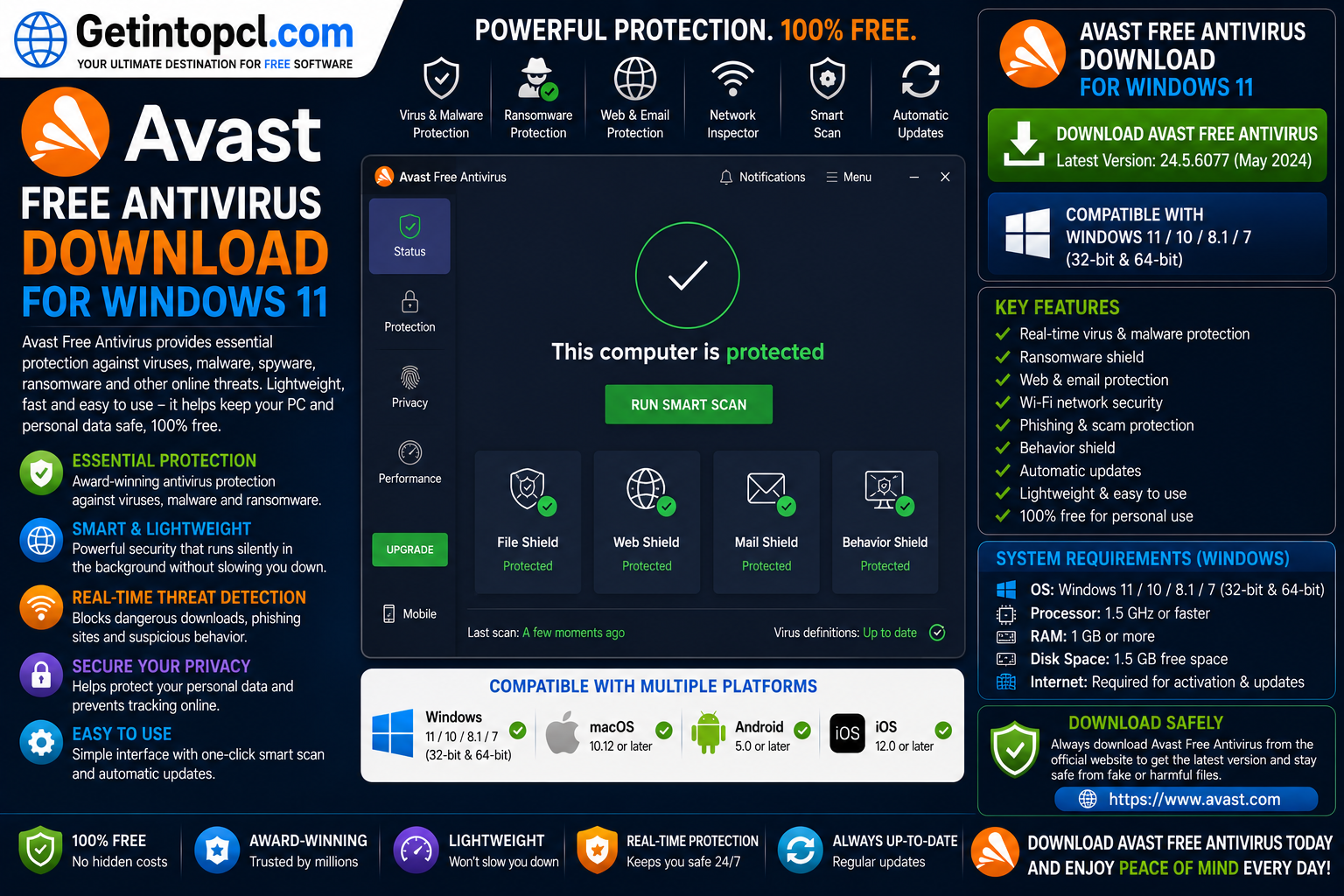
What Is Avast Free Antivirus?
Avast Free Antivirus is a consumer security application designed to protect computers from malicious software and online threats. It can monitor files and activity in real time, scan for malware, and help identify potentially dangerous websites, downloads, email attachments, and network security problems.
Avast’s current Windows 11 product page describes its free antivirus as providing real-time protection against viruses and malware, along with features such as email shields, hack alerts, and a Wi-Fi security scanner.
The software is designed to work in the background, allowing users to continue using their computers while Avast monitors for threats. Internet access is required for automatic security and program updates, which helps the software maintain current protection against newly discovered threats.
For home users who want Avast antivirus software for PC without immediately committing to a paid subscription, the free edition provides a useful starting point.
Major Uses of Avast Free Antivirus
Avast can perform several important security functions on a Windows 11 computer.
Real-time malware protection: Avast monitors the computer continuously and can analyze files and activity for potentially malicious behavior. This means users do not have to rely exclusively on manually running antivirus scans.
Virus and malware scanning: Users can scan their computers to identify and deal with malicious files and other security threats.
Web protection: Avast can help protect users from dangerous websites and malicious online content. Its current product information highlights web and email shields as part of its protection features.
Email protection: Email shields can help detect malicious content associated with email and attachments before they cause problems.
Wi-Fi security: Avast includes tools designed to identify security problems associated with Wi-Fi networks, making this particularly useful for users who frequently connect laptops to home or public networks.
Ransomware protection: Avast provides protection against malware including ransomware. Users should distinguish the free protection from additional controls available in paid products.
Threat detection: Avast can analyze unknown or suspicious files to identify threats before they become a larger security problem.
Key Features of Avast Free Antivirus
The main features available with Avast’s free Windows protection include:
- Real-time antivirus protection
- Malware detection and removal
- Protection against viruses and spyware
- Web protection
- Email protection
- Wi-Fi security scanning
- Security and threat scanning
- Automatic security updates
- Protection against malicious downloads
- Support for Windows 11
- Free basic antivirus protection
- Support for Windows 11 ARM64 systems, with some feature limitations
Avast also promotes its ability to scan for security and performance issues and analyze unknown files before they reach the computer.
The free product therefore goes beyond a basic manual virus scanner. It is intended to remain active in the background and provide continuous protection while the computer is being used.
Avast Antivirus Windows 11 Compatibility
Avast officially supports Windows 11. Current Avast support documentation lists Avast Free Antivirus 26.x for Windows as compatible with Windows 11, including Windows 11 systems using ARM64 processors, with certain editions excluded.
The supported Windows versions listed by Avast include:
- Windows 11
- Windows 11 ARM64, excluding Mixed Reality and IoT editions
- Windows 10, excluding Mobile and IoT editions
- Windows 8/8.1, excluding RT and Starter editions
- Windows 7 Service Pack 1 with the required update, subject to the listed edition limitations
Although Avast continues to list some older Windows versions, Windows 11 is the most relevant choice for users installing the current software on a modern PC.
There is an important limitation for ARM users. Avast states that Boot Time Scan and Rescue Disk are unavailable on Windows 11 ARM.
For standard Intel- or AMD-based Windows 11 computers, users can access the normal antivirus functionality supported by the current application.
Avast Antivirus for Mac
Avast also offers antivirus protection for Mac computers. Current Avast documentation lists Avast Free Antivirus 16.x for Mac and Avast Premium Security for Mac among its supported applications.
According to Avast’s current support documentation, the Mac version supports:
- macOS 26 Tahoe
- macOS 15 Sequoia
- macOS 14 Sonoma
- macOS 13 Ventura
- macOS 12 Monterey
- macOS 11 Big Sur
- macOS 10.15 Catalina
- macOS 10.14 Mojave
- macOS 10.13 High Sierra
Avast supports Intel-based Macs with 64-bit processors and Apple silicon beginning with the M1 chip. The published minimum is 512 MB RAM, while Avast states that 1 GB RAM or more is preferred. The software requires 750 MB of free disk space and an internet connection for updates.
This makes Avast antivirus for Mac a separate platform-specific product rather than the Windows installer being used on macOS.
https://getintopcl.com/avg-antivirus-free-download-for-windows-11/
Does Avast Antivirus Support Linux?
Avast has historically offered antivirus products for Linux, including business-oriented Linux antivirus products. However, the current consumer Avast desktop lineup and current Avast support documentation focus on Windows and Mac rather than providing a current consumer Linux desktop version equivalent to Avast Free Antivirus for Windows.
The current Avast system-requirements documentation lists Windows and Mac versions under its Avast Antivirus applications but does not list a current consumer Linux desktop edition.
Therefore, users running Ubuntu, Debian, Fedora, Linux Mint, or another Linux distribution should not try to install the current Windows Avast installer on Linux. They should instead choose a security solution specifically designed for their Linux distribution and use case.
Avast Antivirus System Requirements
Avast’s current official support page provides minimum requirements for Avast Free Antivirus 26.x on Windows. The requirements below use Avast’s published specifications rather than unofficial recommendations.
Minimum requirements for Avast Free Antivirus on Windows:
- Operating system: Windows 11; Windows 11 ARM64 except Mixed Reality and IoT editions; Windows 10 except Mobile and IoT editions; Windows 8/8.1 except RT and Starter editions; or Windows 7 Service Pack 1 with the required update.
- Processor: Intel Pentium 4 / AMD Athlon 64 processor or above, with SSE3 instruction support.
- RAM: 4 GB or above.
- Storage: 3 GB of free hard-disk space.
- Graphics: Avast does not specify a dedicated GPU requirement.
- Internet connection: Required to download, activate, and maintain application updates and antivirus database updates.
- Display: Avast recommends a standard screen resolution of at least 1024 × 768 pixels.
- ARM: Windows 11 ARM64 is supported, but Boot Time Scan and Rescue Disk are unavailable.
Avast does not publish a separate recommended CPU, RAM, or storage configuration for Avast Free Antivirus on its current Windows requirements page. Therefore, there is no reason to invent a higher “recommended” specification.
For Mac, Avast specifies 512 MB RAM as the minimum, with 1 GB or more preferred, 750 MB free storage, a supported macOS release, and an internet connection.
Is Avast Free Antivirus Really Free?
Yes. Avast provides a free antivirus product that users can download and use without purchasing a subscription. Avast’s current Windows 11 page describes its free protection as available without charge and includes features such as antivirus protection, email shields, hack alerts, and Wi-Fi security scanning.
At the same time, Avast uses a freemium model. The free antivirus provides essential protection, while paid products provide additional security and privacy capabilities.
Avast’s premium desktop products include Avast Premium Security and broader bundles such as Avast Ultimate. Depending on the product and subscription, paid offerings can add features such as enhanced security, VPN functionality, and additional privacy or performance tools.
Pricing can vary by country, product, number of devices, subscription period, and promotional offers. Users should therefore check Avast’s official store for the current price before purchasing.
Avast Free vs Paid Versions
| Feature | Avast Free Antivirus | Avast Premium Security | Avast Ultimate |
|---|---|---|---|
| Basic antivirus protection | Yes | Yes | Yes |
| Malware protection | Yes | Yes | Yes |
| Real-time protection | Yes | Yes | Yes |
| Web protection | Yes | Yes | Yes |
| Email protection | Yes | Yes | Yes |
| Wi-Fi security tools | Yes | Yes | Yes |
| Advanced security features | Limited | More extensive | More extensive |
| VPN | No | Not included as standard | Included in applicable bundle |
| Privacy tools | Limited | More options | Included in bundle |
| Performance tools | Limited | Separate/depending on package | Included in bundle |
| Payment | Free | Subscription | Subscription |
The exact contents of Avast’s paid bundles can change, so users should check the current product description before purchasing. Avast’s current Ultimate offering combines multiple security, privacy, and performance products depending on the applicable package.
Advantages of Avast Free Antivirus
Free antivirus protection: Users can obtain essential antivirus protection without paying for a subscription.
Windows 11 compatibility: Avast officially supports Windows 11, including supported ARM64 systems.
Real-time protection: Avast continuously monitors the computer instead of requiring users to run every security check manually.
Web and email protection: The free product includes protection features for websites and email-related threats.
Wi-Fi security tools: The Wi-Fi security scanner can help users identify security problems with their network.
Automatic updates: Avast uses an internet connection to maintain application and antivirus database updates.
Mac availability: Avast also provides a free antivirus option for compatible Mac systems.
Limitations of Avast Free Antivirus
Premium features require payment: Some advanced security, privacy, VPN, and performance features are available only through paid products or bundles.
Internet connection required for updates: Avast requires internet access to download and maintain application and antivirus database updates.
ARM limitations: Boot Time Scan and Rescue Disk are unavailable on Windows 11 ARM devices.
No current consumer Linux edition: The current consumer desktop product lineup is not intended as a Linux antivirus solution.
Older operating systems: Although Avast lists several older Windows versions, users should preferably run a currently supported Microsoft operating system for stronger overall security.
Free version is more limited: Users looking for advanced privacy, VPN, or broader security controls may need to upgrade to a paid Avast product.
Who Should Use Avast Free Antivirus?
Avast Free Antivirus is best suited to home users who want free antivirus protection for a Windows 11 computer.
It can be useful for:
- Windows 11 home users
- Students using personal PCs
- Users who browse the internet frequently
- People who download files regularly
- Users who receive email attachments
- Families looking for basic computer protection
- Users who want Wi-Fi security scanning
- People looking for a free antivirus for Windows 11
- Mac users looking for compatible Avast protection
Users who need advanced security controls, VPN functionality, additional privacy protection, or a broader security bundle should consider Avast Premium Security or Avast Ultimate instead.
Where to Safely Download Avast Free Antivirus
The safest place to obtain Avast is the official Avast website. Avast provides a dedicated Windows 11 antivirus page where users can download its free protection and find installation information.
When downloading antivirus software, avoid cracked installers, modified versions, unofficial repacks, suspicious download buttons, and unauthorized software repositories. Security applications have extensive access to the operating system, so the authenticity of the installer is particularly important.
Getintopcl.com can provide useful software information, installation guidance, system requirements, and download-related articles. However, users should make sure that the actual Avast installer comes from an authorized and trustworthy source.
Official Avast Download: Download Now
How to Install Avast Free Antivirus on Windows 11
Installing Avast on Windows 11 is relatively simple.
- Visit the official Avast Windows 11 antivirus page.
- Download the Avast Free Antivirus installer.
- Open the downloaded setup file.
- Approve the Windows security prompt if it appears.
- Follow the instructions shown by the Avast installer.
- Allow the required installation permissions.
- Open Avast after installation.
- Allow Avast to download the latest updates.
- Run an initial security scan.
Avast describes the installation process as a simple three-step procedure: download the installer, open the downloaded file, and follow the installation instructions.
Before installing another real-time antivirus product, check whether an existing third-party antivirus application is already installed. Running multiple real-time antivirus programs can result in unnecessary resource usage or software conflicts.
Frequently Asked Questions
Is Avast Free Antivirus really free?
Yes. Avast provides a free antivirus product for compatible Windows PCs. The free edition includes core antivirus protection and additional security features, while premium products provide more advanced capabilities.
Is Avast Free Antivirus compatible with Windows 11?
Yes. Avast officially supports Windows 11, including supported Windows 11 ARM64 devices. Some features, including Boot Time Scan and Rescue Disk, are unavailable on Windows 11 ARM.
How much RAM does Avast Free Antivirus require?
Avast’s current minimum Windows requirement is 4 GB of RAM or above. This is the officially published requirement for Avast Free Antivirus 26.x.
How much storage does Avast Free Antivirus need?
Avast’s current support documentation specifies 3 GB of free hard-disk space for Avast Free Antivirus 26.x on Windows.
Can I use Avast Free Antivirus on Mac?
Yes. Avast provides antivirus protection for compatible Mac computers. Its current documentation lists supported macOS versions from macOS 10.13 High Sierra through macOS 26 Tahoe, depending on the Avast application version.
Does Avast Free Antivirus support Linux?
The current consumer Avast desktop documentation does not list a current Linux version equivalent to Avast Free Antivirus for Windows and Mac. Linux users should use a security application specifically designed for their distribution.
What is the difference between Avast Free Antivirus and Avast Premium Security?
Avast Free Antivirus provides essential antivirus protection without a subscription. Avast Premium Security is a paid product that adds more advanced security capabilities. Avast also offers broader bundles such as Avast Ultimate for users who want security combined with additional privacy and performance products.
Where can I safely download Avast Free Antivirus?
The safest option is Avast’s official website. Users should avoid pirated, cracked, modified, or unauthorized Avast installers. The official Windows 11 download page provides the legitimate installer and installation instructions.
Conclusion
Avast Free Antivirus is a solid option for users who want free antivirus protection on a Windows 11 PC. It provides real-time malware protection together with web, email, and Wi-Fi security features, while its current Windows requirements make it suitable for modern PCs. Avast also supports compatible Mac systems, although its current consumer desktop lineup does not provide a comparable Linux product.
The free version is a sensible choice for users who need essential protection without a subscription, while Avast Premium Security and Avast Ultimate are available for users who need additional security, privacy, VPN, or performance features.
If you are looking for Avast Free Antivirus Download for Windows 11, Getintopc can help you discover software, compare features, understand system requirements, and find useful installation information. Always choose the genuine installer from an authorized source to keep your computer and personal information safer.