
ClamWin Portable Free Download provides users with a convenient way to carry the ClamWin antivirus scanner on a USB flash drive, removable storage device, or other supported portable location. Unlike a conventional antivirus installation, the portable edition can be used without installing the application permanently on the Windows computer.
ClamWin is a free and open-source antivirus program for Microsoft Windows. It provides a graphical interface for the ClamAV antivirus engine and can scan individual files, folders, and drives for malware. The portable edition is packaged by PortableApps.com so users can carry the application and its associated files with them. The current PortableApps.com listing identifies ClamWin Portable version 0.103.2.1 Build 1.4.3, updated February 9, 2026.
ClamWin is particularly useful for users who want a free portable antivirus scanner rather than a permanently installed security suite. It can be useful when checking files on different Windows computers, scanning removable media, or keeping an additional malware-scanning tool available.
However, there is an important limitation: ClamWin does not provide on-access real-time protection. Files must be manually scanned before they are opened or executed. The official ClamWin project recommends treating it as a complementary scanner rather than relying on it as a complete replacement for real-time antivirus protection.
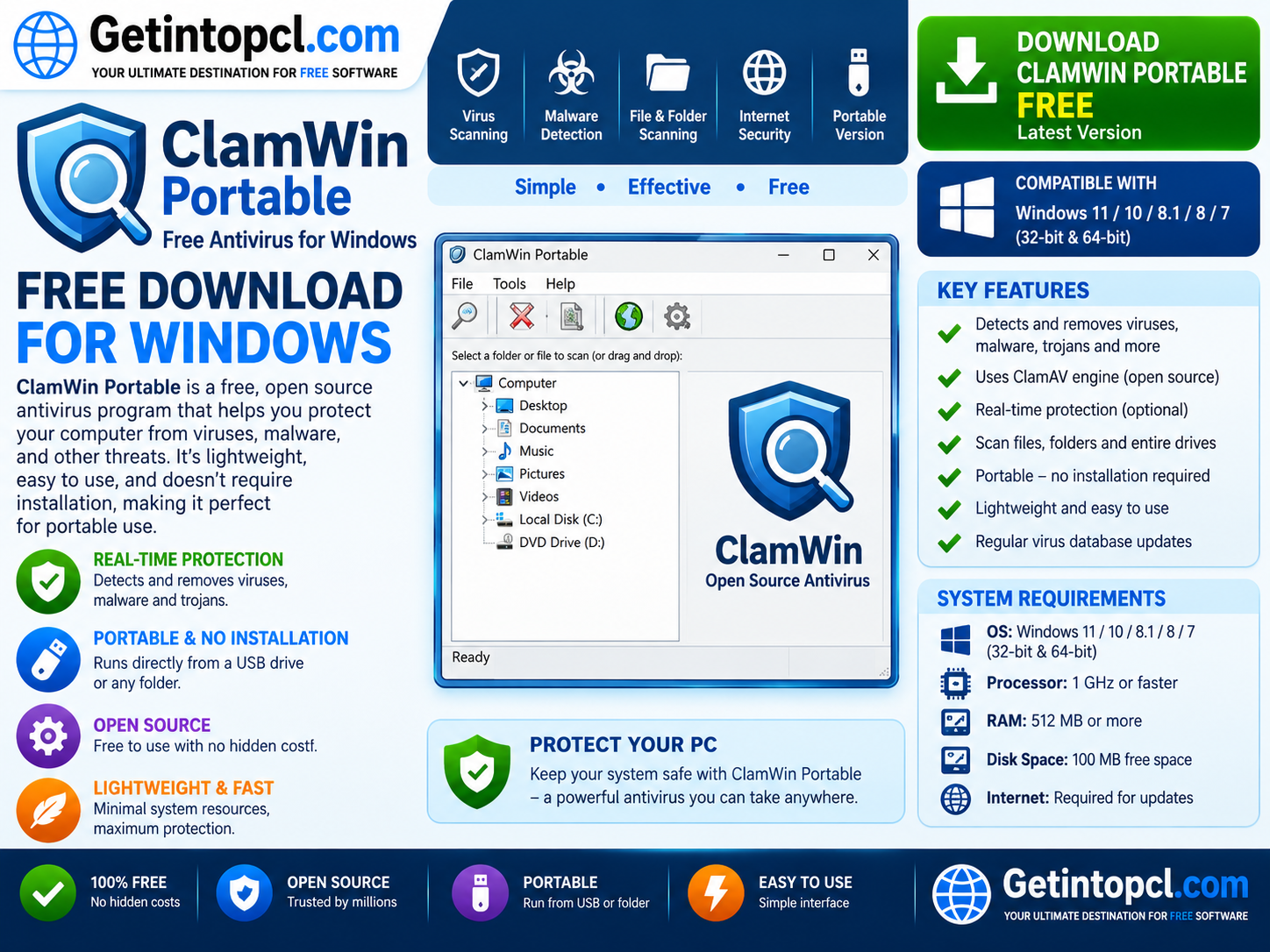
What Is ClamWin Portable?
ClamWin Portable is the portable edition of ClamWin Free Antivirus. It combines the ClamWin application with PortableApps.com’s portable application framework, allowing users to run the program from a removable drive without performing a traditional installation on the host computer.
The official ClamWin project specifically points users toward a pre-built portable version supplied through PortableApps.com.
The application uses the ClamAV scanning engine to identify viruses, spyware, and other potentially malicious files. ClamWin also provides access to regularly updated virus databases, allowing its detection capabilities to be updated as new threats and variants are added to the database.
A portable antivirus can be useful when a user does not want to install another permanent security program or needs a scanner that can be carried between computers.
Major Uses of ClamWin Portable
ClamWin Portable can be useful in several situations.
Scanning Files and Folders
The primary purpose of ClamWin is malware scanning. Users can select individual files, folders, or drives and manually initiate a scan.
This can be particularly useful when a user receives an unfamiliar file and wants to check it before opening it.
Scanning USB Drives
ClamWin Portable can be carried on a USB flash drive, making it useful for scanning removable media. This is one of the major advantages of using a portable antivirus application.
A user can connect the USB drive to a compatible Windows computer and launch the portable application without needing a conventional installation.
Checking Files on Different Computers
Users who work with several Windows computers can keep ClamWin Portable on removable storage and use it when required.
This can be convenient for technicians, students, administrators, and users who regularly work with multiple machines.
Manual Malware Detection
ClamWin is designed primarily around manual scanning rather than automatic background protection. Users can choose what they want to scan and initiate the process when necessary.
Emergency or Secondary Scanning
Because it is portable and does not require a conventional installation, ClamWin can serve as an additional scanning tool alongside an existing security solution.
However, users should avoid running multiple security products with conflicting real-time protection components. Since ClamWin does not provide on-access scanning, it is primarily suited to manual or complementary scanning.
Key Features of ClamWin Antivirus
ClamWin provides several features that make it useful as a portable Windows malware scanner.
Free and Open-Source
ClamWin is distributed as free software under the GNU General Public License. The official project states that the software can be downloaded and used free of charge.
ClamAV Scanning Engine
ClamWin provides a graphical interface for the ClamAV antivirus engine. ClamAV is an established open-source antivirus engine used for detecting malicious files.
Manual File Scanning
Users can scan individual files, folders, or complete drives. This provides flexibility when checking specific content rather than scanning an entire system.
Virus Database Updates
ClamWin supports regular downloads of updated virus databases. These updates are important because malware constantly evolves and new signatures are required to identify newer threats.
Scanning Scheduler
The standard ClamWin application includes a scanning scheduler, allowing users to schedule scans according to their needs.
Windows Explorer Integration
ClamWin supports integration with Windows Explorer, allowing users to scan files through the right-click context menu in supported installations.
Portable Operation
The portable edition is designed to run from removable media without requiring a traditional installation. PortableApps.com states that it can run from cloud, removable, or local locations without installing the application in the conventional manner.
USB-Friendly Design
PortableApps.com has specifically packaged ClamWin to make it suitable for portable use. The package is designed to reduce unnecessary writes to removable drives and provide a convenient portable application structure.
ClamWin Portable Compatibility With Windows 11
ClamWin Portable is primarily a Windows application. The current PortableApps.com listing specifically identifies Windows XP, Vista, 7, 8, 10, and 11 as its system requirements.
This means that users looking for ClamWin Portable for Windows 11 can use the currently listed portable package on supported Windows 11 systems.
Windows 11
Windows 11 is explicitly listed by PortableApps.com as a supported operating system for the current ClamWin Portable package.
Users should nevertheless keep in mind that operating-system support can change with future releases. Checking the current PortableApps.com listing before downloading a newer version is recommended.
Windows 10 and Earlier Windows Versions
The current PortableApps.com listing also identifies Windows XP, Vista, 7, 8, and 10 among its supported operating systems.
The official ClamWin website separately lists a broad range of Microsoft Windows versions for the standard ClamWin application. However, users should distinguish the standard ClamWin application’s stated compatibility from the specific requirements of the current portable package.
macOS
There is no official ClamWin Portable version for macOS. ClamWin is a Windows-focused application.
Therefore, users searching for ClamWin Portable for Mac should not download unofficial packages claiming to be an official macOS edition.
Linux
ClamWin Portable is also not a native Linux antivirus application. The portable package is intended for Windows.
Linux users interested in the underlying ClamAV technology should use ClamAV or an appropriate Linux security solution rather than attempting to install the Windows portable package.
ClamWin Portable System Requirements
The current PortableApps.com listing provides specific operating-system compatibility and package-size information, but it does not provide an official universal minimum/recommended processor and RAM table. Therefore, exact CPU or RAM requirements should not be invented.
Minimum / Officially Listed Requirements
- Operating System: Windows XP, Vista, 7, 8, 10, or 11 according to the current PortableApps.com listing.
- Processor: No universal minimum processor specification is published on the current PortableApps.com listing.
- RAM: No fixed minimum or recommended RAM amount is officially listed for the current portable package.
- Storage: The current package is listed as approximately 14 MB download size and 47–154 MB installed size, depending on the installation environment and package contents.
- Graphics: No dedicated graphics card requirement is specified. A normal Windows graphical environment is sufficient.
- Internet Connection: Internet access is needed when downloading updated virus databases or obtaining the portable application, but it is not necessarily required for every local file scan if the required virus database is already available.
- USB/Removable Storage: A USB flash drive or other writable storage device can be used for portable operation.
- Permissions: Appropriate Windows permissions may be required depending on the files or drives being scanned.
Recommended Requirements
ClamWin does not publish a universal recommended processor, RAM, or graphics specification that should be presented as an official requirement.
For practical use, a reasonably modern Windows computer with sufficient free storage and a stable USB connection should provide a more comfortable experience, particularly when scanning large drives. However, these are practical considerations rather than official minimum specifications.
Is ClamWin Portable Free?
Yes. ClamWin is completely free and open-source software distributed under the GPL. There is no separate premium edition of ClamWin Portable that users must purchase to unlock the basic antivirus scanner.
| Feature | ClamWin Free Antivirus | ClamWin Portable |
|---|---|---|
| Price | Free | Free |
| Open-source license | Yes | Yes |
| ClamAV engine | Yes | Yes |
| Manual scanning | Yes | Yes |
| Virus database updates | Yes | Yes |
| Scanning scheduler | Yes | Yes |
| Windows Explorer integration | Yes | Depending on portable environment |
| Traditional installation | Yes | No conventional installation |
| USB operation | Possible with portable setup | Yes |
| Real-time/on-access protection | No | No |
| Premium edition | No | No |
ClamWin’s free nature is one of its main advantages. The project also accepts donations from users who want to support continued development.
There is therefore no ClamWin Pro or subscription tier that needs to be purchased for the standard portable antivirus functionality.
ClamWin Portable vs Regular ClamWin
The main difference between the standard and portable versions is how they are packaged and used.
The regular ClamWin application uses a conventional Windows installation process. It can integrate with Windows Explorer and provide features such as scheduled scanning.
ClamWin Portable is packaged through PortableApps.com so users can carry the application and its data on removable storage and launch it without performing a traditional installation.
The portable version is therefore particularly useful when portability is more important than permanent system integration.
PortableApps.com explains that the portable application creates a dedicated directory containing the necessary files and can be launched through its portable executable.
Important Limitation: No Real-Time Protection
One of the most important things users should understand before downloading ClamWin is that it is not a real-time antivirus solution.
The official ClamWin project states that the software does not include an on-access scanner. Users need to manually scan files to check them for malware.
This means ClamWin should not be treated as a direct replacement for a modern antivirus product providing continuous background protection.
For users who already have Windows Security or another real-time security product, ClamWin can potentially be used as a supplementary manual scanner.
Where to Safely Download ClamWin Portable
The safest option is to download the standard ClamWin software from the official ClamWin website and the portable edition from the official PortableApps.com listing referenced by ClamWin itself.
The official ClamWin project specifically states that a pre-built portable ClamWin package is available through PortableApps.com.
ClamWin Portable on PortableApps.com
When downloading the software:
- Use the official ClamWin website for the standard application.
- Use PortableApps.com for the packaged portable edition.
- Check the version number before downloading.
- Keep virus definitions updated.
- Avoid modified or cracked versions.
- Do not download suspicious installers from unknown file-sharing websites.
- Scan downloaded files when appropriate before using them.
The current PortableApps.com listing provides a SHA-256 hash for the package, which can also be useful for users who want to verify download integrity.
Advantages of ClamWin Portable
ClamWin Portable has several useful advantages:
- Completely free to use.
- Open-source GPL software.
- Portable and suitable for USB drives.
- Does not require a conventional installation.
- Supports Windows 11.
- Uses the ClamAV scanning engine.
- Provides manual malware scanning.
- Supports virus database updates.
- Can scan individual files, folders, and drives.
- Useful as a supplementary malware scanner.
- Small portable package compared with many complete security suites.
- No paid premium edition is required for the basic application.
For users searching for a portable antivirus for Windows, its ability to run from removable storage is one of its most useful characteristics.
Limitations of ClamWin Portable
There are also several limitations to consider:
- It does not provide real-time or on-access protection.
- Users must manually scan files.
- It is designed for Windows rather than macOS or Linux.
- Scanning large drives can take considerable time.
- Exact hardware requirements are not comprehensively published.
- Portable operation can be affected by the speed of the USB drive.
- It should not be considered a complete replacement for modern real-time endpoint protection.
- The portable edition may not provide all of the system-level integration available from a conventional installation.
The lack of real-time protection is particularly important. Users should maintain appropriate real-time security protection on their computers rather than depending solely on ClamWin.
Who Is ClamWin Portable Best Suited For?
ClamWin Portable can be a useful choice for:
- Students who want a portable malware scanner.
- IT technicians who need a scanner that can be carried between computers.
- System administrators performing manual checks.
- USB users who regularly work with removable storage.
- Privacy-conscious users who prefer open-source security software.
- Windows users who need a secondary malware scanner.
- Users of older Windows systems supported by the portable package.
- Anyone looking for free portable antivirus software without a subscription.
It is less suitable as the only security solution for ordinary users who require automatic, continuous malware protection.
Frequently Asked Questions
Is ClamWin Portable free?
Yes. ClamWin is free and open-source software released under the GPL. The PortableApps.com edition is also completely free.
Does ClamWin Portable work on Windows 11?
Yes. Windows 11 is explicitly listed among the supported operating systems for the current ClamWin Portable package on PortableApps.com.
Can ClamWin Portable run from a USB drive?
Yes. The portable edition is specifically designed to run from removable storage, including USB drives.
Does ClamWin provide real-time protection?
No. ClamWin does not include an on-access real-time scanner. Users need to manually scan files, folders, or drives.
Does ClamWin Portable work on Mac or Linux?
ClamWin Portable is intended for Windows. It is not an official native macOS or Linux application.
How much RAM does ClamWin Portable require?
The current PortableApps.com listing does not provide a fixed minimum or recommended RAM specification. It is therefore better not to claim an invented RAM requirement.
How much storage does ClamWin Portable need?
The current PortableApps.com listing reports approximately 14 MB for the download and 47–154 MB installed, depending on the package and environment. Additional space may be needed for virus databases, logs, quarantine files, and scanned data.
Where can I safely download ClamWin Portable?
The recommended source is the official PortableApps.com ClamWin Portable page, which is also linked from ClamWin’s own documentation for its pre-built portable version.
Conclusion
ClamWin Portable is a useful free and open-source portable antivirus scanner for Windows users who want to carry a malware-scanning tool on a USB drive or other removable storage. Its ClamAV engine, manual scanning capabilities, virus database updates, and portable design make it particularly useful as a supplementary security tool.
However, users should remember that ClamWin does not provide real-time on-access protection. It is therefore better suited as a manual or secondary scanner rather than a complete replacement for a modern real-time antivirus solution.
If you are looking for reliable software downloads and useful Windows applications, Getintopcl.com provides a convenient place to discover software products and download resources for your computing needs.
Download Now – ClamWin Portable