
Rufus Free Download for Windows 11 provides a fast and lightweight way to create bootable USB drives for installing or repairing operating systems. Rufus is a free and open-source utility developed by Pete Batard and the Rufus contributors, with the project associated with Akeo Consulting. Its primary purpose is to format USB flash drives and create bootable installation media from ISO files. It is particularly useful when installing Windows 11 on a new PC, reinstalling Windows, creating Linux installation media, preparing UEFI boot media, or performing low-level system maintenance.
Unlike many large software packages, Rufus does not require a conventional installation. The official download is a small executable that can be launched directly, and a portable edition is also available. The current official download page lists Rufus 4.15 releases for Windows x64, x86, and ARM64, including a portable x64 version.
Rufus is mainly intended for Windows users, including home users, students, IT technicians, system administrators, PC repair professionals, and anyone who needs to create reliable bootable USB media. Although Rufus itself runs on Windows, the bootable media it creates can contain Windows, Linux, UEFI utilities, and other supported ISO images.
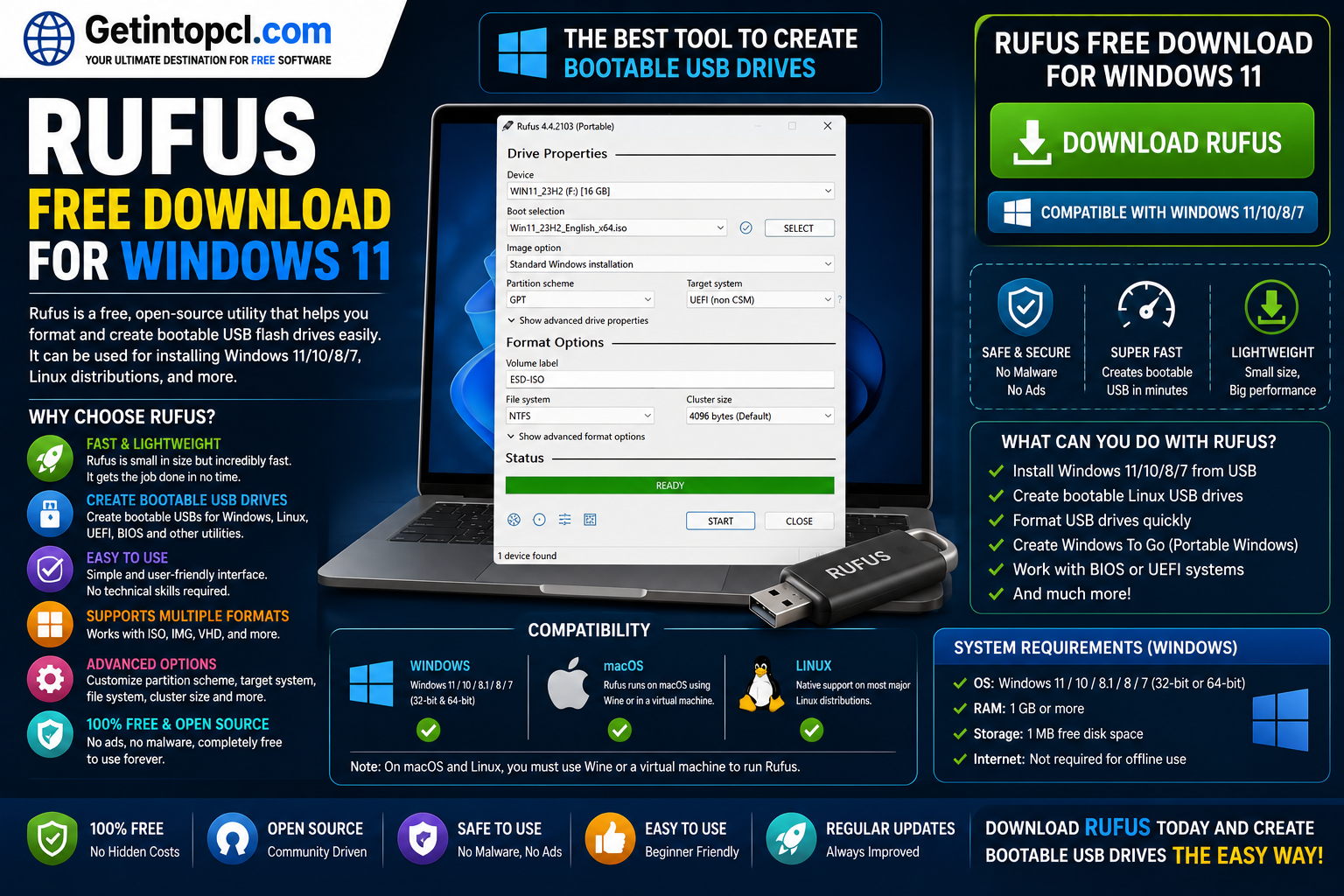
What Is Rufus Used For?
Rufus is primarily a bootable USB creator and USB formatting utility. It can take an ISO image or another supported boot image and write it to a USB flash drive in a way that allows a compatible computer to boot from it.
Some of its most common uses include:
- Creating a Windows 11 installation USB
- Creating Windows 10 installation media
- Creating Linux bootable USB drives
- Formatting USB flash drives
- Creating UEFI boot media
- Preparing DOS-based boot disks for firmware utilities
- Working with systems that have no operating system installed
- Creating specialized recovery or diagnostic USB drives
- Performing bad-block checks on USB drives
- Downloading supported retail Windows ISO files through Rufus
- Creating Windows To Go-style portable environments where supported
The official project describes Rufus as particularly useful for creating installation media from Windows, Linux and UEFI ISOs, working on computers without an operating system, flashing BIOS or firmware from DOS, and running low-level utilities.
Key Features of Rufus
Rufus has earned a strong reputation because it combines a small footprint with advanced boot-media options.
Create Windows 11 Bootable USB
One of the most popular reasons people search for Rufus for Windows 11 is to create a USB installer. You can select a Windows 11 ISO, choose the target USB drive, configure the appropriate partition scheme and start the writing process.
Rufus also provides Windows 11 installation customization options in supported versions. Depending on the ISO and Rufus release, these options can help users handle requirements or installation preferences that would otherwise make installation more complicated. Users should understand that bypassing Microsoft’s Windows hardware requirements does not make unsupported hardware officially supported by Microsoft.
Support for Multiple ISO Images
Rufus is not limited to Windows. It can create bootable USB media from many supported Linux distributions and other bootable images. This makes it useful for people who regularly switch between operating systems or maintain multiple installation tools.
UEFI and BIOS Support
Modern computers commonly use UEFI firmware, while older machines may rely on traditional BIOS configurations. Rufus provides partition-scheme and target-system options that help users prepare media for different boot environments.
Selecting the wrong partition scheme can prevent a USB drive from booting, so users should choose settings appropriate for the computer where the USB will be used.
Portable Version
Rufus is available as a portable executable. The official download page currently lists both standard and portable Windows x64 releases. The portable version is convenient for technicians or users who want to keep Rufus on a USB drive and run it without a conventional installation process.
Small and Lightweight
Rufus has a very small download size. The official Rufus 4.15 x64 release is listed at approximately 1.9 MB, while the x86 version is approximately 1.8 MB and the ARM64 version approximately 5.2 MB.
Open-Source Licensing
Rufus is distributed as free software under the GNU GPL v3. Its source code is publicly available, allowing technically experienced users to inspect or compile the program themselves.
Rufus Compatibility: Windows, macOS, and Linux
Rufus has an important platform limitation: the Rufus application is designed for Windows.
| Platform | Rufus Support | Important Information |
|---|---|---|
| Windows 11 | Yes | Fully appropriate for current Windows-based Rufus use |
| Windows 10 | Yes | Supported on actively supported Windows configurations |
| Windows 8/8.1 | Yes | Official minimum operating-system family |
| Windows 7 | Limited/legacy | No longer officially supported; Rufus 3.22 was the last version listed for Windows 7 |
| Windows XP/Vista | Legacy only | Rufus 2.18 was the last release supporting these systems |
| macOS | No native version | Rufus does not provide an official macOS application |
| Linux | No native version | Rufus does not provide an official Linux application |
The official Rufus website currently states that its system requirement is Windows 8 or later. The current download page also offers separate Windows x64, x86 and ARM64 builds.
Windows 7 is a special case. Rufus documentation states that version 3.22 is the last version for Windows 7 and that older versions lack some features available on newer Windows releases. Windows XP and Vista support ended with Rufus 2.18.
There is no official Rufus version for macOS or Linux. A Mac or Linux user may encounter unofficial methods involving compatibility layers or virtual machines, but these are not native Rufus releases and should not be confused with official support.
System Requirements
The official Rufus website intentionally provides a very short system-requirements statement rather than publishing conventional minimum CPU, RAM and graphics specifications. Therefore, the following distinction is important: only the operating-system requirement is officially specified; unsupported numbers should not be presented as official requirements.
Minimum Official Requirements
- Operating system: Windows 8 or later
- Processor: No specific minimum CPU is published by Rufus
- RAM: No specific minimum RAM requirement is published
- Storage: No specific minimum internal-storage requirement is published
- Graphics: No dedicated graphics requirement is published
- Internet connection: Not required for the basic process of running Rufus or writing an existing ISO; an internet connection can be useful when downloading supported ISO files through Rufus
- USB drive: Required when creating bootable USB media
- ISO/image: Required when creating media from an existing ISO or supported image
- Permissions: Administrative privileges may be required for operations involving protected drives or system-level actions
Recommended Requirements
Rufus does not publish a separate official recommended CPU, RAM, graphics or storage configuration. In practical terms, the main hardware consideration is the USB drive and the size of the ISO/image you intend to write. The USB drive must have sufficient capacity for the selected image.
Because Rufus is extremely lightweight, users generally do not need a powerful PC simply to run the application. However, the operating system being installed from the USB has its own hardware requirements. For example, creating Windows 11 installation media with Rufus does not mean the target computer automatically satisfies Microsoft’s official Windows 11 requirements.
Is Rufus Free or Paid?
Rufus is completely free and open-source software. It is not freemium, subscription-based or a one-time commercial purchase. There is no separate premium edition required to unlock its main features.
The official project states that Rufus is free software under the GPLv3 license.
| Version/Edition | Price | Main Purpose | Premium Features |
| Rufus Standard x64 | Free | Bootable USB creation on 64-bit Windows | None |
| Rufus Portable x64 | Free | Portable use without conventional installation | None |
| Rufus x86 | Free | 32-bit Windows systems | None |
| Rufus ARM64 | Free | Windows ARM64 systems | None |
| Premium Version | Not offered | — | No paid tier exists |
The different downloads are builds or editions for different Windows architectures and usage preferences, not paid and free tiers. The official site currently lists standard x64, portable x64, x86 and ARM64 downloads.
Where to Safely Download Rufus
The safest option is to obtain Rufus from the official Rufus website or its official source-code repository. The official download page currently lists Rufus 4.15 as the latest release, dated June 30, 2026, with standard, portable, x86 and ARM64 downloads.
Rufus Official GitHub Repository
When downloading software such as Rufus, avoid modified executables, suspicious repackaged versions, unauthorized mirrors and pirated software portals. Because Rufus is already free, there is no legitimate reason to use a cracked or paid-for copy.
For additional software resources, users can also explore GetIntoPCL.com, while checking that the download being provided corresponds to the legitimate software release and developer source.
Advantages of Rufus
- Completely free to use
- Open-source and GPLv3 licensed
- Very small download size
- No conventional installation required
- Portable edition available
- Supports Windows x64, x86 and ARM64 builds
- Excellent for creating Windows 11 bootable USB drives
- Supports many Linux and other bootable ISO images
- Provides advanced partition and boot options
- Can perform bad-block checks
- Supports Secure Boot-compatible media in appropriate configurations
- Can download supported official Windows ISO files
- Useful for technicians, administrators and home users
Limitations of Rufus
- Rufus itself is officially a Windows application
- There is no official macOS version
- There is no official Linux version
- Incorrect USB or partition settings can result in an unbootable drive
- Formatting or writing an image can erase existing data on the selected USB drive
- Some advanced options require users to understand UEFI, BIOS, GPT and MBR concepts
- Older Windows versions have limited or discontinued support
- Windows 11 requirement-bypass options do not make unsupported hardware officially supported by Microsoft
- Rufus does not replace the operating system installer or provide a Windows license
Who Should Use Rufus?
Rufus is best suited to anyone who needs to create bootable installation media quickly. It is particularly useful for:
- People installing Windows 11 from a USB drive
- Users reinstalling Windows after a system failure
- PC technicians repairing customer computers
- IT administrators preparing multiple installation drives
- Linux users who need to create Linux installation media from a Windows PC
- Advanced users testing different operating systems
- Users creating firmware or diagnostic boot media
- People who want a lightweight portable bootable USB tool
For beginners, Rufus can initially appear more technical than a basic media-creation wizard. However, once users understand the difference between the ISO file, USB device, partition scheme and target system, the workflow becomes straightforward.
Frequently Asked Questions
Is Rufus free to download?
Yes. Rufus is free software distributed under the GPLv3 license. There is no subscription or premium license required for its normal features.
Is Rufus safe to use?
Rufus is an established open-source project, and its source code is publicly available. For safety, download the executable from the official Rufus website or official project repository rather than from unknown modified-download sites.
Does Rufus work with Windows 11?
Yes. Rufus supports creating Windows 11 installation media, and current Rufus releases are designed for Windows 8 and later. It also provides Windows 11-related installation customization features in supported scenarios.
Does Rufus work on Mac?
There is no official native Rufus application for macOS. Mac users should not download Windows Rufus executables expecting them to function as a native Mac application.
Does Rufus work on Linux?
Rufus does not provide an official native Linux version. However, Rufus can create bootable USB media containing many Linux distributions when Rufus itself is being run on a supported Windows computer.
How much RAM does Rufus require?
Rufus does not publish a specific official minimum or recommended RAM figure. Its official requirements simply state Windows 8 or later, and the application is designed to have a small footprint.
How much storage space does Rufus need?
The current Rufus 4.15 x64 executable is approximately 1.9 MB, according to the official download page. The USB drive, however, needs enough capacity for the ISO or image you want to write.
Is there a premium version of Rufus?
No. Rufus does not have a premium edition, subscription plan or paid feature tier. Its standard, portable, x86 and ARM64 downloads are free.
Conclusion
Rufus remains one of the most useful tools for creating bootable USB drives, especially for Windows 11 installation media, system recovery, Linux installation and other bootable tasks. Its small size, portable edition, broad ISO support and advanced configuration options make it useful for both everyday users and technical professionals.
If you need a reliable tool for preparing installation media, Rufus Free Download for Windows 11 is a practical choice because it is free, open-source and actively maintained. Before downloading, always verify the software source and choose the correct version for your Windows architecture. You can also explore GetIntoPCL.com for the software resources you need, while prioritizing legitimate and verified downloads.