
Introduction
Malwarebytes Free Download for Windows 11 provides users with access to Malwarebytes, a popular security application designed to detect and remove malware and other unwanted threats. Malwarebytes is developed by Malwarebytes, a cybersecurity company known for its malware detection, removal, and real-time protection products.
Unlike a traditional antivirus product that is primarily designed to remain active and protect a computer continuously, Malwarebytes Free is particularly useful as an on-demand malware scanner and cleanup tool. It can scan a Windows PC for threats and help quarantine detected items. Malwarebytes also offers paid plans that add real-time protection and additional security features.
Malwarebytes can be useful for home users, students, professionals, and anyone who wants an additional way to check a computer for suspicious software. The current desktop application officially supports Windows 11 and Windows 10, while the Mac application supports several recent versions of macOS.
What Is Malwarebytes?
Malwarebytes is an anti-malware and cybersecurity application that scans computers for malicious software. It can detect threats such as malware, viruses, trojans, and other unwanted or potentially harmful software.
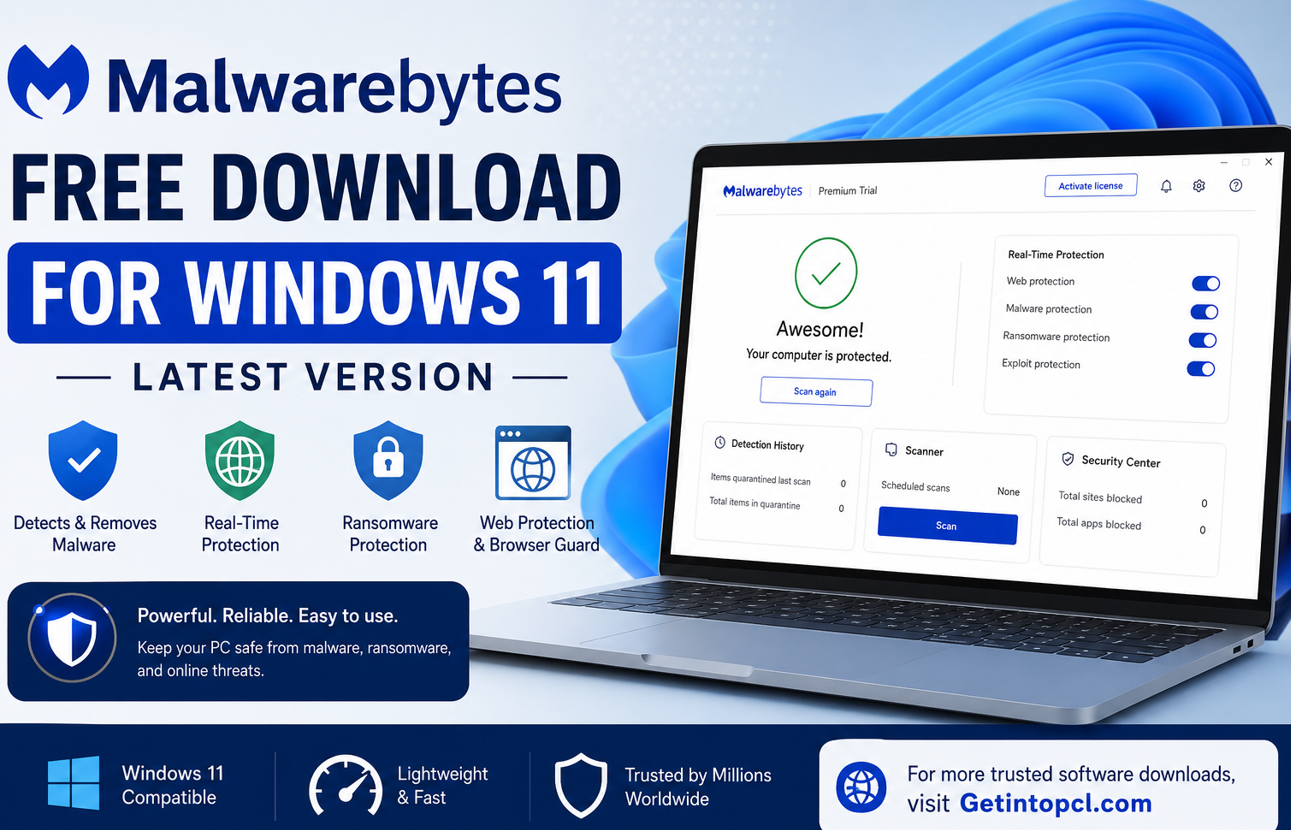
One of its main purposes is malware removal. If a Windows computer becomes unusually slow, displays unexpected pop-ups, crashes frequently, or shows other suspicious behavior, running a malware scan can help determine whether malicious software is responsible. Malwarebytes recommends scanning a device when users notice signs that could indicate an infection.
The software is available in free and paid forms. The free version focuses on manual scanning and cleanup, while paid Malwarebytes plans provide continuous protection and additional security features.
Major Uses and Features of Malwarebytes
Malwarebytes has several features designed to help users identify and deal with security threats.
On-Demand Malware Scanning
The free application allows users to manually scan their computer. Malwarebytes supports different scanning options, including Quick Scan and Custom Scan. Users can also scan particular files, folders, or external drives when needed.
Malware Detection and Removal
One of the most important functions of Malwarebytes is detecting and removing malware. When a scan identifies suspicious items, users can review the results and quarantine detected threats.
Real-Time Protection
Real-time protection is one of the major differences between Malwarebytes Free and its paid security plans. Premium protection continuously monitors the device instead of requiring the user to manually start a scan.
According to Malwarebytes, paid protection includes defenses against malware, ransomware, malicious websites, and exploits.
Ransomware Protection
Malwarebytes Premium Security includes ransomware protection on supported Windows systems. This feature is designed to help prevent ransomware from damaging or encrypting important files.
Web Protection
Paid protection also provides protection against malicious websites and online threats. This can be useful when browsing unfamiliar websites, downloading files, or following links received through email and messaging services.
Exploit Protection
Premium protection includes exploit protection, which is designed to help defend against attacks that attempt to take advantage of vulnerabilities in software.
Browser Guard
Malwarebytes also offers Browser Guard, a browser extension designed to block ads, trackers, scams, and malicious websites. Malwarebytes states that Browser Guard is available for browsers including Chrome, Firefox, Edge, and Safari.
Malwarebytes Compatibility
Malwarebytes for Windows 11
The current Malwarebytes desktop application officially supports Windows 11 and Windows 10. Malwarebytes also states that ARM-based Windows 11 devices are supported. Windows devices running in S mode are not supported unless S mode is disabled.
For users specifically looking for Malwarebytes for Windows 11, Windows 11 is therefore a supported operating system for the current application.
Older Windows versions should not be assumed to be compatible with the newest Malwarebytes desktop application. Malwarebytes’ current installation documentation states that Windows 8.1 and earlier systems must be upgraded to a later Windows version before downloading the current app.
Malwarebytes for Mac
Malwarebytes also provides a Mac version. Its current system requirements list macOS 12 Monterey, macOS 13 Ventura, macOS 14 Sonoma, macOS 15 Sequoia, and macOS 26 Tahoe.
An important limitation is that Malwarebytes has announced that support for macOS 11 Big Sur will end in September 2026. Users on Big Sur will not receive the newest Malwarebytes application version with advanced protection after support ends.
Malwarebytes for Linux
The consumer Malwarebytes desktop application documented by Malwarebytes is currently focused on Windows and macOS rather than offering the same consumer desktop application for Linux. Malwarebytes does have enterprise security products and threat intelligence involving Linux environments, but users should not expect the standard Malwarebytes Windows/Mac application to install on a normal Linux desktop. The official consumer installation documentation lists Windows and macOS as the supported desktop operating systems.
Malwarebytes System Requirements
Malwarebytes’ current official requirements provide the following information for its Windows and Mac desktop application. The company specifies the operating system, memory, and disk-space requirements but does not publish separate official minimum graphics-card, processor, or recommended storage specifications for the current consumer application. Therefore, unsupported specifications should not be invented.
Windows 11 / Windows 10 Requirements
- Operating System: Windows 11 or Windows 10
- Processor: Malwarebytes does not currently publish a separate minimum CPU specification for the current Windows consumer application.
- RAM: At least 4 GB
- Recommended RAM: 8 GB
- Storage: At least 1 GB of free disk space at installation
- Graphics: No separate minimum graphics requirement is officially listed.
- Internet: An active internet connection is required for installation, activation, software updates, and component/database updates.
- Windows S Mode: Must be disabled.
- ARM: ARM-based Windows 11 devices are supported.
macOS Requirements
- Operating System: macOS 12 Monterey or later among the currently listed supported versions
- RAM: No minimum requirement officially listed
- Storage: No minimum requirement officially listed
- Processor/Graphics: No separate minimum specifications officially listed
- Internet: An active internet connection is required for installation, activation, and updates.
The absence of an officially listed processor or graphics requirement does not mean every old Mac will necessarily provide the same experience. Users should check Malwarebytes’ current compatibility information before installation.
Is Malwarebytes Free?
Yes. Malwarebytes Free is available without purchasing a subscription. However, the free version should not be confused with the company’s complete paid security package.
Malwarebytes describes the free version primarily as a tool for checking and cleaning a device after a cyberattack or when a user suspects an infection. Paid Malwarebytes protection adds continuous security features designed to prevent threats before they cause damage.
The application may also provide a limited trial of premium functionality during installation. Malwarebytes’ current download page states that users can receive the first seven days of Premium features free.
Malwarebytes Free vs Premium
The following comparison summarizes the major differences for Windows and Mac. Feature availability can vary by operating system and plan.
| Feature | Malwarebytes Free | Malwarebytes Premium Security |
|---|---|---|
| On-demand scanning | Yes | Yes |
| Quick Scan | Yes | Yes |
| Custom Scan | Yes | Yes |
| Malware removal | Yes | Yes |
| Real-time protection | No | Yes |
| Malware protection | No | Yes |
| Web protection | No | Yes |
| Ransomware protection | No | Yes on supported Windows |
| Exploit protection | No | Yes |
| Scheduled Threat Scans | Paid feature on Windows | Yes |
| Scam-related protection/features | Available features vary | Yes |
| Subscription required | No | Yes |
For someone who only wants to perform occasional malware checks, the free edition may be sufficient. Users who want automatic, continuous protection should consider a paid plan.
Malwarebytes Pricing and Licensing
Malwarebytes uses a freemium and subscription-based model for its consumer security products. The free scanner does not require a paid subscription, while advanced security plans are sold as subscriptions.
Malwarebytes’ current pricing structure includes different plans for individual users, families, and businesses. Paid plans can include features such as advanced antivirus and anti-malware protection, ransomware protection, malicious website protection, Browser Guard, and other security features depending on the selected plan.
Prices and promotions can change, so users should check the official Malwarebytes pricing page before purchasing. Annual plans currently advertise a 60-day money-back guarantee.
How to Safely Download Malwarebytes
The safest way to obtain Malwarebytes latest version is through the official Malwarebytes website. Avoid modified installers, cracks, torrents, key generators, or unofficial download sites because security software obtained from an unauthorized source could itself be modified or compromised.
For Windows 11 users, the official Malwarebytes installer can be downloaded and installed using the company’s current installation instructions. The normal process involves downloading the installer, opening the MBsetup.exe file, and following the Setup Wizard.
Users should also maintain an active internet connection because Malwarebytes requires internet access for installation, activation, updates, and database/component updates.
Advantages of Malwarebytes
- Free malware scanning: Users can manually scan their computers without purchasing a subscription.
- Easy to use: The application provides a straightforward scanning and quarantine process.
- Windows 11 support: The current consumer application officially supports Windows 11.
- Custom scanning: Users can scan specific files, folders, or external drives.
- Paid real-time protection: Premium plans provide continuous protection against a wider range of threats.
- Additional security tools: Malwarebytes offers features such as Web Protection, ransomware protection, exploit protection, and Browser Guard depending on the plan and platform.
- Mac support: A current desktop version is available for supported macOS versions.
Limitations of Malwarebytes
- The free edition does not provide the same continuous real-time protection as the paid version.
- Some important security features require a subscription.
- Current consumer desktop support is focused on Windows and macOS rather than a standard Linux desktop application.
- macOS compatibility changes as Apple ends support for older operating systems.
- An active internet connection is required for installation, activation, and updates.
- Running Malwarebytes alongside other antivirus software can sometimes cause compatibility or performance problems, so users should configure security applications carefully.
Who Should Use Malwarebytes?
Malwarebytes is particularly useful for users who want an additional malware scanner for their Windows PC or Mac.
The free edition can be a good choice for people who occasionally want to check their computer for suspicious software or perform a malware cleanup. It is also useful for users troubleshooting unusual pop-ups, performance problems, browser changes, or other symptoms that could indicate malware.
Users who want continuous protection should consider Malwarebytes Premium Security or another reputable security solution that provides real-time protection. The best option depends on the user’s security needs, existing antivirus software, device type, and budget.
FAQs About Malwarebytes
Is Malwarebytes Free?
Yes. Malwarebytes offers a free version that supports manual malware scanning and cleanup. Advanced features such as real-time protection require a paid plan.
Is Malwarebytes safe to download?
Yes, when downloaded from the official Malwarebytes website. Users should avoid cracked, modified, or unauthorized installers.
Does Malwarebytes work on Windows 11?
Yes. The current Malwarebytes desktop application officially supports Windows 11, including ARM-based Windows 11 devices.
Does Malwarebytes work on Mac?
Yes. Malwarebytes supports current versions of macOS, including Monterey 12 through Tahoe 26 according to its current requirements. Support for macOS 11 Big Sur is scheduled to end in September 2026.
Does Malwarebytes work on Linux?
The standard consumer Malwarebytes desktop application is currently documented for Windows and macOS. Malwarebytes also offers enterprise security technologies that can address Linux environments, but those are different from the standard consumer desktop application.
How much RAM does Malwarebytes require on Windows?
The current official requirement is at least 4 GB of RAM, with 8 GB preferred.
How much storage does Malwarebytes require?
For Windows, Malwarebytes currently specifies 1 GB of free disk space at installation. No minimum storage requirement is currently listed for the Mac application.
Where can I download Malwarebytes?
The safest option is the official Malwarebytes website. You can also use legitimate app marketplaces where Malwarebytes officially distributes its software. Always verify that you are downloading the genuine application rather than a modified copy.
Conclusion
Malwarebytes remains a useful security application for Windows 11 and supported Mac computers, particularly for users who want reliable on-demand malware scanning and removal. Malwarebytes Free is suitable for occasional manual scans, while the paid version adds real-time protection, ransomware defense, web protection, exploit protection, and other advanced security features.
For the safest installation, download the software from the official Malwarebytes source rather than using pirated or modified installers. If you are also looking for other trusted software and useful PC applications, visit Getintopcl.com to explore the software you need and find relevant download resources.
Download Malwarebytes from the official source: