
Not every computer needs powerful software. Many older laptops and desktop PCs still work perfectly well for browsing, documents, music, movies, PDFs, file management and basic audio editing—but installing resource-heavy applications can make them slow and frustrating to use.
The good news is that there are plenty of free lightweight software programs for low-end PCs. These applications generally focus on doing one job efficiently instead of loading a large collection of features that may not be necessary.
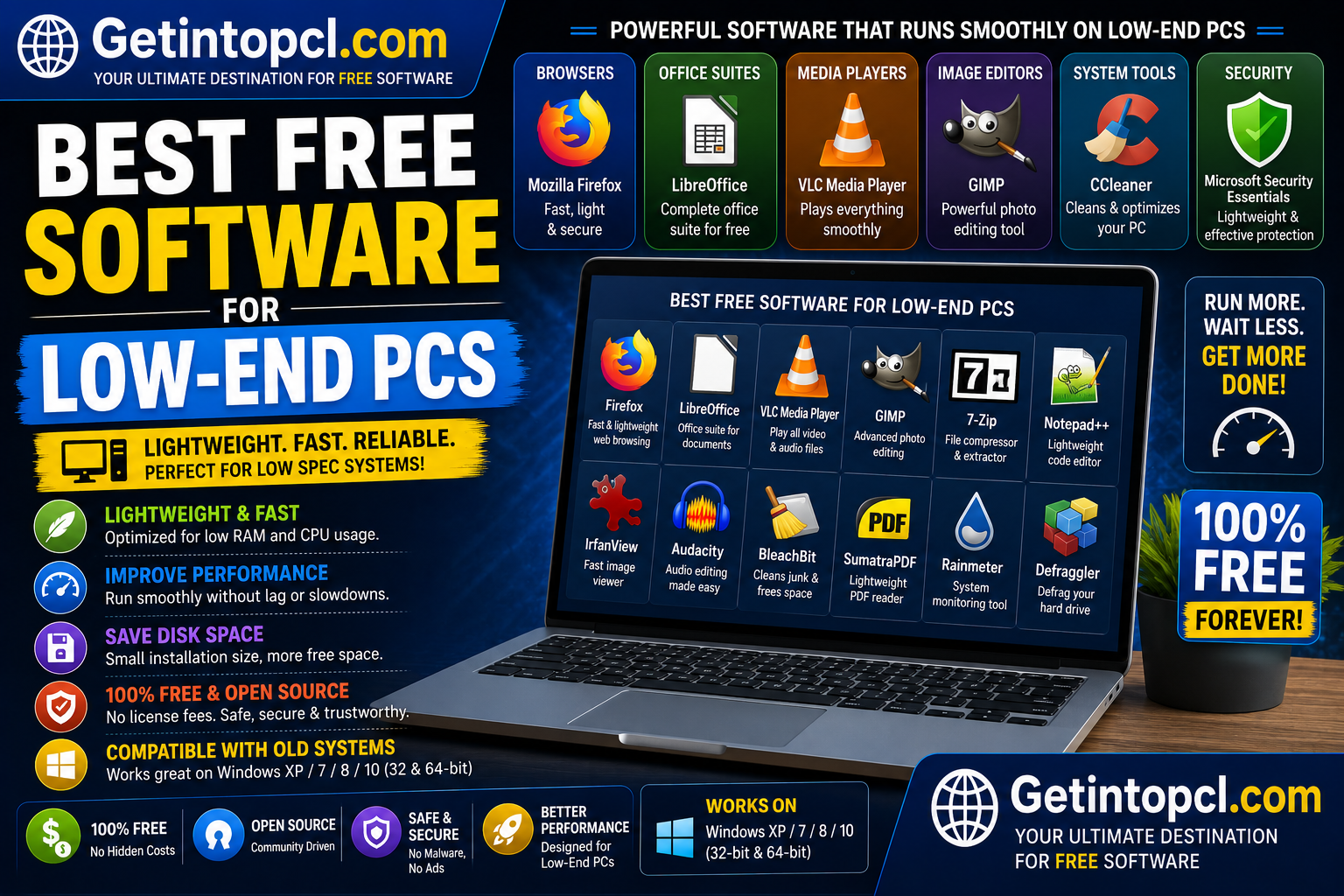
This guide covers ten useful options: 7-Zip, VLC Media Player, SumatraPDF, LibreOffice, Audacity, Notepad++, IrfanView, mpv, XnView MP and Kdenlive. The selection includes office software, media players, PDF readers, image viewers, file-compression tools, text editors and basic creative software.
A low-end PC can mean many things. An old dual-core laptop with 4 GB of RAM is very different from a newer machine with 8 GB of RAM but integrated graphics. Therefore, the recommendations below focus on efficient software rather than promising that every application will perform well on every old computer.
Where developers publish official requirements, those specifications are used below. Where no fixed requirement is published, specifications have not been invented.
1. 7-Zip — Best Lightweight File Compression Tool
7-Zip is a free and open-source file archiver developed by Igor Pavlov. It is designed to compress and extract files and supports numerous archive formats.
For an older computer, 7-Zip is an excellent utility because it performs a specific task without requiring a large background application.
You can use it to:
- Create ZIP and 7z archives
- Extract compressed files
- Compress large folders
- Split archives
- Encrypt archives with passwords
- Open many common archive formats
The official download page currently provides 64-bit Windows x64, 32-bit Windows x86 and ARM64 versions. It also provides console versions for Linux and macOS. (7-zip.org)
Compatibility
- Windows: x86, x64 and ARM64 versions available.
- Linux: Official console builds available for multiple architectures.
- macOS: Console version available for ARM64/x86-64.
- RAM: No universal minimum is published.
- Storage: The application is small compared with many modern utilities.
- Internet: Only required for downloading and updating.
Price
Completely free and open source.
Best for
Older PCs that regularly need to extract ZIP, 7z, RAR and other compressed files.
2. SumatraPDF — Best Lightweight PDF Reader
SumatraPDF is a free, open-source document reader for Windows. It focuses on speed and simplicity rather than attempting to become a full document-editing suite.
It supports PDF and several other document and ebook formats.
The official website provides 64-bit, 32-bit and ARM64 Windows builds, including an installer and portable version. The portable version can run from a USB drive and does not write to the Windows registry. (sumatrapdfreader.org)
Compatibility
Officially supported Windows versions include:
- Windows 11
- Windows 10
- Windows 8
- Windows 7
Older Windows systems such as XP and Vista require an older SumatraPDF version. (sumatrapdfreader.org)
System Requirements
- Operating system: Windows 7, 8, 10 or 11 for the current supported release.
- Processor: No specific minimum CPU is published.
- RAM: No fixed official minimum is published.
- Storage: No fixed minimum is published.
- Graphics: No dedicated GPU requirement is specified.
- Internet: Not required to read local documents.
Price
Free and open source.
Best for
Students, office users and anyone who wants a fast PDF reader on an older Windows computer.
3. VLC Media Player — Best Lightweight Media Player
VLC Media Player is a free and open-source multimedia player developed by the VideoLAN project.
It can play video and audio files in many formats without requiring users to install separate codec packs.
For low-end PCs, VLC is particularly useful because it can handle a wide variety of media formats while remaining much simpler than a full video-editing application.
Major Features
- Video playback
- Audio playback
- Subtitles
- DVD playback
- Audio CDs
- Streaming
- Playback-speed control
- Multiple audio tracks
- Video filters
- Playlist support
The official Windows download page currently lists VLC 3.0.23 and states that it runs from Windows XP SP3 through Windows 11. (videolan.org)
System Requirements
- Operating system: Windows XP SP3 through Windows 11 according to the official Windows page.
- Processor: No specific current minimum CPU is published.
- RAM: No universal minimum is published.
- Storage: No universal minimum is published.
- Graphics: Hardware acceleration may depend on the system and driver.
- Internet: Not required for local media playback.
Price
Completely free and open source.
Best for
Watching movies, lectures, tutorials and other videos on older computers.
4. LibreOffice — Best Free Office Suite for Older PCs
LibreOffice is a free, open-source office suite developed by The Document Foundation and its community.
It includes:
- Writer — word processing
- Calc — spreadsheets
- Impress — presentations
- Draw — diagrams
- Base — database functions
- Math — formula editing
It is particularly useful for users who cannot or do not want to pay for Microsoft Office.
Official System Requirements
LibreOffice’s current requirements list:
- Windows: Windows 10/11 and Windows Server 2012–2022.
- Processor: Pentium-compatible PC.
- RAM: 256 MB minimum; 512 MB recommended.
- Storage: Up to 1.5 GB.
- Display: 1280×800 with at least 256 colors.
- macOS: macOS 11 or newer, Intel or Apple Silicon, 512 MB RAM and up to 800 MB storage.
- Linux: Kernel 4.18+, glibc 2.27+, 256 MB RAM minimum and 512 MB recommended, with up to 1.55 GB storage. (libreoffice.org)
These official requirements make LibreOffice one of the more interesting choices for modest hardware, although real-world performance depends on document complexity and the number of applications running simultaneously.
Price
Completely free and open source.
Best for
Documents, spreadsheets, presentations and school or office work.
5. Audacity — Best Lightweight Audio Editor
Audacity is a free, open-source audio editor and recorder available for Windows, macOS and GNU/Linux.
It is significantly less demanding than most professional video-editing software and can therefore be useful on older computers.
You can use Audacity for:
- Voice recording
- Podcast editing
- Audio trimming
- Noise reduction
- Volume adjustment
- Multi-track projects
- Audio conversion
- Voiceovers
The official Windows page states that Audacity is tested on Windows 10 and 11 and has no specific CPU or GPU requirements. Both 64-bit and 32-bit versions are available. (audacityteam.org)
System Requirements
- Windows: Windows 10/11 tested.
- Older Windows: Some older versions may work on Windows 8.1, 7 and Vista.
- CPU: No specific CPU requirement.
- GPU: No specific GPU requirement.
- RAM: No universal minimum published.
- Storage: Requires fast, uninterrupted access to a local hard drive or SSD.
- Internet: Not required for normal editing.
- Important: Network storage, USB thumb drives and some external drives may be unreliable for active projects. (audacityteam.org)
Price
Free and open source.
Best for
Audio recording and editing on computers that are not powerful enough for demanding video-production software.
6. Notepad++ — Best Lightweight Text Editor
Notepad++ is a free source-code and text editor for Windows. It is particularly popular among programmers, students and users who need something more capable than Windows Notepad without installing a large development environment.
It supports many programming and markup languages and provides features such as syntax highlighting, tabs, search and replace, macros and plugins.
Major Features
- Tabbed documents
- Syntax highlighting
- Search and replace
- Multiple-document editing
- Code folding
- Macros
- Plugins
- Customizable interface
- Large-text-file handling
Compatibility
Notepad++ is primarily a Windows application. This makes it less useful for someone specifically seeking one program that works identically across Windows, macOS and Linux.
System Requirements
The developer does not publish a universal RAM/CPU minimum comparable to LibreOffice’s detailed specification. Therefore, exact minimum hardware figures should not be invented.
Price
Free and open source.
Best for
Programming, HTML/CSS editing, configuration files and plain-text documents on Windows.
7. IrfanView — Best Lightweight Image Viewer for Windows
IrfanView is a compact image viewer and editor designed for Windows.
It can open many image formats and includes useful functions for resizing, cropping, converting and batch-processing images.
For low-end PCs, an image viewer such as IrfanView can be preferable to large professional image-editing applications when the goal is simply to view or make basic changes to images.
Major Features
- Image viewing
- Resizing
- Cropping
- Image conversion
- Batch processing
- Slideshow creation
- Basic image editing
- Plugin support
Compatibility
IrfanView is designed for Windows. Users on macOS or Linux need to choose another image viewer or use a compatibility layer.
Price
IrfanView is free for non-commercial use. Commercial users should review the developer’s licensing terms.
Best for
Viewing, resizing and converting images on older Windows PCs.
8. mpv — Best Minimal Media Player
mpv is a free, open-source media player designed around efficient playback and a minimal interface.
Unlike VLC, mpv emphasizes keyboard controls, configuration and a lightweight interface. It can be especially appealing to technically inclined users who want a fast media player without a large graphical interface.
The official installation page provides information for Windows, macOS and Linux, although several binary packages are maintained by third parties rather than directly by the project. (mpv.io)
Major Features
- Video playback
- Audio playback
- Subtitle support
- Hardware decoding
- Command-line controls
- Extensive configuration
- Script support
- Minimal interface
Price
Free and open source.
Best for
Experienced users who prioritize low overhead and highly configurable media playback.
9. XnView MP — Best Lightweight Image Manager
XnView MP is an image viewer and manager available for Windows, macOS and Linux.
It is useful for users who have large collections of photographs or images and need more than a basic image viewer.
Features include:
- Image browsing
- Thumbnail previews
- Batch conversion
- Resizing
- Cropping
- Metadata viewing
- Basic image adjustments
- Duplicate-image management
Price
XnView MP is free for private or educational use. Commercial users should check the current license terms.
Best for
Managing large image collections without installing a full professional graphics suite.
10. Kdenlive — Best Free Video Editor for Modest PCs
Video editing is one of the most difficult tasks for low-end computers. Nevertheless, Kdenlive is worth considering if you need a free editor and your PC meets its requirements.
Kdenlive is an open-source nonlinear video editor for Windows, macOS and Linux.
It provides:
- Timeline editing
- Multiple video tracks
- Audio tracks
- Transitions
- Effects
- Titles
- Proxy editing
- Rendering
- Preview controls
System Requirements
Kdenlive’s official documentation lists:
- CPU: At least one 2 GHz core for SD video; four cores for HD; eight cores for 4K.
- RAM: 4 GB for SD; 8 GB for HD; 16 GB for 4K.
- GPU: OpenGL 2.0-compatible graphics; compatible DirectX drivers can also be used on Windows.
- Linux: Official AppImage and Flatpak packages.
- Performance tip: Proxy editing, Preview Resolution and Timeline Preview Rendering can help on lower-end hardware. (docs.kdenlive.org)
Important Limitation
Kdenlive is not truly lightweight when performing demanding HD or 4K editing. If your computer has only 2 GB RAM or an old dual-core processor, simpler tasks are more realistic.
Price
Free and open source.
Best for
Basic to intermediate video editing on reasonably modest computers.
Comparison of the Best Free Software for Low-End PCs
| Software | Main Purpose | Free? | Windows | macOS | Linux | Low-End Suitability |
|---|---|---|---|---|---|---|
| 7-Zip | Compression | Yes | ✓ | Console | ✓ | Excellent |
| SumatraPDF | PDF/eBooks | Yes | ✓ | — | — | Excellent |
| VLC | Media playback | Yes | ✓ | ✓ | ✓ | Excellent |
| LibreOffice | Office work | Yes | ✓ | ✓ | ✓ | Very Good |
| Audacity | Audio editing | Yes | ✓ | ✓ | ✓ | Very Good |
| Notepad++ | Text/code | Yes | ✓ | — | — | Excellent |
| IrfanView | Image viewing | Yes* | ✓ | — | — | Excellent |
| mpv | Media playback | Yes | ✓ | ✓ | ✓ | Excellent |
| XnView MP | Image management | Yes* | ✓ | ✓ | ✓ | Very Good |
| Kdenlive | Video editing | Yes | ✓ | ✓ | ✓ | Moderate |
* Licensing differs for commercial use; check the developer’s current terms.
Free vs Premium Versions
Most of the applications in this guide are completely free rather than limited free trials.
| Software | Free Model | Premium Version |
| 7-Zip | Fully free/open source | None |
| SumatraPDF | Fully free/open source | None |
| VLC | Fully free/open source | None |
| LibreOffice | Fully free/open source | None |
| Audacity | Fully free/open source | None |
| Notepad++ | Fully free/open source | None |
| IrfanView | Free for non-commercial use | Commercial licensing applies |
| mpv | Fully free/open source | None |
| XnView MP | Free for private/educational use | Commercial licensing applies |
| Kdenlive | Fully free/open source | None |
This is one of the biggest advantages of using lightweight open-source applications: you often get the full application instead of a free version designed primarily to encourage an upgrade.
What Can a Low-End PC Realistically Handle?
The most important point is that software requirements and workload requirements are different.
A computer may run an application perfectly well but struggle with a particular task.
For example:
- Reading PDFs requires very little processing power.
- Writing documents is relatively lightweight.
- Playing compressed 1080p video can be reasonable depending on the hardware.
- Editing large images requires more RAM.
- Multitrack audio is more demanding.
- HD video editing requires substantially more CPU and RAM.
- 4K video editing can be impractical on genuinely low-end hardware.
Therefore, if your PC has 2–4 GB RAM and an older processor, prioritize applications such as 7-Zip, SumatraPDF, VLC, Notepad++, Audacity and simple image viewers.
If your PC has 8 GB RAM and a reasonably modern processor, you can consider LibreOffice, XnView MP and lighter video-editing workflows.
How to Make a Low-End PC Run Better
Installing lightweight applications helps, but the operating system and hardware configuration also matter.
1. Use an SSD
If your computer still uses a mechanical hard drive, moving the operating system to an SSD can dramatically improve startup and application-loading times.
2. Reduce startup applications
Too many applications launching with Windows consume RAM before you even open your first program.
3. Avoid running multiple heavy applications
A low-end computer may work well with one demanding application but slow down significantly when several are open simultaneously.
4. Keep enough free storage
A nearly full system drive can make maintenance and temporary-file operations more difficult.
5. Use browser tabs carefully
Modern browsers can consume substantial memory. Do not keep dozens of unnecessary tabs open on a 2–4 GB RAM machine.
6. Keep software updated
Updates can fix bugs and security problems. However, on very old operating systems, the newest version of an application may eventually stop supporting the platform.
7. Prefer native applications
When possible, use lightweight desktop applications for tasks that do not require a browser. Browser-based services can consume additional RAM.
Advantages of Lightweight Free Software
Lower resource usage
Lightweight programs generally consume fewer system resources than large professional applications.
Longer hardware lifespan
A modest computer can remain useful for basic tasks when paired with suitable software.
No subscription costs
Most programs on this list are free and open source.
Offline functionality
Many applications work without a constant internet connection.
Better for older systems
Several programs continue to provide versions for older Windows architectures or operating systems.
Limitations
Lightweight software is not a magic solution for extremely old hardware.
- A weak CPU will still struggle with demanding video editing.
- 2 GB RAM is insufficient for many modern applications and workloads.
- Older operating systems may no longer receive security updates.
- Some software has stopped supporting 32-bit operating systems.
- Browser-based applications can still consume considerable RAM.
- Advanced professional features may be unavailable.
- Hardware upgrades can sometimes provide a larger performance improvement than changing software.
In particular, do not expect lightweight software to turn a decade-old computer into a modern gaming or 4K video-editing machine.
Where to Safely Download the Software
Always download applications from their official developer websites or trusted operating-system repositories.
Recommended official sources include:
- 7-Zip official download
- SumatraPDF official download
- VLC official download
- LibreOffice official website
- Audacity official download
- Notepad++ official website
- IrfanView official website
- mpv official installation page
- XnView official website
- Kdenlive official website
Avoid cracked versions and unofficial repackaged installers. They can contain malware, unwanted programs or modified files.
Frequently Asked Questions
1. What is the best free software for low-end PCs?
For general use, 7-Zip, SumatraPDF, VLC, Notepad++, Audacity and LibreOffice are among the most useful choices. The best option depends on what you want to do.
2. What is the best software for a PC with 2 GB RAM?
For a 2 GB RAM computer, prioritize lightweight applications such as 7-Zip, SumatraPDF, VLC, Notepad++ and basic image viewers. Avoid running several modern applications simultaneously.
3. Can LibreOffice run on an old PC?
LibreOffice publishes relatively low minimum hardware requirements, including 256 MB RAM on Windows and Linux, with 512 MB recommended. However, its current supported operating systems are Windows 10/11 and other relatively modern environments, so the operating system may be a bigger limitation than RAM.
4. Is VLC good for low-end PCs?
Yes. VLC is an excellent choice for media playback on modest hardware. Its official Windows page supports a very broad range of Windows versions, although actual playback performance depends on the video codec, resolution and hardware.
5. Is 7-Zip completely free?
Yes. 7-Zip is free and open source, and the official site provides Windows x86, x64 and ARM64 downloads.
6. Can Audacity run on a low-end PC?
Yes. Audacity states that it has no specific CPU or GPU requirements for Windows and is tested on Windows 10 and 11. It can therefore be a good choice for basic audio recording and editing on modest hardware.
7. What is the best free PDF reader for an old Windows PC?
SumatraPDF is an excellent option. It is designed as a lightweight reader and currently provides 32-bit, 64-bit and ARM64 Windows builds.
8. Can low-end PCs edit videos?
Yes, but expectations should be realistic. Simple 720p or 1080p projects may be possible on suitable hardware. Kdenlive officially recommends 4 GB RAM for SD video, 8 GB for HD and 16 GB for 4K.
9. Is lightweight software always better?
Not necessarily. Lightweight software is better when your computer has limited resources, but a more powerful application may provide features that you actually need. The goal is to match software requirements to your hardware.
10. Should I install 32-bit software on an old PC?
Only if your operating system or hardware requires it. Some current software still provides 32-bit builds—for example, 7-Zip and Audacity—but 32-bit support is disappearing from many modern applications.
11. Does free software work on Windows 7?
Some applications still provide older versions that can work with Windows 7, but current versions increasingly require Windows 10 or newer. SumatraPDF currently supports Windows 7–11, while LibreOffice’s current requirements list Windows 10/11.
12. Should I upgrade my PC or install lighter software?
If your computer is adequate for your everyday tasks, lightweight software may be enough. If it has very little RAM or a mechanical hard drive, a RAM upgrade or SSD upgrade can often provide a much larger improvement than replacing applications.
Conclusion
The best free software for low-end PCs in 2026 is software that does its job without unnecessarily consuming your computer’s limited CPU, RAM and storage.
For most older Windows computers, a practical starting package is 7-Zip for compressed files, SumatraPDF for PDFs, VLC for media, LibreOffice for office work, Audacity for audio and Notepad++ for text or coding.
If your PC has somewhat better hardware, Kdenlive can provide a free video-editing option, while XnView MP and other lightweight image-management tools can handle larger photo collections.
The most important rule is simple: choose software according to the work you actually need to perform, not according to how many features an application advertises. On a low-end PC, a smaller application that runs reliably is often far more useful than a feature-packed program that constantly freezes or consumes all available RAM.