
OpenHands AI Agent is an AI-powered software development platform designed to help programmers automate coding tasks, debug applications, modify existing projects, and manage software development workflows. Unlike traditional code editors that primarily assist developers with writing individual lines of code, OpenHands focuses on agent-based software engineering, allowing AI agents to perform multi-step development tasks using natural-language instructions.
Developed by the OpenHands community and its commercial organization, OpenHands provides tools for working with code repositories, executing commands, investigating programming errors, and assisting with software development activities. It is designed for professional developers, software engineering teams, researchers, students, and programmers interested in AI-assisted development.
OpenHands can operate through locally configured environments and hosted services, depending on the deployment method. Its ability to interact with development tools and execute tasks makes it different from conventional AI chatbots that only generate programming suggestions.
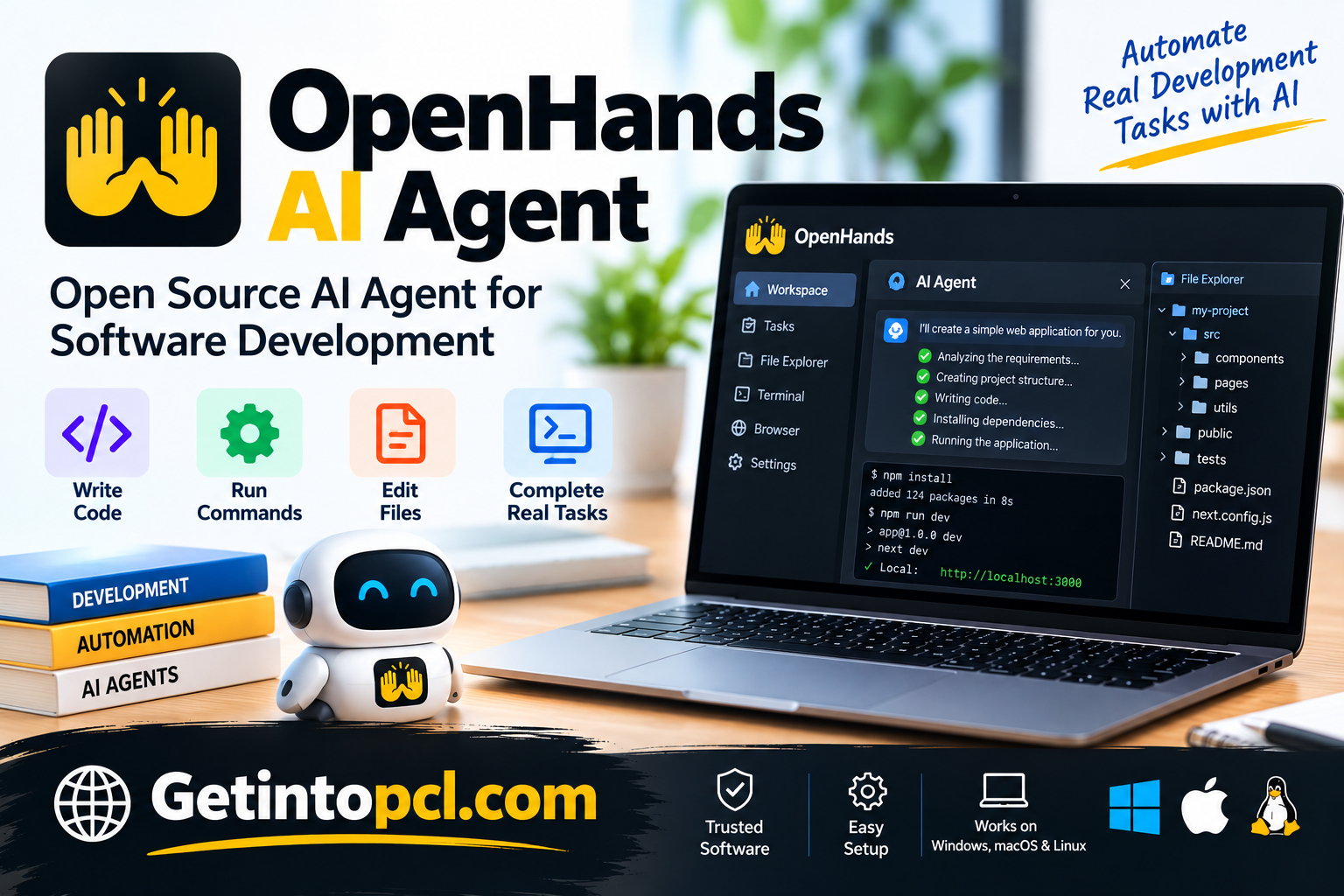
What Is OpenHands AI Agent?
OpenHands is an AI software engineering platform that enables developers to delegate programming tasks to autonomous or semi-autonomous AI agents. Instead of providing only conversational responses, its agents can interact with software projects and development environments to carry out practical tasks.
The project was previously known as OpenDevin and evolved into OpenHands as its development scope expanded. The platform combines large language models with tools that allow agents to inspect files, edit source code, execute terminal commands, and interact with development workflows.
For example, a developer can ask OpenHands to investigate a failing test, implement a small application feature, explain an unfamiliar repository, or propose improvements to existing code. The agent can examine relevant files and attempt the necessary steps within its configured environment.
OpenHands is particularly useful for repetitive engineering tasks and development workflows that involve several actions. However, the quality of its results depends on the selected AI model, task complexity, available tools, and execution environment.
Because OpenHands can execute commands and modify files, developers should review its permissions, inspect generated changes, and test the resulting code before using it in production.
Main Uses of OpenHands AI Agent
OpenHands supports several software engineering activities that benefit from AI assistance and task automation.
Automated Code Generation
OpenHands can generate functions, application components, scripts, and other source-code elements based on developer instructions. It can also inspect an existing project to understand how new code should fit into the application.
Debugging and Error Resolution
Developers can assign debugging tasks involving error messages, failing tests, or unexpected application behavior. OpenHands can investigate relevant files, examine command output, and suggest or implement possible fixes.
Software Testing
OpenHands can help create tests, execute supported testing commands, analyze failures, and update code in response to identified problems.
Testing remains essential because an AI agent may misunderstand requirements or introduce unintended changes.
Code Refactoring
The platform can assist with reorganizing code, simplifying functions, removing duplication, and improving project structure.
Repository Maintenance
OpenHands can work with existing repositories to investigate issues, propose code changes, and assist with maintenance tasks. Repository integrations and automation capabilities depend on the configured environment and available services.
Development Workflow Automation
OpenHands can coordinate multi-step activities that would otherwise require developers to perform several manual operations.
These may include examining a project, modifying files, executing tests, and reporting results for review.
Features
Autonomous AI Coding Agents
One of OpenHands’ central features is its ability to run AI agents that interact with development environments. These agents can plan and attempt multi-step programming tasks rather than simply returning code snippets.
Natural-Language Task Instructions
Developers can describe programming objectives in ordinary language. OpenHands interprets the instructions and uses its available tools to investigate and perform relevant actions.
Terminal Command Execution
OpenHands agents can execute supported shell commands within configured environments. This allows them to inspect files, run tests, install permitted dependencies, and perform other development operations.
Command execution should be appropriately isolated and monitored because automated actions may affect files, dependencies, and system resources.
File and Code Editing
OpenHands can read, create, and modify project files. This makes it useful for tasks requiring coordinated changes across multiple components.
AI Model Integration
OpenHands supports integration with compatible AI models and model providers. Depending on the deployment configuration, developers may use hosted model APIs or compatible locally hosted model services.
Model compatibility, tool-use capabilities, and performance vary.
Isolated Development Environments
OpenHands supports container-based execution environments, commonly using Docker. These environments help separate agent operations from the developer’s main system.
Isolation reduces certain operational risks but does not eliminate the need for security controls, especially when containers have access to host files, credentials, or network resources.
Web Interface and Development Integrations
OpenHands provides interfaces for interacting with agents, reviewing task progress, and inspecting results. Its broader ecosystem also includes development integrations and programmable components.
The exact features available depend on whether OpenHands is used locally, through a hosted service, or through its developer tooling.
Platform and Compatibility
OpenHands supports several deployment methods, allowing developers to use it on personal computers, remote servers, or cloud infrastructure.
| Platform | Compatibility |
|---|---|
| Windows | Local deployment through supported container or development environments |
| macOS | Local installation and supported agent environments |
| Linux | Local installation and self-hosted deployment |
| Web browsers | Access to the web-based interface |
| Cloud | OpenHands Cloud and supported remote infrastructure |
| Programming languages | Works with projects using Python, JavaScript, TypeScript, Java, and other languages |
OpenHands also offers Agent Canvas, a visual workspace for managing multiple AI coding agents. It supports local and remote agent environments and can connect to compatible coding agents.
Unlike a conventional desktop IDE, OpenHands is designed around agent execution and workflow management.
System Requirements
OpenHands system requirements vary depending on the installation method, AI model, and development environment.
| Component | Requirements |
|---|---|
| Operating System | Compatible Windows, macOS, or Linux environment |
| Processor | Compatible 64-bit processor for the selected runtime |
| RAM | Official universal minimum not specified |
| Storage | Space for application components, repositories, and runtime environments |
| Graphics | Dedicated GPU generally unnecessary when using cloud-hosted models |
| Internet | Required for hosted models, cloud services, and remote integrations |
| Container runtime | Docker may be required for certain local configurations |
| AI model | Compatible LLM provider or locally hosted model |
| API key | May be required depending on the selected provider |
Users running AI models locally may need substantially more RAM, GPU memory, and storage than those using cloud-hosted models.
Technical Setup Details
OpenHands provides multiple setup methods, including local development environments, command-line tools, and hosted access.
For a typical local setup:
-
Select the preferred OpenHands installation method.
-
Install the required runtime or dependencies for that method.
-
Download or install the appropriate OpenHands components.
-
Configure the AI model provider and required credentials.
-
Launch the OpenHands interface or command-line environment.
-
Open or connect a software project.
-
Provide a development task using natural-language instructions.
-
Review the agent’s actions, proposed code changes, and test results.
For container-based installations, developers may need Docker and the relevant container configuration.
Agent Canvas provides another approach, allowing developers to manage coding agents through a visual interface. Docker is optional for some Agent Canvas configurations.
Users should follow the installation instructions for their selected release because setup procedures and dependencies can change.
Pricing and Licensing
OpenHands provides free local software alongside hosted and enterprise offerings.
| Plan | Pricing | Main features |
|---|---|---|
| Local | Free | Local agent execution, web interface, CLI, and model integration |
| Cloud Individual | Free plan | Hosted access with usage limits and model-provider options |
| Enterprise | Custom pricing | Organizational administration, security, and advanced integrations |
The local OpenHands software is available under the MIT license.
Although the local application is free, AI model usage may involve additional costs. Developers using commercial model APIs generally pay according to the provider’s pricing.
OpenHands Cloud allows users to connect supported model providers using their own API keys or use available model services with usage-based billing.
Enterprise pricing depends on organizational requirements and deployment arrangements.
Advantages and Limitations
Advantages
-
Agent-based development: Supports multi-step programming tasks rather than only code completion.
-
Development automation: Helps with repetitive software engineering activities.
-
Flexible deployment: Supports local, hosted, and self-managed environments.
-
Model flexibility: Allows integration with compatible AI models and providers.
-
Repository interaction: Can inspect and modify project files.
-
Testing support: Can execute development commands and investigate test failures.
-
Free local option: Provides access to core functionality without a mandatory software subscription.
-
Extensibility: Supports integration with additional development tools and workflows.
Limitations
-
Configuration complexity: Local installation may require technical knowledge.
-
Model costs: Commercial AI APIs can generate usage charges.
-
Hardware requirements: Local model execution may require substantial computing resources.
-
AI reliability: Agents can generate incorrect code or misunderstand instructions.
-
Security risks: Automated command execution requires careful permissions.
-
Execution time: Complex tasks may require multiple iterations.
-
Human supervision: Generated code and automated changes still need review.
Who Should Use OpenHands AI Agent?
Professional software developers can use OpenHands to automate repetitive programming tasks, investigate bugs, and maintain applications.
Software engineering teams may benefit from its repository integrations, development automation, and managed agent workflows.
Freelance developers can use the platform to assist with debugging, documentation, testing, and implementing smaller project features.
Students and researchers interested in AI software engineering can explore how autonomous coding agents interact with programming environments.
DevOps engineers may find OpenHands useful for certain scripting, repository maintenance, and development automation tasks, provided suitable security controls are implemented.
OpenHands is particularly suitable for technically experienced users who want greater control over AI-assisted development workflows.
OpenHands AI Agent Alternatives
Several AI coding assistants offer similar or complementary functionality.
| Alternative | Main purpose |
|---|---|
| Cursor AI Code Editor | AI-powered editing and agent-based programming |
| Windsurf AI Editor | AI-assisted coding and development workflows |
| GitHub Copilot | AI coding assistance inside supported IDEs |
| Cline | Agent-based programming in supported editors |
| Aider | Terminal-based AI pair programming |
| Continue | Configurable AI coding assistance |
| Claude Code | Agent-based software development through supported interfaces |
Cursor and Windsurf emphasize integrated code editing, while OpenHands focuses more broadly on executing and managing coding agents.
Aider and Claude Code provide terminal-oriented development workflows, whereas Cline offers agent capabilities inside supported development environments.
The most suitable option depends on the developer’s preferred interface, deployment requirements, model access, and desired level of automation.
OpenHands AI Agent Download and Installation
OpenHands can be accessed through its official website at **https://www.openhands.dev/**.
Developers can choose between local software, the hosted cloud service, and supported enterprise deployment options.
The local version is suitable for users who want to configure their own development environment and model provider. OpenHands Cloud provides hosted access without requiring users to manage all underlying infrastructure themselves.
Before installation, users should confirm that their operating system, runtime dependencies, and selected AI model are compatible.
Only use official releases and legitimate repositories to obtain the software. Avoid modified packages or unofficial installers claiming to provide unrestricted access to commercial AI services.
Frequently Asked Questions
1. Is OpenHands AI Agent free?
Yes. OpenHands offers free local software and a free individual cloud tier. However, commercial AI model APIs and some hosted services may involve additional charges.
2. Can OpenHands write code automatically?
Yes. OpenHands can generate and modify code based on natural-language instructions. It can also inspect files, execute supported commands, and assist with multi-step programming tasks.
3. Does OpenHands work on Windows?
Yes. Windows users can run OpenHands through compatible local development environments, including supported container-based configurations.
4. Does OpenHands require Docker?
Docker is commonly used for certain OpenHands installations, but it is not required for every deployment method. Some Agent Canvas configurations support alternative execution environments.
5. Can OpenHands work with local AI models?
Yes. OpenHands can connect to compatible locally hosted models. Performance depends on the model’s capabilities and the available hardware.
6. Is OpenHands suitable for beginners?
Beginners can experiment with OpenHands, but local setup and advanced agent workflows may require familiarity with programming, terminals, and development environments.
7. Can OpenHands debug existing projects?
Yes. OpenHands can inspect source code, analyze errors, execute tests, and propose fixes. Developers should validate all changes before using them in production.
8. What is the difference between OpenHands and Cursor?
OpenHands focuses on AI agents that can execute development tasks and interact with project environments. Cursor is primarily an AI-powered code editor with integrated programming assistance and agent capabilities.
Conclusion
OpenHands AI Agent is a software development platform that combines artificial intelligence with practical programming tools. Its ability to inspect repositories, modify files, execute commands, and assist with complex development tasks makes it useful for developers interested in agent-based software engineering.
The platform offers flexible deployment options, including free local software, hosted cloud access, and enterprise solutions. Its support for different AI models and development environments allows users to configure workflows according to their technical requirements.
For developers seeking more than conventional AI code completion, OpenHands provides an approach centered on task execution and development automation. However, successful use requires appropriate configuration, secure execution environments, careful code review, and reliable testing.
With its combination of coding agents, workflow management, and development integrations, OpenHands offers a practical option for individuals and teams exploring AI-assisted software development.