
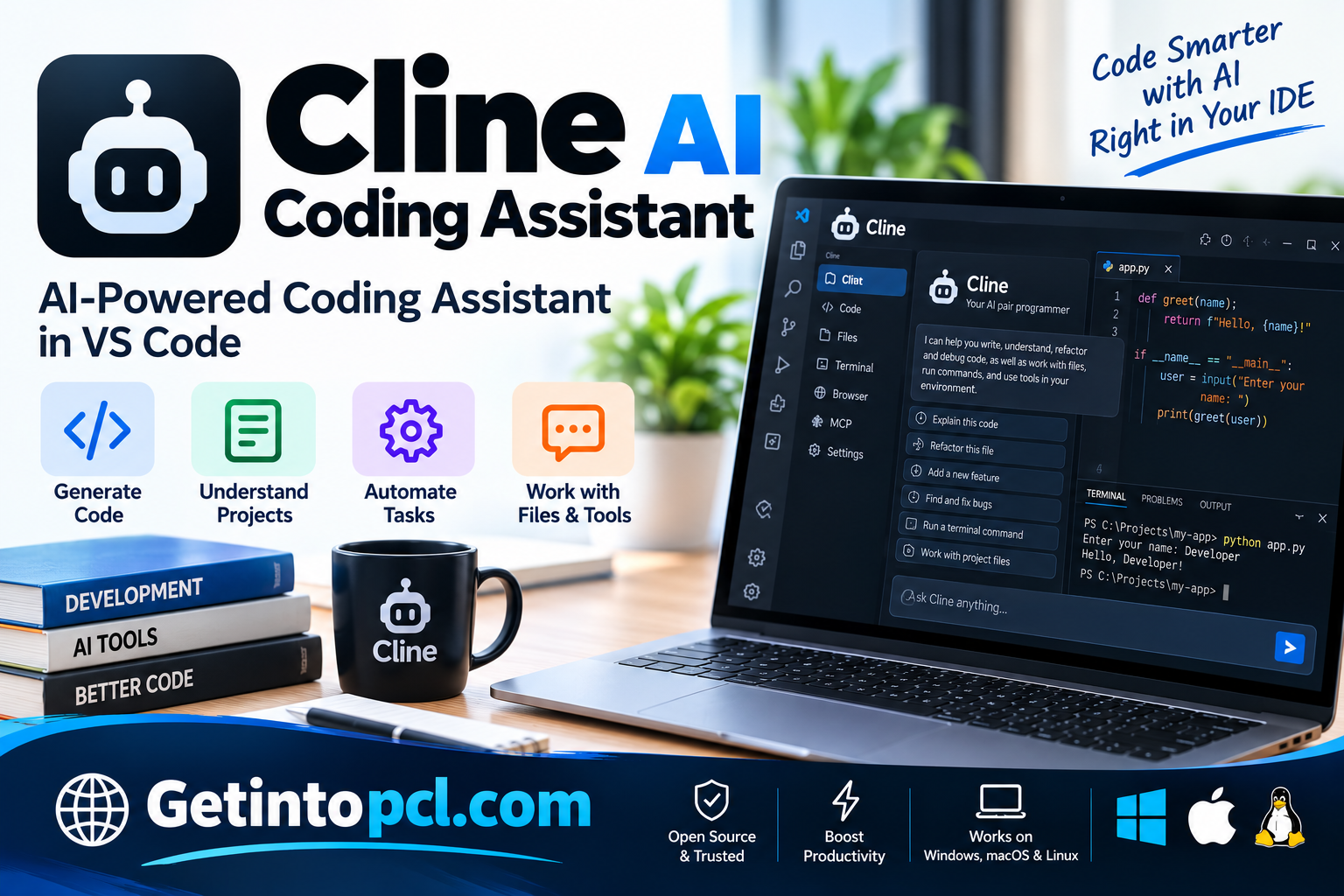
Cline AI Coding Assistant is an AI-powered software development tool designed to help programmers write code, debug applications, automate repetitive tasks, and manage complex programming projects. Unlike traditional code completion tools that primarily suggest individual lines of code, Cline operates as an AI coding agent capable of assisting with multi-step software development tasks. It can inspect project files, generate code, propose modifications, execute supported terminal commands, and interact with development tools under user supervision.
Cline is developed as an open-source AI coding assistant and is particularly popular as an extension for Visual Studio Code and compatible development environments. It enables developers to communicate with AI models using natural-language instructions, making it easier to work with unfamiliar codebases, create application components, investigate errors, and improve existing software.
The tool is designed for professional developers, students, freelance programmers, and software engineering teams interested in integrating artificial intelligence into their development workflows. Cline supports multiple AI model providers, allowing users to choose compatible models according to their programming requirements, available resources, and budget.
What Is Cline AI Coding Assistant?
Cline is an AI-powered coding agent that works inside supported development environments. It combines conversational AI with practical programming capabilities, allowing developers to assign tasks that involve reading files, editing source code, running commands, and analyzing project structures.
Instead of simply asking an AI chatbot to generate a function and manually copying the result into an editor, developers can use Cline to interact with their existing project directly. The assistant can inspect relevant files, understand available context, and propose modifications that address the requested task.
For example, a developer can ask Cline to create a login component, fix an application error, explain an unfamiliar function, or update a feature involving several files. Depending on the available permissions and selected model, Cline can perform a sequence of actions to complete the task.
Cline supports different AI models and providers rather than requiring developers to use only one model. This flexibility allows programmers to select services based on coding performance, context capabilities, privacy requirements, and cost.
Although Cline can automate substantial portions of development work, AI-generated code may contain mistakes. Developers should carefully review changes, inspect executed commands, and test the results before using them in production.
Main Uses of Cline AI Coding Assistant
Cline supports a variety of programming and software development activities.
AI-Assisted Code Generation
Developers can use Cline to generate functions, application components, scripts, and other programming elements. The assistant can examine existing code to produce suggestions that are relevant to the project.
Debugging and Error Resolution
Cline can help investigate programming errors by reviewing source files, examining error messages, and executing supported debugging or testing commands.
It can propose changes to resolve identified problems, although these solutions require verification.
Code Refactoring
Developers can use Cline to reorganize existing code, improve readability, simplify functions, and reduce unnecessary duplication.
Understanding Existing Projects
Cline can examine a project’s files and explain how different components work together. This is particularly useful when developers join an unfamiliar project or maintain software written by another programmer.
Software Testing
The assistant can help generate test cases, run supported testing tools, and investigate failures. Developers can use these capabilities to identify potential issues before deploying applications.
Development Workflow Automation
Cline can assist with tasks involving several development steps, such as inspecting a repository, modifying files, installing approved dependencies, running tests, and reporting results.
These workflows can reduce repetitive manual work, but developers remain responsible for supervising potentially sensitive operations.
Features
Agent-Based Coding Assistance
Cline operates as a coding agent capable of planning and performing multiple development actions. It can work through programming tasks that require more than a single code suggestion.
Natural-Language Instructions
Developers can describe tasks in ordinary language. For example, they can ask Cline to explain a component, implement a feature, or investigate a bug without specifying every individual code modification.
Multi-File Code Editing
Cline can inspect and propose changes across multiple files. This is useful when a feature requires updates to application logic, configuration files, interfaces, and associated tests.
Terminal Command Execution
Cline can interact with terminal commands to inspect project environments, run tests, and perform development operations.
Command execution is subject to the configured permissions and approval controls. Developers should review commands before allowing actions that could modify or delete important files.
Multiple AI Model Providers
Cline supports integrations with compatible AI model providers. Depending on the configuration, users may connect commercial APIs, supported model gateways, or locally hosted models.
The quality and cost of coding assistance depend on the selected model and provider.
Model Context Protocol Integration
Cline supports the Model Context Protocol (MCP), allowing compatible external tools and services to extend the assistant’s capabilities.
MCP integrations can provide access to additional development resources, although users should evaluate permissions and security before connecting external tools.
Plan and Act Workflows
Cline supports workflows that separate task planning from implementation. Developers can discuss requirements and possible solutions before allowing the agent to make changes.
This can help reduce unnecessary modifications when working on complex tasks.
Checkpoint and Change Review
Cline provides features for reviewing changes and managing development progress. Depending on the installed version, checkpoint functionality can help users compare or restore project states.
Checkpoints should not be treated as a substitute for Git version control or reliable backups.
Platform and Compatibility
Cline is available through several development interfaces, including IDE extensions, a command-line interface, and a standalone desktop application.
| Platform | Compatibility |
|---|---|
| Windows | Supported through IDE extensions, CLI, and desktop application |
| macOS | Supported through IDE extensions, CLI, and desktop application |
| Linux | Supported through compatible IDE extensions and CLI |
| Visual Studio Code | Supported extension |
| Cursor and Windsurf | Supported extension integration |
| JetBrains IDEs | Plugin support for compatible IDEs |
| Command Line | Available through Cline CLI |
| Programming Languages | Python, JavaScript, TypeScript, Java, C#, Go, Rust, and others |
Cline’s desktop application is a newer option for developers who prefer to manage coding agents outside a conventional IDE. The Windows desktop application is currently identified as a beta release in its installation documentation.
System Requirements
Cline’s requirements depend on whether it is installed as an editor extension, desktop application, or command-line tool.
| Component | Requirements |
|---|---|
| Operating System | Compatible Windows, macOS, or Linux environment |
| Processor | Processor compatible with the selected IDE or application |
| RAM | No universal official minimum published |
| Storage | Space for the extension or application, dependencies, and development projects |
| Graphics | No dedicated GPU generally required when using cloud-hosted AI models |
| Internet | Required for cloud-based AI model access |
| Development Environment | Compatible IDE for extension-based installation |
| Node.js | Version 20 or later for the documented npm-based CLI installation |
| AI Model | Compatible model provider or locally hosted model |
| API Key | May be required depending on the selected provider |
Developers using local AI models through Ollama or LM Studio may require additional memory, storage, and GPU resources. These requirements depend on the size and configuration of the selected model.
Technical Setup Details
Cline can be installed through Visual Studio Code, compatible development environments, or its command-line interface.
Installing Cline in Visual Studio Code
-
Open Visual Studio Code.
-
Select the Extensions panel.
-
Search for Cline.
-
Select the Cline extension and click Install.
-
Open the Cline panel after installation.
-
Choose an available AI model provider.
-
Sign in or configure the required API credentials.
-
Open a programming project and begin interacting with the assistant.
Installing Cline CLI
Developers who prefer terminal-based workflows can install Cline through npm after installing a compatible Node.js version.
npm install -g clineAfter installation, configure authentication:
cline authLaunch the interactive command-line interface:
clineThe CLI can also accept a programming task directly:
cline "Review this project and suggest improvements"Configuring AI Models
Cline supports different AI providers, including Anthropic, OpenAI, Google, and compatible model gateways.
Users can also configure local models through supported services such as Ollama and LM Studio.
When using commercial model APIs, developers should monitor token usage and associated costs.
Pricing and Licensing
Cline provides free coding-agent software, while the cost of AI model inference depends on the selected provider.
| Offering | Pricing | Description |
|---|---|---|
| Cline Extension | Free | AI coding agent for supported editors |
| Cline CLI | Free | Terminal-based coding assistance |
| Cline Desktop | Free software | Standalone coding-agent environment |
| Commercial AI Models | Usage-based | Charges depend on model provider and usage |
| Local AI Models | Model-dependent | Can avoid commercial API charges but require suitable hardware |
| Cline Enterprise | Custom pricing | Organizational management, security, and administration |
Cline’s core project is distributed under the Apache License 2.0.
The software itself does not require a standard individual subscription for its core functionality. However, using commercial AI models may generate charges based on input tokens, output tokens, and other provider-specific billing rules.
Some managed access or subscription options may also be available. Users should review the applicable billing terms before enabling paid model services.
Advantages and Limitations
Advantages
-
Agent-based programming: Supports complex development tasks involving multiple steps.
-
Free core software: Developers can install and use Cline without purchasing a conventional software license.
-
Flexible AI models: Supports multiple providers and compatible local models.
-
Multi-file editing: Can coordinate changes across related project files.
-
Terminal integration: Can execute supported development commands.
-
Plan and Act modes: Allows developers to separate planning from implementation.
-
MCP integration: Supports additional tools and development services.
-
Development environment compatibility: Works with several popular coding environments.
-
Change review: Provides mechanisms for inspecting and reverting modifications.
Limitations
-
AI model costs: Commercial API usage may become expensive during large tasks.
-
Model dependence: Coding accuracy depends heavily on the selected model.
-
Internet requirements: Cloud-hosted models require connectivity.
-
Security considerations: Automated terminal commands and file modifications require careful supervision.
-
Hardware demands: Local AI models may require significant system resources.
-
Learning curve: Advanced configuration and agent workflows may be challenging for beginners.
-
Code reliability: Generated changes may introduce bugs or vulnerabilities.
Who Should Use Cline AI Coding Assistant?
Cline is suitable for developers who want greater automation than conventional code completion provides.
Professional software developers can use it to implement features, investigate errors, refactor code, and maintain existing applications.
Web developers can use Cline with frontend and backend projects involving JavaScript, TypeScript, Python, and other supported languages.
Students and beginners may benefit from its ability to explain programming concepts, examine errors, and generate examples. However, beginners should verify the generated solutions and continue learning programming fundamentals.
Freelance programmers can use Cline to assist with repetitive development activities across different client projects.
Software engineering teams can explore Cline’s integration capabilities and organizational offerings for development workflows requiring additional administration and security controls.
Cline AI Coding Assistant Alternatives
Several AI coding assistants provide similar or complementary functionality.
| Alternative | Main purpose |
|---|---|
| Cursor AI Code Editor | AI-powered code editing and agent-based development |
| Windsurf AI Editor | AI-assisted programming and development workflows |
| GitHub Copilot | AI coding assistance in supported IDEs |
| Continue | Configurable AI coding assistant |
| Aider | Terminal-based AI pair programming |
| OpenHands | AI software engineering agents |
| Claude Code | Agent-based coding and terminal development |
Cline differs from traditional code completion tools by emphasizing agent-based workflows, terminal interaction, and coordinated project modifications.
Cursor and Windsurf provide more integrated editing environments, while Cline can operate inside several existing development tools.
Aider may appeal to developers who prefer terminal-based programming, while OpenHands focuses on broader software engineering automation.
Cline AI Coding Assistant Download and Installation
Cline is available through its official website at **https://cline.bot/**.
Users can choose the installation method that best suits their workflow, including an IDE extension, CLI, or desktop application.
For developers already using Visual Studio Code, the extension is a convenient starting point. Users who prefer terminal workflows can install the CLI, while those interested in managing agent sessions separately may prefer the desktop application.
Before installation, verify that the selected version supports your operating system and development environment.
Download software only from legitimate distribution channels and avoid unofficial modified packages.
Frequently Asked Questions
1. Is Cline AI Coding Assistant free?
Yes. Cline’s core software is free. However, commercial AI models may charge for inference based on usage.
2. Does Cline work with Visual Studio Code?
Yes. Cline is available as a Visual Studio Code extension and provides AI coding assistance directly inside the editor.
3. Can Cline generate code automatically?
Yes. Cline can generate, edit, and refactor code based on natural-language instructions. It can also assist with tasks involving multiple project files.
4. Does Cline support local AI models?
Yes. Cline supports compatible local AI models through services such as Ollama and LM Studio. Performance depends on the model and available hardware.
5. Is Cline available for Windows?
Yes. Windows users can access Cline through supported IDE extensions, its CLI, and a desktop application.
6. Can Cline execute terminal commands?
Yes. Cline can run supported terminal commands, inspect their output, and use the results during development tasks. Command approval depends on the configured permissions.
7. Is Cline better than GitHub Copilot?
Cline emphasizes agent-based workflows, multi-file editing, and development automation. GitHub Copilot provides AI assistance integrated into supported development environments. The better choice depends on the developer’s requirements.
8. Does Cline require an API key?
Not always. Users may authenticate through supported managed services or configure their own model-provider credentials. Local model configurations may also be available without commercial API keys.
Conclusion
Cline AI Coding Assistant is an AI-powered development tool that combines natural-language programming assistance with practical software engineering capabilities. Its support for multi-file editing, terminal execution, debugging, code generation, and external integrations makes it useful for developers working on different types of programming projects.
The availability of free core software, multiple AI model providers, and different installation methods gives developers flexibility in choosing how they use AI assistance. Cline can operate inside familiar development environments or through standalone and command-line interfaces.
For programmers seeking an AI coding assistant capable of handling more than simple autocomplete suggestions, Cline provides a flexible approach to software development automation. However, developers should carefully manage model costs, review generated code, and maintain appropriate security controls.
Cline is a practical option for software developers, students, freelancers, and technical teams interested in integrating AI agents into their everyday programming workflows.