
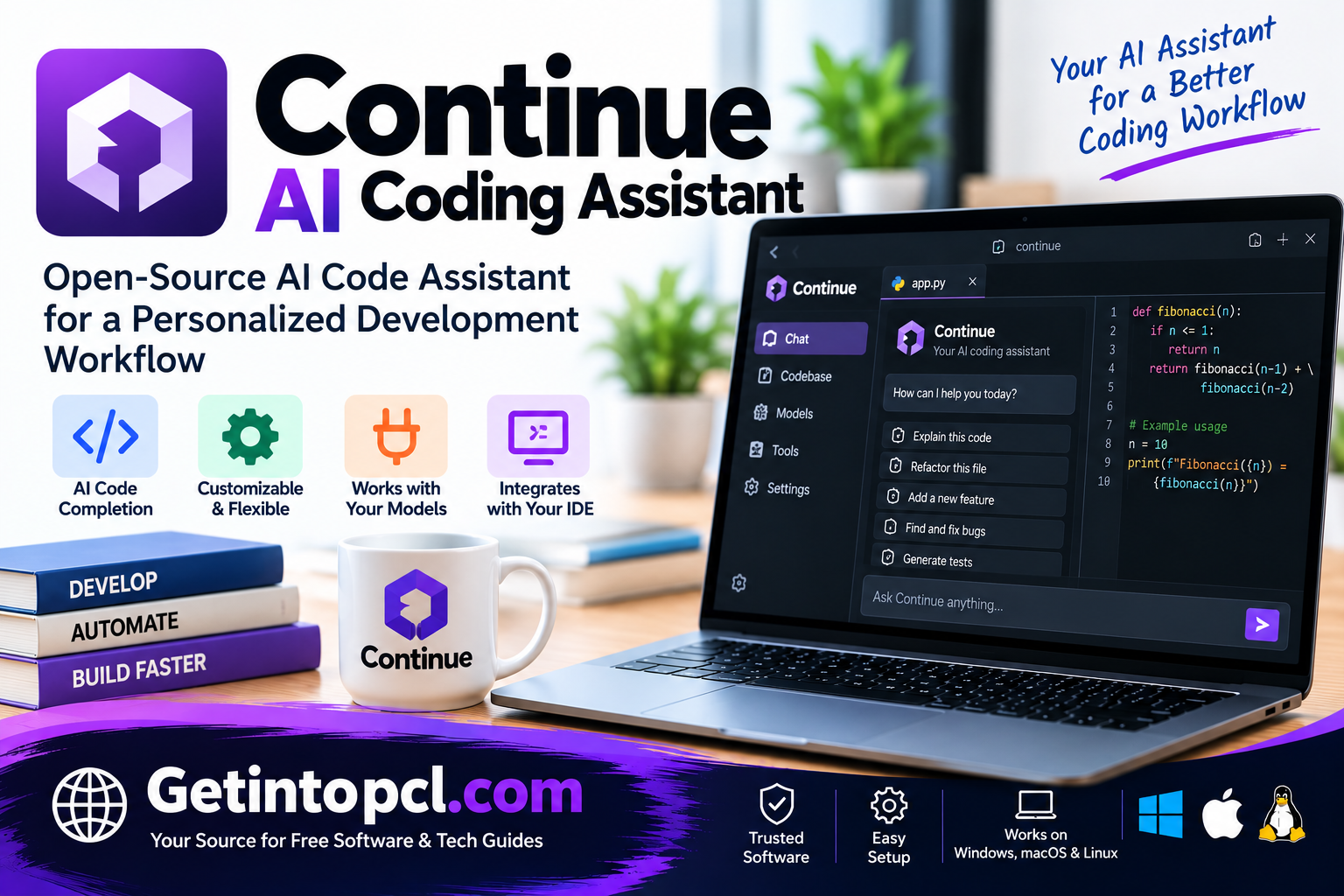
Continue AI Coding Assistant is an AI-powered software development tool designed to help programmers write, understand, edit, and improve source code using artificial intelligence. It integrates with supported development environments and provides tools for AI-assisted programming, contextual code suggestions, and automated development workflows. Continue is particularly useful for developers who want greater flexibility in choosing AI models and configuring coding assistance according to their project requirements.
Developed by the Continue team, the platform combines AI-powered development tools with configurable models and coding agents. It supports integrations with popular development environments such as Visual Studio Code and JetBrains IDEs, allowing programmers to incorporate AI assistance into their existing workflows without switching to an entirely different code editor.
Continue is suitable for professional software developers, students, freelance programmers, and engineering teams working on applications of different sizes. Its capabilities include AI chat, code editing, autocomplete, and agent-based workflows, although the availability of individual features depends on the installed version and configuration.
What Is Continue AI Coding Assistant?
Continue is an AI-assisted software development platform that enables programmers to use large language models directly within their development environment. Instead of functioning as a conventional standalone IDE, Continue primarily extends existing coding tools with AI capabilities.
The platform allows developers to connect compatible AI models, provide project context, and receive assistance with programming tasks. Depending on the selected model and configuration, Continue can explain code, generate functions, suggest modifications, and support development automation.
One of Continue’s distinguishing characteristics is its configurable approach to AI models. Developers can select supported cloud-based providers or compatible locally hosted models rather than relying exclusively on a single AI service.
Continue also supports workflows involving coding agents and automated checks. These capabilities extend its role beyond simple code completion by allowing developers to use AI for more structured software engineering activities.
The platform is particularly relevant to developers who prefer retaining their existing development environment while adding AI-powered functionality.
Main Uses of Continue AI Coding Assistant
Continue can assist with several practical software development tasks.
AI-Assisted Code Generation
Developers can use Continue to generate functions, classes, scripts, and application components. AI-generated suggestions can provide a starting point for new features or help with repetitive programming tasks.
Code Completion
Continue can provide context-aware autocomplete suggestions while developers type. Depending on the model and editor configuration, suggestions may include individual lines or larger blocks of code.
Debugging and Error Analysis
Programmers can use AI assistance to examine error messages, understand possible causes, and suggest fixes for programming problems.
Generated solutions should be verified through testing because AI models can produce incorrect or incomplete recommendations.
Code Refactoring
Continue can help developers improve code structure, simplify functions, reduce duplication, and update existing implementations.
Understanding Existing Codebases
Developers working with unfamiliar projects can use Continue to ask questions about source files, functions, and programming logic.
Development Workflow Automation
Continue supports agent-oriented workflows that can assist with coding tasks and automated checks. These workflows can help teams identify problems and maintain coding standards.
Features
AI-Powered Code Autocomplete
Continue provides AI-assisted code completion through supported editor integrations. It analyzes available context and generates suggestions relevant to the code being written.
This can help developers work more efficiently with repetitive programming patterns and common syntax.
AI Chat for Programming
The platform provides conversational assistance for understanding code, generating solutions, and discussing programming problems.
Developers can ask questions about their projects and receive responses based on available context.
Multi-File Code Editing
Continue supports AI-assisted editing workflows that can help modify existing code. Depending on the editor integration and selected capabilities, developers may work with changes involving multiple files.
Configurable AI Models
Continue supports compatible AI models from different providers, including cloud-hosted and locally hosted options.
This flexibility allows developers to choose models based on performance, privacy, context capabilities, and cost.
Local AI Model Support
Continue can connect to compatible locally hosted model services such as Ollama. This can be useful for developers who want to experiment with local inference or reduce reliance on external AI services.
Local model performance depends on the selected model and available hardware.
Context Providers
Continue can use relevant development context to improve AI responses. Depending on the configuration, this may include source files, selected code, and other supported project resources.
Agent-Based Development
Continue includes agent-oriented capabilities that can assist with more complex programming tasks. These features may involve tool use, code modification, and other development actions.
Automated Code Checks
Continue supports workflows for creating and running AI-powered checks against code changes. These can help identify issues related to project conventions, coding standards, or other defined requirements.
Automated checks should complement conventional testing and code review rather than replace them.
Platform and Compatibility
Continue AI Coding Assistant is designed to integrate with existing development environments rather than replace them. Its compatibility depends on the installed extension, command-line tools, and AI model configuration.
| Platform | Compatibility |
|---|---|
| Windows | Supported through compatible development environments |
| macOS | Supported through compatible development environments |
| Linux | Supported through compatible development environments |
| Visual Studio Code | Supported extension |
| JetBrains IDEs | Supported plugin integration |
| Command Line | Continue CLI for supported workflows |
| Programming Languages | Python, JavaScript, TypeScript, Java, C++, Go, Rust, and other languages |
| AI Models | Compatible cloud-hosted and local language models |
Continue is suitable for developers working on web applications, desktop software, backend systems, and other programming projects.
The availability of specific AI features may differ between the VS Code extension, JetBrains integration, and command-line tools.
System Requirements
Continue’s hardware requirements depend primarily on the development environment and selected AI models. The extension itself generally does not require the same resources as running a large language model locally.
| Component | Requirements |
|---|---|
| Operating System | Windows, macOS, or Linux supported by the selected IDE |
| Processor | Compatible processor for the installed development environment |
| RAM | No universal official minimum verified |
| Storage | Space for the IDE, Continue extension, dependencies, and project files |
| Graphics | Dedicated GPU generally unnecessary for cloud-based AI models |
| Internet | Required for cloud AI models, authentication, and updates |
| Development Environment | Compatible VS Code or JetBrains installation |
| AI Model | Supported cloud or local AI model |
| API Key | May be required for commercial model providers |
Developers using local AI models may need additional RAM, storage, and GPU resources depending on model size and quantization.
For ordinary cloud-based AI assistance, most processing takes place on remote infrastructure rather than directly on the user’s computer.
Technical Setup Details
Continue can be installed through supported development environments. Visual Studio Code is one of the most accessible options for developers getting started.
Installing Continue in Visual Studio Code
-
Open Visual Studio Code.
-
Navigate to the Extensions panel.
-
Search for Continue.
-
Select the Continue extension and install it.
-
Open the Continue interface inside VS Code.
-
Sign in or configure the available AI model connection.
-
Select a supported model provider.
-
Open an existing programming project.
-
Begin using AI chat, code suggestions, and other available features.
Configuring AI Models
Continue allows developers to connect compatible AI models through supported providers and configuration options.
Depending on the model, setup may require authentication credentials, API keys, model identifiers, or provider-specific settings.
For locally hosted models, developers can configure compatible services such as Ollama. The local model must be installed and running before Continue can communicate with it.
Configuring Development Workflows
Continue supports configuration files and development-specific instructions that help tailor AI behavior.
Developers can configure supported models, define relevant rules, and establish workflows for different programming tasks.
Advanced users can also explore Continue’s command-line and agent-related functionality where supported.
Pricing and Licensing
Continue offers freely available developer tooling alongside commercial services and organizational features.
| Offering | Pricing model | Main purpose |
|---|---|---|
| Continue IDE Extensions | Free to install | AI assistance inside supported editors |
| Continue CLI | Free tooling | Terminal-based AI development workflows |
| Local AI Models | Depends on model and infrastructure | Locally hosted coding assistance |
| Commercial AI Providers | Provider-dependent | Access to hosted AI models |
| Managed and Team Services | Plan-dependent | Shared configurations and managed workflows |
| Enterprise Solutions | Custom pricing where offered | Organizational deployment and administration |
Continue’s core developer tooling is available under an open-source licensing model. Licensing terms for specific components and hosted services may differ.
Although the extension can be installed without purchasing a traditional software license, commercial AI model providers may charge for API usage.
Developers should review current plan limits and billing terms before enabling paid AI services. Exact subscription prices and allowances are not included here because they can change.
Advantages and Limitations
Advantages
-
Flexible AI model selection: Developers can configure compatible models from different providers.
-
Existing IDE integration: Continue works within familiar development environments.
-
AI-powered autocomplete: Provides contextual programming suggestions.
-
Local model compatibility: Supports development workflows using compatible locally hosted models.
-
Code understanding: Helps explain unfamiliar functions and project components.
-
Customizable configuration: Allows developers to tailor AI assistance to specific projects.
-
Agent-based workflows: Supports advanced coding and automation tasks.
-
Free developer tooling: Offers an accessible starting point for AI-assisted programming.
Limitations
-
Configuration requirements: Advanced model setups may require technical knowledge.
-
Model-dependent performance: The quality of generated code varies between AI models.
-
Potential API costs: Commercial model usage may result in additional charges.
-
Local hardware demands: Running larger models locally may require powerful hardware.
-
AI-generated errors: Suggested code can contain bugs or security weaknesses.
-
Feature differences: Some capabilities may vary between IDE integrations and versions.
-
Internet dependence: Cloud-based models require connectivity.
Continue is most effective when developers combine AI assistance with established programming practices, including version control, testing, and code review.
Who Should Use Continue AI Coding Assistant?
Continue can benefit different categories of developers.
Professional software developers can use it to generate code, understand existing applications, investigate errors, and improve development workflows.
Web developers can use Continue when working with frontend frameworks, backend services, APIs, and other web technologies.
Students and programming beginners may find its conversational explanations useful for understanding code and exploring programming concepts. However, beginners should verify AI-generated answers and continue developing fundamental programming skills.
Freelance developers can use Continue to assist with repetitive tasks and maintain projects written in different programming languages.
Software engineering teams may benefit from shared configurations, automated code checks, and standardized AI-assisted workflows.
Developers interested in local AI can explore Continue’s compatibility with supported local model services and customize their AI development environment.
Continue AI Coding Assistant Alternatives
Several AI coding assistants offer features similar to Continue.
| Alternative | Main purpose |
|---|---|
| Cursor AI Code Editor | AI-powered programming environment with integrated coding agents |
| Windsurf AI Editor | AI-assisted editing and software development workflows |
| GitHub Copilot | AI code completion and programming assistance |
| Cline AI Coding Assistant | Agent-based coding and development automation |
| Aider AI | Terminal-based AI pair programming |
| OpenHands AI Agent | Automated software engineering tasks |
| Tabnine AI | AI code completion and developer productivity |
Continue differs from some alternatives through its emphasis on configurable AI models, existing IDE integrations, and customizable workflows.
Cursor and Windsurf provide dedicated AI-focused editing environments, while Continue is designed to extend supported development tools.
Cline and OpenHands emphasize agent-based task execution, whereas Tabnine focuses strongly on AI coding assistance and completion.
The appropriate choice depends on development preferences, AI model requirements, privacy considerations, and budget.
Continue AI Coding Assistant Download and Installation
Continue can be obtained through its official website at **https://www.continue.dev/**.
Developers can install the extension through supported IDE marketplaces or use the available command-line tooling.
For Visual Studio Code users, installation through the Extensions panel is generally the simplest method. Developers using JetBrains IDEs can look for the compatible Continue plugin.
After installation, users should configure an appropriate AI model and review any required credentials or permissions.
For local model workflows, additional setup may be necessary to install and run the selected AI model.
Always obtain Continue through legitimate distribution channels and avoid unofficial modified packages that claim to unlock paid model services.
Frequently Asked Questions
1. Is Continue AI Coding Assistant free?
Continue provides free developer tooling, including supported IDE integrations. However, commercial AI models and managed services may involve additional charges.
2. Does Continue work with Visual Studio Code?
Yes. Continue provides a VS Code extension that integrates AI-assisted coding capabilities into the editor.
3. Can Continue generate code automatically?
Yes. Continue can generate code suggestions and assist with programming tasks. More advanced editing and agent capabilities depend on the configured tools and models.
4. Does Continue support local AI models?
Yes. Continue supports compatible local AI models through services such as Ollama. Performance depends on the model and available hardware.
5. Is Continue available for Windows?
Yes. Continue can be used on Windows through supported development environments, including Visual Studio Code.
6. Does Continue require an API key?
Not always. Some providers require API credentials, while other supported authentication methods or local model configurations may not require a commercial API key.
7. Can Continue help with debugging?
Yes. Developers can use Continue to analyze errors, explain code, and suggest possible fixes. All generated solutions should be tested before deployment.
8. What is the difference between Continue and GitHub Copilot?
Continue emphasizes configurable AI model connections and customizable development workflows. GitHub Copilot provides integrated AI programming assistance through supported editors and GitHub-related services.
The better option depends on the developer’s preferred models, IDE, configuration requirements, and subscription preferences.
Conclusion
Continue AI Coding Assistant is a flexible AI-powered development tool designed to enhance existing programming environments with intelligent code completion, conversational assistance, contextual editing, and agent-based workflows.
Its compatibility with Visual Studio Code, JetBrains IDEs, and different AI model providers makes it useful for developers who want to customize their coding environment rather than depend entirely on one AI service.
Continue’s support for cloud-based and compatible local models provides additional flexibility for users with different budgets, privacy requirements, and technical resources.
For students, freelance programmers, professional developers, and software engineering teams, Continue offers a practical approach to integrating AI into everyday software development. Its effectiveness ultimately depends on choosing suitable models, configuring the environment correctly, reviewing generated code, and following reliable development practices.