
WSCC Portable Free Download provides a convenient way to access, install, update, organize, and run a large collection of Windows system utilities from a single interface. WSCC stands for Windows System Control Center and is designed to bring utilities from different software suites together so users do not have to manage every individual tool separately.
WSCC is developed by KLS Soft and is available as both a conventional setup package and a portable version. The official WSCC website currently lists version 10.0.4.2, released on August 28, 2026, with separate 32-bit and 64-bit downloads. The website also states that WSCC is free for personal use.
One of the most useful aspects of WSCC is its ability to work with well-known collections such as Microsoft Sysinternals Suite and NirSoft Utilities. It can automatically install and update supported utilities, while also allowing users to launch and organize them from one location.
The portable edition is particularly useful for technicians, administrators, advanced Windows users, and anyone who wants to keep a collection of system tools on a USB flash drive. According to the developer, the portable edition does not require installation and can be run directly from a USB drive.
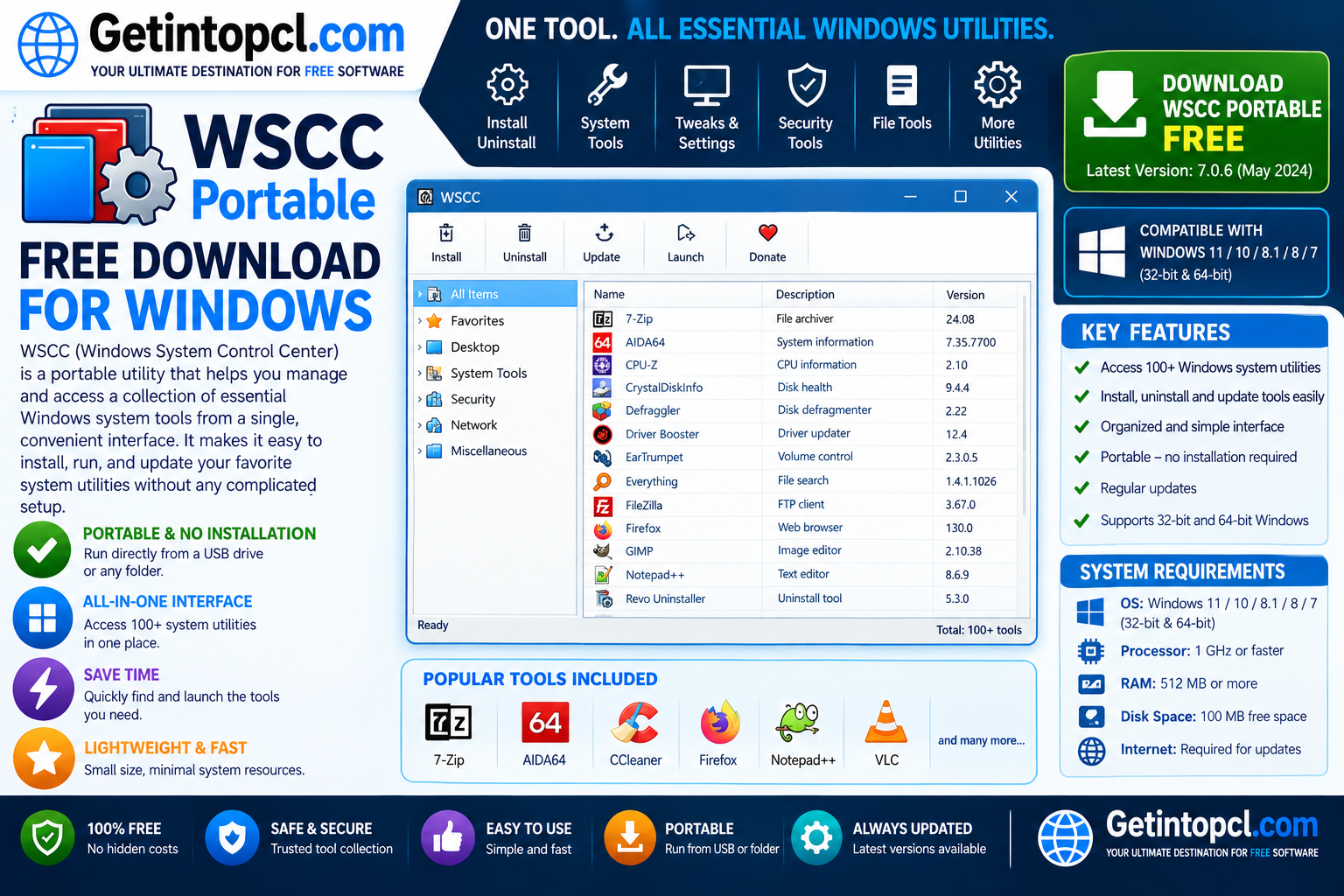
What Is Windows System Control Center?
Windows System Control Center, commonly called WSCC, is a utility manager and launcher for Windows system tools.
Instead of treating every diagnostic or administration program as a separate application, WSCC provides a central interface through which users can discover, download, update, organize, and launch supported utilities.
The program supports utility suites from different developers. Its website specifically identifies:
- Microsoft Sysinternals Suite
- NirSoft Utilities
- Additional supported utility collections
WSCC can either work with utilities that are already downloaded or use an internet connection to download and run supported programs.
This makes WSCC particularly useful for people who regularly troubleshoot Windows computers. Rather than searching through multiple folders for tools such as Process Explorer, Process Monitor, Autoruns, or NirSoft utilities, users can organize compatible programs through one central application.
Major Uses of WSCC
WSCC can be useful for several Windows maintenance and troubleshooting tasks.
Managing System Utilities
The primary purpose of WSCC is to provide a central location for Windows utilities. Users can organize different tools instead of maintaining numerous unrelated shortcuts and folders.
Downloading Supported Utilities
WSCC can download supported applications and utility packages. The developer states that setup packages and updates are downloaded directly from their respective authors’ websites.
This is particularly useful because users do not necessarily need to search manually for every individual utility.
Updating Utilities
WSCC includes functionality for checking supported utilities for newer versions and downloading updates.
This can simplify maintenance when a user keeps a large collection of troubleshooting applications.
Launching System Tools
After utilities are installed or made available, WSCC provides a central interface for launching them.
This is useful for technicians who may need to switch quickly between different diagnostic programs.
Portable Troubleshooting
The WSCC portable version can be stored on removable media and run without a traditional installation. This makes it practical for technicians who work on multiple Windows computers.
A USB drive containing WSCC and its supported utilities can serve as a portable collection of Windows troubleshooting tools.
Key Features of WSCC
WSCC provides several features that make managing system utilities easier.
Centralized Utility Management
Instead of installing and organizing every supported tool independently, users can manage many utilities through WSCC.
The program acts as an interface and utility manager rather than replacing the functionality of the individual tools.
Sysinternals Utilities Support
WSCC supports Microsoft’s Sysinternals utilities, a well-known collection of Windows troubleshooting and administration tools.
The Sysinternals Suite contains utilities such as Process Explorer, Process Monitor, Autoruns, RAMMap, TCPView, PsTools, and many others. Microsoft describes the suite as a collection of troubleshooting utilities.
WSCC therefore provides a convenient way to access many of these tools.
NirSoft Utilities Support
WSCC also supports NirSoft utilities, a large collection of small Windows tools covering areas such as networking, system information, passwords, processes, disk information, and other administrative tasks.
NirSoft itself describes its collection as including more than 200 portable utilities.
Automatic Downloads
WSCC can download supported utilities when required. This means users can obtain compatible tools without manually visiting every individual developer website.
Update Manager
The built-in Update Manager can check supported utilities and help users keep their collection current.
Portable Operation
The portable edition is designed to run without a conventional installation. It can therefore be stored on a USB drive or another suitable location.
HTTPS Downloads
WSCC uses HTTPS for downloading supported applications and updates. The developer also states that the update database uses SHA-256 hashes to verify the integrity of downloaded packages.
Security Verification
According to the official FAQ, WSCC performs basic security checks on included applications, including antivirus, anti-malware, and reputation checks. Downloaded packages can be verified against SHA-256 hashes stored in the update database.
No Telemetry
The developer states that WSCC does not collect or transmit telemetry data. Update checking involves downloading an update database and performing version checks locally.
WSCC Compatibility With Windows
WSCC is designed specifically for Microsoft Windows rather than macOS or Linux.
Windows 11
WSCC Portable for Windows 11 is officially supported. The current WSCC website lists Windows 11 among its supported operating systems and states that all editions are supported.
Windows 11 users can choose between the 32-bit and 64-bit WSCC packages according to their system and requirements.
Windows 10
Windows 10 is also officially listed as supported. The current WSCC system requirements identify Windows 10 and Windows 11, along with Windows 7, as supported Windows versions.
Windows 7
The current official requirements also list Windows 7. However, users should remember that Windows 7 itself is an obsolete Microsoft operating system and no longer receives normal security support from Microsoft.
Running older Windows versions can therefore present security risks even when an application continues to support them.
Windows Server
WSCC also supports Windows Server editions. The official website currently lists Windows Server 2025 through Windows Server 2008 R2, all editions.
macOS and Linux
WSCC is a Windows utility manager and does not provide an equivalent native WSCC application for macOS or Linux.
Users running macOS or Linux should therefore look for platform-specific system utility managers rather than attempting to use the Windows WSCC package.
WSCC System Requirements
The official WSCC website provides operating-system requirements but does not publish a detailed universal table specifying minimum processor speed, RAM, graphics memory, and storage requirements. Exact specifications should therefore not be invented.
Officially Listed Requirements
- Operating System: Windows 11, Windows 10, or Windows 7, all editions. Windows Server 2025 through Windows Server 2008 R2 are also listed.
- Processor: No specific minimum processor model or clock speed is officially published by WSCC.
- RAM: No fixed minimum or recommended RAM amount is officially specified.
- Storage: The current 32-bit portable/setup download is approximately 6.1 MB, while the 64-bit version is approximately 6.8 MB. Additional storage is required for utilities downloaded through WSCC.
- Graphics: No dedicated graphics card requirement is specified. WSCC requires a normal Windows graphical environment.
- Internet Connection: Internet access is optional for the basic application but is needed when downloading or updating utilities through WSCC.
- USB Storage: A USB flash drive or other suitable removable storage can be used with the portable edition.
- Permissions: Certain individual utilities may require administrator privileges depending on what they are designed to inspect or modify.
Recommended Requirements
WSCC does not publish a separate official recommended CPU, RAM, or graphics specification.
In practice, a computer that comfortably runs a supported version of Windows should generally be adequate for WSCC itself. The storage requirement can become considerably larger when users download many additional utilities.
Is WSCC Free?
WSCC is free for personal use, according to its official website. It is not presented as a subscription-only application or as a conventional freemium product.
The developer’s website states that free evaluation versions are available for its products, while the main WSCC page specifically describes WSCC as free for personal use.
| Feature | WSCC Personal Use | Commercial/Professional Use |
|---|---|---|
| WSCC utility manager | Yes | Licensing terms should be checked |
| Portable version | Yes | Subject to applicable license |
| Setup version | Yes | Subject to applicable license |
| Sysinternals integration | Yes | Yes, subject to individual utility licenses |
| NirSoft integration | Yes | Yes, subject to individual utility licenses |
| Utility downloads | Yes | Yes |
| Update management | Yes | Yes |
| Subscription required | No for personal use | Check current licensing terms |
| Cost | Free for personal use | Verify applicable commercial terms |
An important point is that WSCC does not own all of the utilities it manages. Individual utilities may have their own licensing terms. For example, the official WSCC website identifies Sysinternals Suite as Microsoft’s property and NirSoft Utilities as the property of Nir Sofer.
Users should therefore review the license conditions of individual utilities when using WSCC in a commercial environment.
WSCC Portable vs Setup Version
WSCC is available in both setup and portable forms.
The setup edition is appropriate for users who want WSCC installed on their Windows computer and available like a conventional desktop application.
The WSCC portable version is designed for users who want to carry the application with them. It does not require a traditional installation and can be run directly from a USB drive.
| Feature | Setup Version | Portable Version |
|---|---|---|
| Traditional installation | Yes | No |
| Run from USB | Possible, but not its primary purpose | Yes |
| Portable operation | Limited | Yes |
| Suitable for technicians | Yes | Excellent |
| Suitable for a permanent PC | Excellent | Yes |
| Central utility management | Yes | Yes |
For users who frequently troubleshoot different computers, the portable edition is generally the more convenient choice.
Safety and Download Sources
Users should download WSCC from the official WSCC website rather than relying on unknown third-party download sites.
The official download page currently lists separate 32-bit and 64-bit packages, both in setup and portable forms, with version 10.0.4.2.
WSCC also states that supported utility packages and updates are downloaded directly from their authors’ websites. The application’s Update Manager uses HTTPS and SHA-256 checksums to help verify downloaded files.
When downloading WSCC:
- Choose the correct 32-bit or 64-bit package.
- Prefer the official WSCC website.
- Use the portable package if you specifically need USB-based operation.
- Keep supported utilities updated.
- Review the license of individual utilities.
- Avoid modified or unauthorized copies.
- Do not download suspicious “cracked” versions.
- Consider checking the published SHA-256 hash when verifying downloads.
Advantages of WSCC Portable
The free Windows utility manager has several advantages:
- Free for personal use.
- Available in portable and setup editions.
- Supports Windows 11.
- Can run directly from a USB drive.
- Provides centralized utility management.
- Supports Microsoft Sysinternals utilities.
- Supports NirSoft utilities.
- Can download and update supported tools.
- Uses HTTPS for downloads.
- Uses SHA-256 verification for supported packages.
- Does not collect or transmit telemetry according to the developer.
- Particularly useful for IT technicians and advanced Windows users.
The combination of WSCC with Sysinternals and NirSoft makes it especially useful for people who regularly diagnose Windows problems.
Limitations of WSCC Portable
WSCC also has some limitations:
- It is designed for Windows rather than macOS or Linux.
- Some functionality depends on the individual utilities being managed.
- Internet access is required for downloading and updating utilities.
- Individual utilities may have different licenses.
- Some utilities require administrator privileges.
- The portable WSCC application itself is small, but a large collection of downloaded tools requires additional storage.
- Advanced users may initially find the number of available utilities overwhelming.
- WSCC does not replace the individual functionality of the utilities it manages.
Another important consideration is that Sysinternals and NirSoft utilities are developed independently of WSCC. WSCC primarily provides a central management and launching environment.
Who Is WSCC Best Suited For?
WSCC is particularly well suited to users who frequently work with Windows system utilities.
IT Technicians
Technicians can keep a collection of diagnostic tools available on a portable drive and use them when troubleshooting different computers.
System Administrators
Administrators can use WSCC to organize utilities for monitoring processes, networking, storage, system configuration, and other Windows administration tasks.
Advanced Windows Users
Experienced users who want access to tools beyond the standard Windows interface may find WSCC particularly useful.
Computer Repair Professionals
The portable edition can be valuable for repair technicians who need to carry diagnostic applications between customer computers.
Students and Learners
Students studying Windows administration and troubleshooting can use WSCC to explore a wide range of system utilities from a centralized interface.
Frequently Asked Questions
Is WSCC free?
Yes. The official WSCC website states that it is free for personal use. Individual utilities managed through WSCC may have their own licensing conditions.
Does WSCC work on Windows 11?
Yes. Windows 11 is officially listed as supported, with all editions supported according to the current WSCC website.
Can WSCC Portable run from a USB drive?
Yes. The portable edition does not require traditional installation and can be run directly from a USB drive.
What is the difference between WSCC and Sysinternals?
WSCC is a management and launching environment for supported utility suites. Sysinternals is Microsoft’s collection of Windows troubleshooting and administration utilities. WSCC can manage and launch Sysinternals tools but is not the developer of those utilities.
Does WSCC include NirSoft utilities?
Yes. WSCC supports NirSoft Utilities as one of its major utility collections.
Does WSCC require an internet connection?
Internet access is optional for the basic WSCC application, but it is needed when downloading or updating supported utilities.
How much RAM does WSCC require?
The developer does not publish a fixed minimum or recommended RAM specification. Therefore, an exact RAM requirement should not be claimed as an official specification.
How much storage space does WSCC need?
The current official download is approximately 6.1 MB for the 32-bit package and 6.8 MB for the 64-bit package. However, additional storage is required for utilities downloaded and managed through WSCC.
Conclusion
WSCC Portable is a useful solution for Windows users who want a centralized way to manage and run system utilities. Its support for Sysinternals utilities, NirSoft utilities, automatic updates, portable operation, HTTPS downloads, and package verification makes it particularly valuable for technicians, administrators, advanced users, and anyone who maintains multiple Windows computers.
For Windows 11 users, WSCC provides a convenient way to organize a broad collection of troubleshooting and diagnostic tools without having to manage each utility independently. The portable edition is especially practical when a USB-based toolkit is required.
If you are looking for useful Windows software and convenient download resources, Getintopcl can help you discover and access the software products you need for your PC.
Download Now – WSCC Portable Official Download