
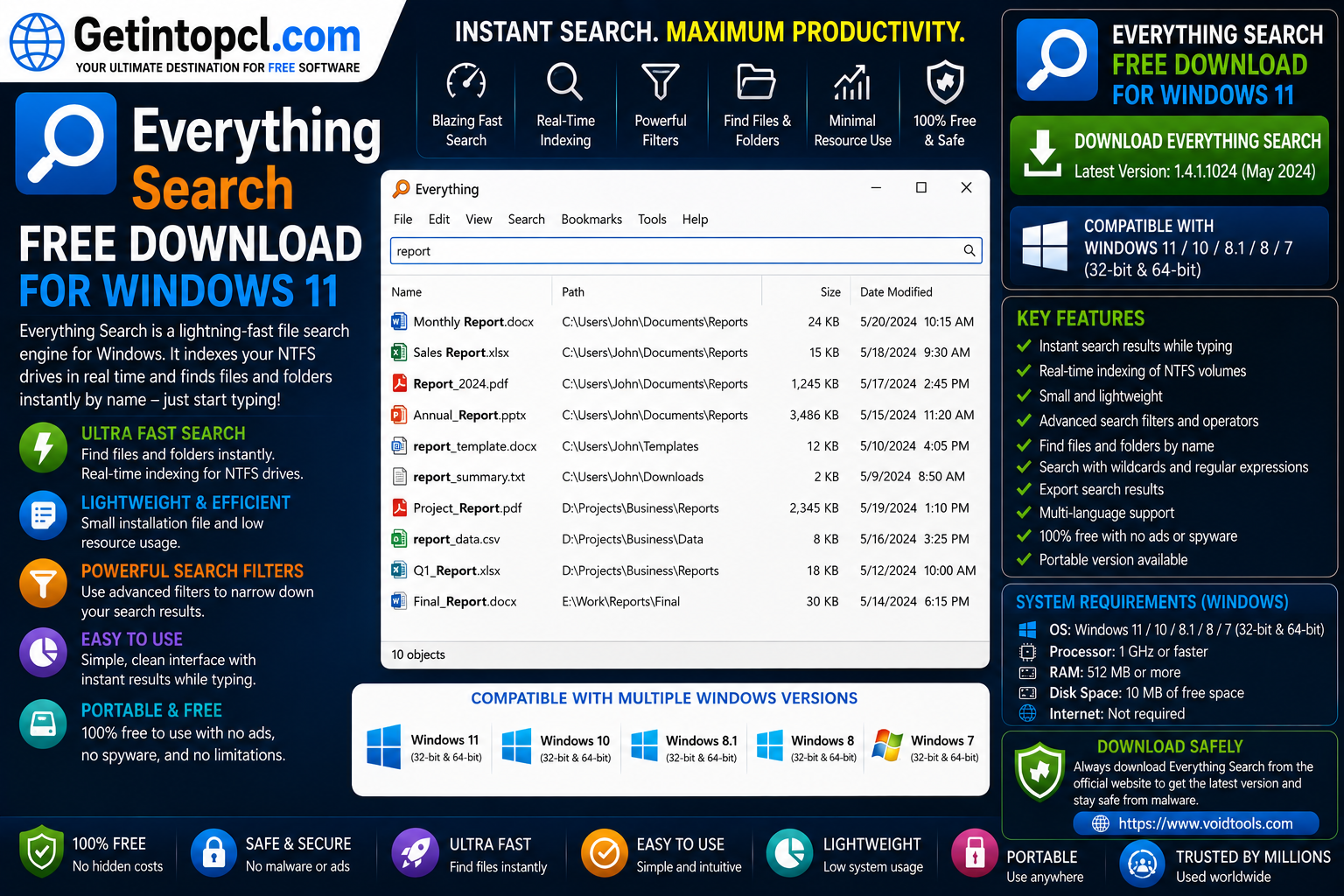
Everything Search Free Download for Windows 11 gives users a fast and lightweight way to locate files and folders on their Windows computers. Developed by voidtools, Everything is a filename search engine designed specifically for Windows. Unlike traditional file-search utilities that may take considerable time to scan folders, Everything builds an index of file and folder names and then displays matching results almost instantly.
Everything is particularly useful for people who have large numbers of documents, images, videos, applications, archives, and other files spread across multiple drives. Instead of manually browsing through folders in File Explorer, users can type part of a filename into Everything’s search box and quickly locate matching files.
The current stable release listed by Voidtools is Everything 1.4.1.1032. The official download page provides installer and portable versions for x86 and x64 systems, along with ARM and ARM64 portable packages. A separate 1.5 beta is also available, but users looking for a stable release should choose the current 1.4.1.1032 version.
For users searching for Everything Search for Windows 11, the software is an especially attractive option because it is freeware, starts quickly, uses relatively few system resources, and can operate entirely offline.
What Is Everything Search?
Everything is a desktop file-search utility for Windows that locates files and folders primarily by filename. Its name comes from its ability to initially display the files and folders available on indexed volumes, after which users can filter the results by entering search terms.
The program does not work like a traditional full-content indexing search engine. Its main strength is extremely fast filename searching. Everything creates a database containing information about files and folders and uses that database to return results quickly.
For example, if a computer contains thousands of files and the user remembers only that a document contains the word “report” in its filename, typing report into Everything can immediately narrow the results.
Everything can also perform more advanced searches using Boolean operators, wildcards, filters, regular expressions, file-type macros, paths, and other search options.
Bitwarden Free Password Manager Download for Windows 11 2026
Major Uses of Everything Search
Everything can be useful in many everyday Windows situations.
Finding files quickly: Users can type part of a filename and immediately see matching files and folders.
Searching large collections: Everything is particularly useful when a computer contains thousands or millions of files.
Locating files by extension: Users can search for terms such as .pdf, .jpg, .mp4, .docx, or .zip to find specific types of files.
Searching specific drives: Searches can be limited to particular drives or locations using Everything’s search syntax.
Finding folders: Everything can search folders as well as individual files.
Advanced file searching: Boolean operators, wildcards, regular expressions, filters, and other search functions allow users to create more precise queries.
Managing large file collections: Photographers, students, designers, developers, office workers, and other users can use Everything to quickly locate files without manually navigating through multiple directories.
Portable searching: The portable version can run without a conventional installation, making it useful when users need the search tool on different computers.
Key Features of Everything Search
Everything includes a number of features that make it different from standard Windows file searching.
- Instant filename searching
- Quick file and folder indexing
- Real-time search-result updates
- Very small installation package
- Minimal resource usage
- Small search database
- NTFS indexing
- Advanced search syntax
- Boolean operators
- Wildcards
- Regular expressions
- File-type filters
- Path-based searches
- Content searching
- Portable version
- x86 and x64 Windows versions
- ARM and ARM64 packages
- Multilingual support
- Offline operation
- No user-data collection according to Voidtools
- Freeware licensing
One of Everything’s biggest advantages is its indexing speed. Voidtools states that a fresh Windows 11 installation containing approximately 250,000 files can generally be indexed in about five seconds, while one million files can take approximately one minute.
After indexing, users can type a partial filename into the search field and receive matching results almost immediately.
Everything Search and NTFS
Everything is particularly effective when used with NTFS, the standard Windows file system used on many internal Windows drives.
Everything can automatically maintain its NTFS indexes using the NTFS USN Journal. This allows the search database to remain updated as files are created, renamed, moved, or deleted.
For NTFS indexing, Everything requires either its service to be installed or the application to run with administrator privileges. Voidtools recommends installing the Everything service so the main application can operate as a standard user while the service handles the required NTFS indexing operations.
This architecture helps Everything maintain fast search results without requiring the user to run the entire application with elevated privileges.
Does Everything Search File Contents?
Everything can search file contents, but content searching works differently from its normal filename search.
Filename searching is the program’s primary strength because filenames are indexed. Content searching is not indexed in the same way, meaning searches through the actual contents of files can be significantly slower. Voidtools specifically warns that content searching is extremely slow compared with normal filename searches.
Therefore, users should think of Everything primarily as a filename and folder search engine, rather than a full document-content indexing system.
For example, searching for:
project report
will quickly locate files and folders whose names match the search.
Searching the actual text inside hundreds of documents is a different task and can take substantially longer.
Mozilla Thunderbird Free Download for Windows 11 – Version 2026
Everything Search for Windows 11 Compatibility
Everything officially supports Windows 11. Voidtools’ FAQ lists Windows XP, Vista, Windows 7, Windows 8, Windows 10, and Windows 11 as supported Windows versions.
The current download page provides multiple architecture options.
x86 Version
The x86 version works on both 32-bit and 64-bit versions of Windows. It is appropriate for older Windows systems that cannot run 64-bit software.
x64 Version
The x64 version requires a 64-bit Windows operating system. It supports databases larger than 2 GB and 64-bit context-menu shell extensions. Voidtools notes that the x64 version uses slightly more RAM than the x86 version.
ARM and ARM64
Voidtools also provides ARM and ARM64 packages. ARM64 requires a 64-bit ARM version of Windows, making it appropriate for compatible Windows 11 ARM64 computers.
For most modern Windows 11 Intel and AMD computers, the 64-bit x64 version is the natural choice.
Everything Portable
Everything is available as both an installer and a portable application.
The standard installer guides users through installation and is the recommended choice for ordinary Windows installations. The portable version is distributed as a ZIP package. Users can extract it to a folder and run Everything.exe without performing a conventional installation. Voidtools states that the portable executable is identical to the installed version and makes no changes to the system.
The portable edition can therefore be useful for:
- USB drives
- Temporary use
- Troubleshooting
- Computers where installation is undesirable
- Users without standard installation access
However, some advanced indexing configurations may require additional privileges or the Everything service.
Everything System Requirements
Everything is designed to be lightweight. Voidtools does not publish a conventional list of minimum processor, RAM, graphics, and storage requirements in the way many large applications do. Instead, its official documentation provides operating-system compatibility and real-world resource-use information.
Officially documented requirements and considerations:
- Operating system: Windows XP, Vista, Windows 7, Windows 8, Windows 10, and Windows 11.
- Processor: No specific minimum CPU model or clock speed is published.
- RAM: No fixed minimum RAM requirement is published.
- Storage: No fixed minimum installation-storage requirement is published.
- Graphics: No dedicated graphics card is required or specified.
- Internet connection: Not required for normal local searching; Everything can run entirely offline.
- File system: NTFS provides the fastest and most complete indexing experience.
- Architecture: x86, x64, ARM, and ARM64 packages are available.
- Administrative access: NTFS indexing requires the Everything service or running Everything as administrator.
Voidtools provides useful real-world resource information. On a fresh Windows 11 installation containing approximately 250,000 files, Everything uses about 35 MB of RAM and less than 14 MB of disk space for its database. With approximately one million files, the figures increase to about 100 MB of RAM and 45 MB of disk space. These are examples of resource usage rather than minimum system requirements.
Recommended Requirements
Voidtools does not publish separate recommended CPU, RAM, graphics, or storage specifications.
For a typical Windows 11 computer, the most important consideration is selecting the correct architecture. Users with a standard 64-bit Intel or AMD system should generally choose the x64 release, while compatible ARM64 Windows systems should use the ARM64 package.
Is Everything Search Really Free?
Yes. Everything is freeware. Voidtools explicitly states in its FAQ that Everything is free and invites users who find the software useful to consider donating.
There is no official premium edition that users must purchase to unlock the normal search engine.
Everything Free vs Paid Versions
Because Everything does not have an official paid edition, a traditional free-versus-premium comparison does not apply.
| Feature | Everything |
|---|---|
| Filename searching | Yes |
| Folder searching | Yes |
| Instant search results | Yes |
| NTFS indexing | Yes |
| Real-time updates | Yes |
| Advanced search syntax | Yes |
| Boolean search | Yes |
| Wildcards | Yes |
| Regular expressions | Yes |
| Portable version | Yes |
| x86 version | Yes |
| x64 version | Yes |
| ARM/ARM64 packages | Yes |
| Offline operation | Yes |
| Commercial premium edition | No |
| Subscription required | No |
| License model | Freeware |
The software’s free availability is one of its biggest advantages over some commercial desktop-search utilities.
Advanced Search Features
Everything provides a powerful search syntax for users who want more than basic filename searches.
AND searches: Entering multiple terms separated by spaces searches for results matching the terms.
OR searches: The | operator can be used to search for either term.
NOT searches: The ! operator can exclude unwanted results.
Wildcards: * and ? can be used to match variable or single characters.
Exact phrases: Quotation marks can be used to search for an exact phrase.
File-type macros: Everything provides macros such as audio:, doc:, exe:, pic:, video:, and zip: for narrowing results.
Regular expressions: Advanced users can enable regular-expression searching for more complex filename queries.
For example, users can search a specific drive or directory by entering a path, such as D:\Downloads\, and then add additional search terms.
These features make Everything useful not only for casual users but also for developers, IT professionals, researchers, and other users who regularly manage large collections of files.
Advantages of Everything Search
Extremely fast searching: Everything is designed specifically for instant filename searching.
Very lightweight: Voidtools reports low memory and disk usage compared with many traditional search utilities.
Freeware: There is no subscription or premium license required.
Offline operation: Everything can operate entirely offline.
Real-time updates: Search results can update as changes occur to the file system.
Portable version: Users can run the portable edition without a conventional installation.
Advanced search syntax: Boolean operators, wildcards, regular expressions, filters, and path searching provide substantial control.
Multiple architectures: x86, x64, ARM, and ARM64 packages are available.
Privacy-focused operation: Voidtools states that Everything does not collect user data.
Limitations of Everything Search
Primarily a filename search engine: Everything’s main strength is locating files by name. Content searches are significantly slower.
Windows-focused: Everything is designed for Windows rather than being a cross-platform desktop application.
NTFS works best: Some indexing capabilities depend on the file system and configuration.
Administrative requirements: NTFS indexing may require the Everything service or administrator privileges.
Large databases use additional memory: Although Everything is lightweight, systems containing millions of files will naturally require more memory for the index.
Advanced functions require learning: Users unfamiliar with Boolean operators, filters, or regular expressions may need some time to learn the advanced search syntax.
Windows 10 Pro x64 ISO incl Office 2016 Free Download – Updated April 2026
Who Should Use Everything Search?
Everything is best suited to Windows users who want a faster alternative to traditional filename searching.
It can be particularly useful for:
- Windows 11 home users
- Students
- Office workers
- Developers
- Photographers
- Video editors
- Researchers
- IT professionals
- Users with multiple storage drives
- People managing large file collections
- Users who frequently search for documents
- Anyone looking for a free file search for Windows 11
It is especially valuable when Windows computers contain hundreds of thousands or millions of files.
Users who need to search deeply through the contents of documents rather than their filenames may need a different indexing solution or should use Everything’s content search with the understanding that it is considerably slower.
Where to Safely Download Everything Search
The safest place to download Everything is the official Voidtools website. The current official download page lists stable Everything 1.4.1.1032 installers and portable packages, including x86 and x64 builds. It also provides ARM and ARM64 portable packages.
Voidtools also lists Everything 1.5.0.1423b Beta separately. Users who prioritize stability should choose the current stable 1.4.1.1032 release rather than the beta.
Avoid modified installers, cracked software, unofficial repacks, and suspicious third-party download links. Search utilities can have extensive access to local files, so obtaining the genuine application is important.
Getintopcl.com can provide software information, feature explanations, compatibility details, and installation guidance. For the actual installer, users should use an official or authorized download source.
Official Everything Download: Download Now
How to Install Everything on Windows 11
Installing Everything on Windows 11 is simple.
- Visit the official Voidtools download page.
- Select the appropriate stable version.
- Choose the x64 installer for a standard 64-bit Intel or AMD Windows 11 PC.
- Download the installer.
- Open the downloaded setup file.
- Approve the Windows User Account Control prompt.
- Follow the installation wizard.
- Choose the desired indexing configuration.
- Allow Everything to create its initial database.
- Wait a few seconds for the initial index to complete.
- Type a filename into the search box to begin searching.
Voidtools recommends the installer for most users. During installation, users can choose whether to install the Everything service for NTFS indexing. The initial indexing process generally takes only a few seconds on a typical Windows 11 installation.
Users who do not want to install the program can instead download the portable ZIP package, extract it, and launch Everything.exe.
Frequently Asked Questions
Is Everything Search really free?
Yes. Everything is freeware. Voidtools confirms that the software is available free of charge and does not require a subscription.
Does Everything work on Windows 11?
Yes. Everything officially supports Windows 11. The current stable release is available for multiple Windows architectures, including x86, x64, ARM, and ARM64 packages.
How much RAM does Everything Search require?
Voidtools does not publish a fixed minimum RAM requirement. As a practical reference, its FAQ reports approximately 35 MB of RAM for a fresh Windows 11 installation with around 250,000 files and about 100 MB with approximately one million files.
How much storage does Everything need?
There is no published fixed minimum storage requirement. Voidtools reports that the database for approximately 250,000 files uses less than 14 MB of disk space, while approximately one million files uses about 45 MB. These are example usage figures rather than minimum requirements.
Can Everything search file contents?
Yes, Everything can search file contents using its content-search function. However, content searching is significantly slower because file contents are not indexed in the same way as filenames.
Does Everything work with NTFS drives?
Yes. NTFS is one of Everything’s primary indexing environments. NTFS indexing can use the Everything service or administrator privileges, and the software can keep its index updated using the NTFS USN Journal.
Is Everything available as a portable application?
Yes. Voidtools provides portable ZIP packages. Users can extract the package and run Everything.exe without performing a conventional installation.
Where can I safely download Everything Search?
The safest option is the official Voidtools website. The current download page provides the stable Everything 1.4.1.1032 release and separate beta builds.
Conclusion
Everything Search is an excellent lightweight utility for Windows users who want to locate files and folders much faster than conventional manual browsing. Its filename indexing, instant search results, real-time updating, advanced search syntax, NTFS support, portable edition, and low resource usage make it especially useful for computers containing large numbers of files.
The software is completely free, works on Windows 11, supports multiple architectures, and can operate without an internet connection. For most modern Windows 11 PCs, the x64 stable version is the appropriate choice, while ARM64 users can select the corresponding package.
If you are looking for Everything Search Free Download for Windows 11, Getintopc can help you discover useful software, understand features and system requirements, and follow installation guides. For the actual application, always choose the genuine installer from an official source to ensure that you receive an authentic and unmodified copy.