
KeePass Free Password Manager Download for Windows 11 provides users with a free and privacy-focused way to store, organize, and manage passwords and other sensitive information. KeePass is an open-source password manager originally developed by Dominik Reichl. The current KeePass 2.x series is distributed under the GNU General Public License version 2 or later, allowing users to use, study, modify, and redistribute the software under the license terms.
Unlike cloud-based password managers that typically store encrypted vaults through a centralized online service, KeePass is primarily a local password manager. Your password database is stored as an encrypted file that you control. This approach can appeal to users who want more direct control over where their password vault is stored.
The current official KeePass download page lists KeePass 2.61.1 as the current 2.x release, with Windows installer and portable packages available. KeePass 2.61.1 supports Windows 7, 8, 10, and 11, as well as x86, x64, and ARM64 architectures natively.
For users searching for a KeePass password manager Windows 11 solution, KeePass can store website passwords, usernames, notes, URLs, credit-card-related information, software licenses, and other sensitive records in a structured encrypted database.
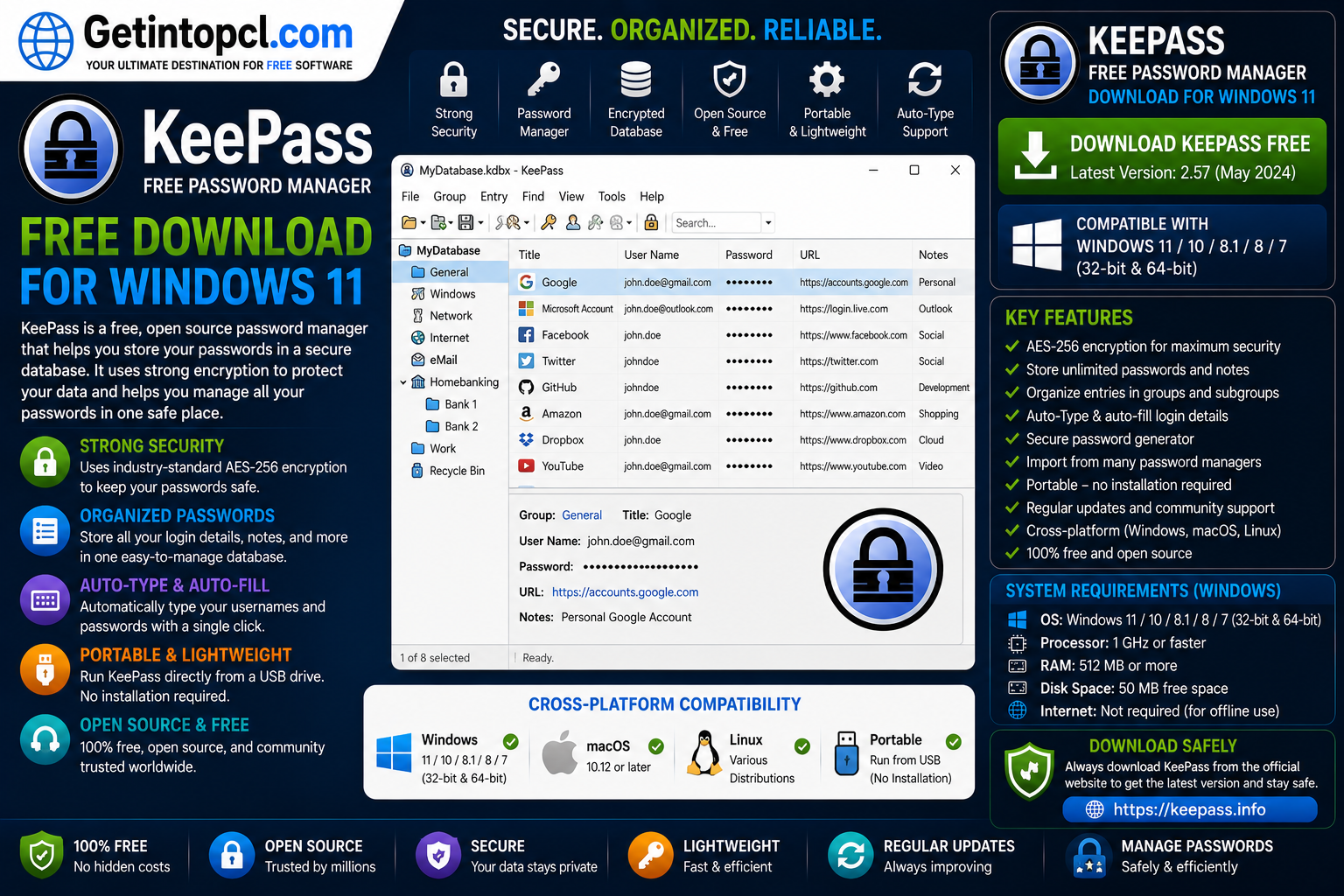
What Is KeePass Password Manager?
KeePass is a password management application designed to help users securely organize passwords and other confidential information. Instead of remembering dozens of different passwords, users can create one encrypted database protected by a master key.
KeePass stores information in its own encrypted database format, allowing users to keep their credentials organized in groups and entries. The database can contain usernames, passwords, URLs, notes, expiration information, and custom fields.
A major difference between KeePass and many commercial password managers is its local-first approach. KeePass does not require users to maintain an account with the KeePass development team or subscribe to a centralized cloud service. The user controls the database file and can decide where to store or synchronize it.
KeePass is also available as an installer and a portable ZIP package. The portable edition can run directly from a folder or USB device without a conventional installation.
Major Uses of KeePass
KeePass can be used for several password and information-management tasks.
Password storage: Users can store usernames, passwords, website addresses, notes, and other account information in an encrypted database.
Password organization: KeePass allows entries to be organized into groups. For example, users can create groups for email accounts, banking, social media, shopping, work, and software licenses.
Password generation: KeePass includes a password generator that can create strong and customized passwords rather than requiring users to invent passwords manually.
Automatic login assistance: KeePass provides an Auto-Type feature that can enter usernames and passwords into compatible applications and websites.
Secure information storage: KeePass can store more than passwords. Users can maintain notes, license keys, PINs, recovery information, and other sensitive data inside database entries.
Portable password management: The portable version allows KeePass to run without a traditional installation, which can be useful for users who need their password vault on different computers.
Database synchronization: KeePass does not provide a mandatory centralized cloud account. Users can choose their own method of synchronizing the encrypted database between devices, provided that the chosen storage or synchronization service is appropriate for their security requirements.
Key Features of KeePass
KeePass provides a broad selection of features for users who want direct control over their password database.
- Encrypted password database
- Master password protection
- Password generator
- Organized password groups
- Auto-Type functionality
- Clipboard support
- Custom fields and notes
- Portable version
- Import and export functionality
- Plugin support
- Multiple database formats and compatibility options
- Windows 11 support
- Native x86, x64, and ARM64 support
- Open-source licensing
- No mandatory subscription
- Local password database management
One of the most important features is the encrypted database. KeePass documentation explains that KeePass primarily uses algorithms such as AES-256, SHA-256, HMAC-SHA-256, and SHA-512 for database protection, while users can also configure different encryption and key-derivation options.
KeePass also supports Argon2, a modern key-derivation function designed to make password-guessing attacks more expensive by using memory and processing resources. KeePass provides controls for adjusting the Argon2 parameters according to the hardware on which the database will be opened.
KeePass Password Manager Windows 11 Compatibility
KeePass 2.61.1 officially supports Windows 11. The current download page lists Windows 7, Windows 8, Windows 10, and Windows 11 as supported operating systems.
It also supports three major processor architectures:
- x86
- x64
- ARM64
Importantly, KeePass 2.x runs natively on these architectures. On Windows 11 version 24H2 and later, KeePass can run natively as an ARM64 application rather than depending on x64 emulation.
This makes KeePass suitable for both traditional Intel/AMD Windows 11 computers and compatible ARM64 Windows 11 systems.
The installer requires local installation rights. Users without those rights can use the portable ZIP package instead.
KeePass for Mac
KeePass 2.x can also run on macOS. However, the Windows application is not simply a native Mac application that can be installed directly like a typical macOS program.
The official KeePass documentation explains that KeePass 2.x can run on MacOS using Mono, with a Mac-specific package available through the KeePass download resources.
Users who want KeePass on Mac should therefore follow the official Mac/Mono installation instructions rather than attempting to install the Windows executable directly.
There are also independent KeePass-compatible password-manager applications available for macOS. These are separate products and should not automatically be treated as official KeePass releases.
KeePass for Linux
KeePass 2.x can also run on Linux. The official documentation provides instructions for Debian/Ubuntu, Fedora/RHEL/Rocky/Alma Linux, OpenSUSE, Gentoo, Arch Linux, and other Unix-like systems.
On Linux, KeePass can operate using Mono. Depending on the distribution and desired functionality, users may need additional packages.
For example, Auto-Type functionality on Linux can require the xdotool package, while additional libraries may be required for certain encryption and plugin features. Wayland environments can also require additional configuration for Auto-Type.
This means KeePass is considerably more flexible than a Windows-only password manager, but Linux installation may require more technical knowledge than the standard Windows installer.
KeePass System Requirements
KeePass is relatively lightweight, but its current official documentation does not provide a specific minimum RAM, processor, graphics, or storage figure for KeePass 2.61.1.
Because the official project does not publish those numbers as minimum requirements, they should not be invented or presented as official specifications.
Officially documented requirements and compatibility include:
- Operating system: Windows 7, Windows 8, Windows 10, and Windows 11.
- Architecture: x86, x64, and ARM64.
- Windows ARM: Native ARM64 support is available; on Windows 11 24H2 and later, KeePass runs natively as ARM64.
- Processor: No specific minimum CPU model or clock speed is currently published by KeePass.
- RAM: No specific minimum RAM requirement is currently published.
- Storage: No specific minimum disk-space requirement is currently published.
- Graphics: No dedicated graphics card requirement is published.
- Internet connection: Not required for the basic local operation of the password manager. Internet access may be needed to download the application, updates, plugins, or externally hosted database files.
- Windows installation: The standard installer requires local installation rights.
- Portable option: The portable ZIP version does not require conventional installation.
Recommended Requirements
KeePass does not publish a separate recommended CPU, RAM, graphics, or storage configuration.
For ordinary Windows 11 use, a computer capable of comfortably running Windows 11 should generally have more than enough resources for a password-management application. However, this is a practical observation rather than an official KeePass hardware recommendation.
Users configuring Argon2 with a large memory parameter should remember that opening and saving the database can require additional RAM. KeePass recommends adjusting Argon2 parameters according to the available memory and processors on the devices that need to open the database.
Windows 10 Pro x64 ISO incl Office 2016 Free Download – Updated April 2026
Is KeePass Free or Paid?
KeePass is free software and is distributed under the GNU General Public License version 2 or later. It is not a freemium application where users need to purchase a premium edition to unlock the core password manager.
The official license explicitly states that KeePass 2.x is distributed under GPL version 2 or later.
There is therefore no official KeePass Premium, KeePass Pro, or mandatory subscription that unlocks the basic application.
Users may encounter third-party KeePass-compatible applications, plugins, synchronization services, or commercial support offerings that charge money. These should not be confused with the official KeePass 2.x application.
KeePass Free vs Commercial Password Managers
Because KeePass does not have an official paid edition, a direct Free vs Premium comparison is not applicable. The more useful comparison is between the official KeePass model and typical subscription-based password managers.
| Feature | KeePass | Typical Premium Password Manager |
|---|---|---|
| Core password manager | Free | Usually paid after trial/free tier |
| Subscription required | No | Often yes |
| Encrypted password vault | Yes | Yes |
| Password generator | Yes | Yes |
| Auto-Type/login assistance | Yes | Usually yes |
| Local database control | Yes | Varies |
| Central cloud account | Not required | Usually available |
| Portable version | Yes | Varies |
| Open-source code | Yes | Varies |
| Official premium upgrade | No | Usually available |
| Third-party plugins | Yes | Varies |
KeePass therefore appeals particularly to users who prefer an open-source, locally controlled password-management system rather than a subscription-based service.
Security Features of KeePass
Security is one of the most important reasons people choose KeePass.
Encrypted database: KeePass stores passwords inside an encrypted database rather than as ordinary readable text.
Master key: Access to the database is protected by a master key. Users should create a strong master password because the security of the database depends heavily on protecting its credentials.
Modern encryption: KeePass supports strong encryption and key-derivation technologies, including AES-256 and Argon2.
Password generator: The built-in generator can help users create unique passwords for individual accounts.
Open-source code: KeePass is distributed as free software under the GPL, allowing its source code to be examined and modified under the license terms.
Digitally signed files: KeePass states that executable files containing code are digitally signed using Authenticode. The project also provides hashes and OpenPGP signatures for verifying downloaded files.
Users should nevertheless understand that no password manager eliminates every security risk. A compromised Windows system, weak master password, malicious plugin, unsafe backup, or exposed database file can undermine otherwise strong protection.
Advantages of KeePass
Completely free: KeePass does not require a subscription or premium license for its core features.
Open-source: The application is distributed under GPL version 2 or later, providing users with the freedoms associated with free software.
Strong encryption: KeePass supports modern cryptographic and key-derivation technologies, including AES-256 and Argon2.
Local control: Users can keep their password database under their own control rather than being required to create a centralized cloud account.
Portable version: The official ZIP package can run without conventional installation.
Windows ARM support: KeePass 2.x supports x86, x64, and ARM64 natively.
Cross-platform flexibility: KeePass 2.x can run on Windows and can also be used on Linux, macOS, and other Unix-like platforms through the documented Mono-based approach.
Limitations of KeePass
Less beginner-friendly: KeePass can require more configuration and technical knowledge than cloud-based password managers.
No built-in centralized cloud synchronization: Users must manage synchronization themselves if they want the database available across multiple devices.
Mac and Linux setup can be more complicated: The official documentation relies on Mono and platform-specific packages for these systems.
Database responsibility: Users are responsible for protecting and backing up their KDBX database.
Plugins require care: KeePass supports plugins, but users should install plugins only from trustworthy sources and understand that third-party extensions can introduce additional risks.
Auto-Type limitations: Standard Auto-Type is not inherently resistant to keyloggers. KeePass provides Two-Channel Auto-Type Obfuscation as an optional alternative, but it does not work with every window.
Microsoft Office 2013 Professional Free Download Full Version for windows 11,10 [32/64bit]
Who Should Use KeePass?
KeePass is particularly suitable for users who want complete control over their password database and do not want to depend on a mandatory subscription.
It can be a good choice for:
- Windows 11 home users
- Students
- Freelancers
- Privacy-conscious users
- Technical users
- Users managing many online accounts
- People who want a free password manager
- Users who prefer local encrypted storage
- Users who want a portable password manager
- Linux and Mac users comfortable with additional configuration
Users who want automatic cloud synchronization, integrated browser ecosystems, family sharing, or highly polished mobile applications may prefer a commercial password manager or a third-party KeePass-compatible application.
Where to Safely Download KeePass
The safest place to obtain KeePass is the official KeePass website. The official download page currently lists KeePass 2.61.1, including the Windows installer and portable ZIP package. It also provides source code, integrity information, and links to contributed packages for Linux, macOS, BSD, and other platforms.
For Windows 11 users, the standard installer is the easiest option. Users without local installation rights can use the portable ZIP package instead.
The KeePass project also publishes hashes and OpenPGP signatures for released files, allowing technically experienced users to verify the integrity and authenticity of downloaded packages.
Avoid cracked versions, modified installers, unofficial password-manager builds, and suspicious download sites. Password-management software handles extremely sensitive information, so downloading the genuine application is especially important.
Getintopcl.com can provide software information, installation guides, compatibility details, and other useful resources. For the actual KeePass installer, users should rely on the official KeePass download source.
Official KeePass Download: Download Now
How to Install KeePass on Windows 11
Installing KeePass on Windows 11 is straightforward.
- Visit the official KeePass download page.
- Download the current Windows installer.
- Open the
KeePass-2.61.1-Setup.exefile. - Approve the Windows security prompt if it appears.
- Follow the installation wizard.
- Choose the desired installation options.
- Complete the installation.
- Launch KeePass.
- Select File → New to create a new password database.
- Create a strong master password or another appropriate master-key configuration.
- Add your first password entries.
- Save and back up the encrypted database securely.
The standard installer requires local installation rights. If you do not have those rights, KeePass provides a portable ZIP package that can be extracted and run without a conventional installation.
After creating the database, make sure you maintain secure backups. Losing the only copy of a password database can result in losing access to the credentials stored inside it.
Frequently Asked Questions
Is KeePass completely free?
Yes. KeePass 2.x is free software distributed under the GNU General Public License version 2 or later. There is no official premium subscription required to use the core password manager.
Does KeePass work on Windows 11?
Yes. The current KeePass 2.61.1 release officially supports Windows 11 and supports x86, x64, and ARM64 architectures.
How much RAM does KeePass require?
KeePass does not currently publish a specific minimum RAM requirement for the Windows application. The amount of RAM used can also depend on the database and key-derivation settings, particularly Argon2 parameters.
How much storage space does KeePass need?
The official KeePass documentation does not publish a specific minimum storage requirement for KeePass 2.61.1. The application itself is relatively small, but users should also maintain enough storage for their encrypted database and backups.
Can I use KeePass on Mac?
Yes. KeePass 2.x can run on macOS using the documented Mono-based approach, and the official project provides Mac-related packages and instructions.
Does KeePass work on Linux?
Yes. KeePass 2.x can run on Linux using Mono, with documented packages and instructions for distributions including Debian/Ubuntu, Fedora/RHEL/Rocky/Alma, OpenSUSE, Gentoo, and Arch Linux.
Is KeePass a secure password manager?
KeePass provides an encrypted database and supports strong cryptographic and key-derivation technologies, including AES-256 and Argon2. Its security also depends on how users protect their master key, database backups, plugins, and devices.
Where can I safely download KeePass?
The safest option is the official KeePass website. The current official download page provides the Windows installer, portable package, source code, and integrity-verification information.
Conclusion
KeePass is a powerful choice for users who want a free password manager for Windows 11 without subscriptions or mandatory cloud accounts. Its encrypted database, strong cryptographic options, password generator, Auto-Type functionality, portability, and open-source license make it particularly attractive to privacy-conscious and technically minded users.
The current KeePass 2.61.1 release officially supports Windows 11, including native x86, x64, and ARM64 architectures. KeePass 2.x can also be used on Linux and macOS through the project’s documented platform-specific methods.
If you are looking for KeePass Free Password Manager Download for Windows 11, Getintopcl.com can help you discover useful software, understand features and compatibility, and follow installation guides. Always obtain the actual password-manager installer from an official and trustworthy source because your password vault contains highly sensitive information.